
nijinolfcelcpalfjldgcamfgfeonled
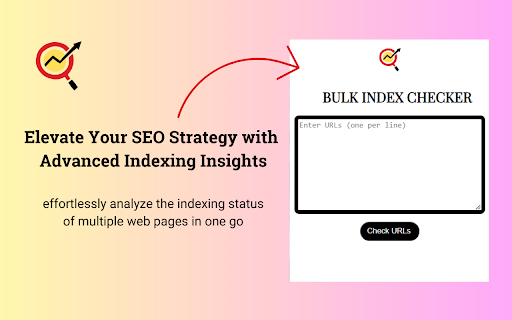

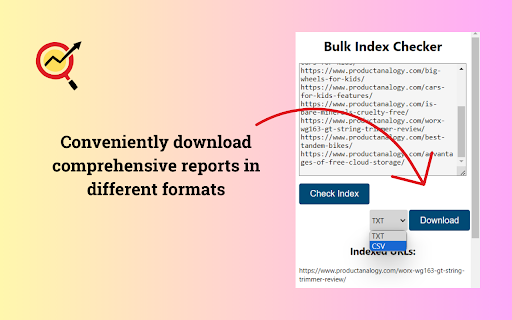
Instantly review the Google indexing status of multiple URLs and download indexing reports in various formats. Bulk Index Checker: Efficient, Comprehensive SEO Insights Regarding Google Index at Your Fingertips In the vast digital landscape, effective search engine optimization (SEO) is critical to ensuring your website stands out. At the heart of SEO lies the importance of indexing, which determines how search engines perceive and prioritize your content. Addressing this vital component, CodeZy introduces the Bulk Index Checker extension for Chrome. This tool is designed to simplify your indexing checks, providing clearer insights, and helping to refine your SEO strategy. 1. Bulk Analysis Made Easy: Check the indexing status for 20 web pages simultaneously, eliminating the need for time-consuming individual checks using Search Console. 2. Strategic SEO: Identify indexed and non-indexed pages, enabling targeted SEO decisions that amplify your website's visibility. 3. Integrated Chrome Experience: With its intuitive interface, the Bulk Index Checker becomes a natural extension of your Chrome browser. 4. Actionable Insights: Leverage the data provided to optimize your content, close indexing gaps, and refine your SEO strategy. 5. Export & Report: Seamlessly download indexing results for in-depth analysis, presentations, or future referencing. Bulk Index Checker delivers precise, actionable insights, significantly simplifying the process of monitoring and enhancing your site's indexing status. With this tool, there's no need for manual, individual checks that consume precious time. Navigate the complexities of SEO with ease, confidence, and the Bulk Index Checker. Take Control of Your SEO Journey: In the quest for digital prominence, the Bulk Index Checker offers a distinct advantage. Fine-tune your SEO strategy, boost your site's search engine performance, and stay ahead of the curve. Install the Bulk Index Checker Chrome extension today and experience efficient, data-driven SEO management. What's New in Version 2.0? - Bug fixes that were causing inaccurate result's - A more intuitive user interface based on Google's side panel so you don't lose progress or results in case of accidental clicks - increased the limit of URLs per query to 20 instead of 10, allowing users to process double the previous amount while cutting the time in half. We are working really hard to make sure this extension provides accurate results. If you encounter any bugs or errors, feel free to reach us out using the support button. We are looking forward to hearing from you. If you like this extension and find it useful we would appreciate it if you would leave a review. Thank you! Team CodeZy

SEO META in 1 CLICK
Displays all meta data and main SEO information for the best SEO SEO META in 1 CLICK is a tool that displays all meta tags/data and main seo information clearly. By using this tool, we hope you can better manage and improve your SEO and visibility on Internet We focus on displaying: ✔ title and its length, ✔ description and its length, ✔ URL (and meta-canonical url too), ✔ meta-robots, ✔ displaying headers in order of their appearance in HTML (H1, H2, H3, H4, H5 and H6), ✔ number of images with and without ALT, ✔ the number of links (internal, unique, ...) ✔ Open Graph and twitter social data ✔ Robots.txt and sitemap.xml ✔ and much more... (See printscreens) You can also via ETERNAL TOOLS analyse your site and know how improve it (html, css, Google Rich Snippet, PageSpeed...)

SEO Indexing Tool for Google
Index Your Pages in 24 Hours SEO indexing tool for Google will index all your URLs in 24 hours like a 🚀. Pages on your website are not indexed? Try this Google indexing tool, using Google indexing api technique, to improve your SERP coverage and performance. ✓ 95% of Your URLs Will Be Indexed in 24 Hours ✓ UNLIMITED URLs Indexing ✓ Super Simple & Crazy FAST ✓ Click the Button and Voila, Your Pages Are Indexed All of them use the Google Indexing api technique. This Chrome extension makes it much easier to send the index request. It's perfect for the site which isn't based on WordPress or the site owner doesn't want to install Rankmath, maybe the Yoast fans. To be honest, the whole setting process isn’t easy. So I’ve created this step-by-step guide to help you get it done: https://www.appthatsells.com/google-indexing-api-tool-guide/ According to the Google Search Console, the default daily Google indexing api quota is 200, which means you can index 200 URLs per day using this extension. This is the address of a web page that appears in the browser’s address bar. The URL you want to index or update on SEO Indexing Tool can be : - a page or an article from one of your sites; - a product page or blog page from your e-commerce sites 🧐Why you have to index your page on Google? In short, if you don’t index your page on Google, you won’t get any organic traffic from Google. Indexing your URLs is the start of boosting your traffic on Google. * Copy the url that you want to check. Then go to Google and search: site:https://example.com or inurl: https://example.com * Log in your Google Search Console, then inspect the url you want to check from the top bar of GSC.

SEO Extension [Metrics, Backlinks, On-Page]
Speed up your SEO routine with SEO extension by Mangools. See the important metrics & website insights on a click. CHECK THE DOMAIN AUTHORITY AND POPULARITY The most popular SEO metrics by Moz, Majestic and popularity charts give you a great overview of any website. Metrics included: - Domain Authority - Page Authority - Citation Flow - Trust Flow - Alexa Rank - Referring IPs - Facebook shares - Followers on social profiles See what the currently visited website already ranks for without visiting any keyword tool: - See the list of keywords with positions in search results - Get the exact search volume for each keyword - See the estimated visits of the currently visited website - Check PPC metrics - Evaluate the keywords with Keyword Difficulty by Mangools rated as (one of) the most accurate metrics on the market Get the list of your competitor's backlinks directly in your browser. The “Backlinks” tab includes the backlinks with the most critical metrics: - The Link Strength developed by Mangools - Source URL - Citation Flow - Trust Flow - HREF - Anchor text - DoFollow/NoFollow tags Click on the "Expand" button to proceed to LinkMiner if you want to further backlink analysis. ON-PAGE SEO ANALYSIS What's the appearance of the website in Google SERP? Are there any on-page errors? Find out with: - Google SERP snippet preview tool - Meta tags, Headings and Structured data checker - Keyword usage analysis - Outbound links analysis (broken link checker) - Page Speed checker - Social previews Identify what long tail keywords are used on the website, what's their density and where are they used. - 1/2/3 word terms - tags usage - title tag and the meta description usage - keyword count - keyword density. If you want to analyze the keywords, just click on the magnifier to see the keyword difficulty and other metrics in KWFinder. You can also copy and import all the keywords. This is super-useful to find any broken links on the website. They are a great opportunity for broken link building or if you look at your own website, you'll be able to fix any errors thanks to the following information: Track the organic positions of your website or competitors: - Start tracking the keywords the currently visited website already ranks for (we'll show you their top organic keywords) - The Dominance Index and Estimated Visits inform you about the overall organic traffic share - Spot the biggest ranking changes with the Top Rankers and Top Outrankers We've included quick context menu integrations so you can access all the popular features of the Mangools SEO tools package at any time. Advanced features that are available directly in SERP to boost the SEO analysis are great huh? And that's exactly what's included in the search results: - SERP positions - Shortcuts to Mangools SEO tools for further analysis You can use this extension with the 10-day FREE trial account. No strings attached, no credit card required. If you are already subscribed to Mangools SEO tools, you'll see the data from the tools in the extension ;)

Detailed SEO Extension
Get SEO insights at the click of a button to any website you're currently on. Built by full-time SEO's for daily analysis. Get SEO-related insights at the click of a button to any website you're currently on. Pull back their title tag, meta description, meta robots tag and much more. Save hours of time looking through the source code of this page with our SEO analysis extension.
