
cljmfkdomaigecbgmhfanmlnpndfnlnj

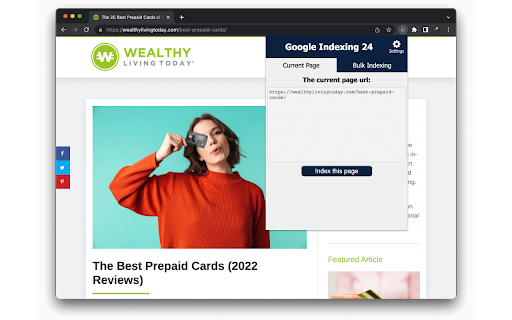
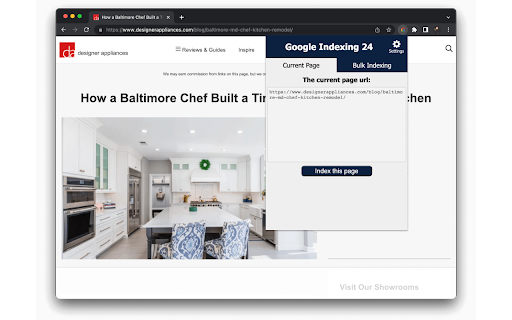


Index Your Pages in 24 Hours SEO indexing tool for Google will index all your URLs in 24 hours like a 🚀. Pages on your website are not indexed? Try this Google indexing tool, using Google indexing api technique, to improve your SERP coverage and performance. ✓ 95% of Your URLs Will Be Indexed in 24 Hours ✓ UNLIMITED URLs Indexing ✓ Super Simple & Crazy FAST ✓ Click the Button and Voila, Your Pages Are Indexed All of them use the Google Indexing api technique. This Chrome extension makes it much easier to send the index request. It's perfect for the site which isn't based on WordPress or the site owner doesn't want to install Rankmath, maybe the Yoast fans. To be honest, the whole setting process isn’t easy. So I’ve created this step-by-step guide to help you get it done: https://www.appthatsells.com/google-indexing-api-tool-guide/ According to the Google Search Console, the default daily Google indexing api quota is 200, which means you can index 200 URLs per day using this extension. This is the address of a web page that appears in the browser’s address bar. The URL you want to index or update on SEO Indexing Tool can be : - a page or an article from one of your sites; - a product page or blog page from your e-commerce sites 🧐Why you have to index your page on Google? In short, if you don’t index your page on Google, you won’t get any organic traffic from Google. Indexing your URLs is the start of boosting your traffic on Google. * Copy the url that you want to check. Then go to Google and search: site:https://example.com or inurl: https://example.com * Log in your Google Search Console, then inspect the url you want to check from the top bar of GSC.

SEO Pro Extension
Are you ready to save at least 5 hours/week on daily SEO checks? If your answer is yes, then SEO Pro is exactly what you need.… Are you ready to save at least 5 hours/week on daily SEO checks? If your answer is yes, then SEO Pro is exactly what you need. SEO Pro helps you get all the necessary information about a website page at a glance. Here are 11 examples of what you can do with this free extension in under 3 seconds: 1️⃣ See all main page information at a glance, including: ✅ Title tag ✅ Meta description ✅ Canonical URL ✅ Meta robots ✅ Core Web Vitals (Field data) ✅ Word count on the page 2️⃣Export all page copy in just 1 click 3️⃣ Instantly check Core Web Vitals metrics for a page The SEO Pro extension shows the Core Web Vitals: The SEO Pro extension will show you hints when the page you’re looking at: • Has meta-robots set to ‘noindex’ • Has the canonical tag pointing to a different page 5️⃣ Easily analyze the headings hierarchy of any page It’s handy when you want to see how many H1s the page is using. Or when you want to spot any heading opportunities your competitors are using. 💡 You can also export all the headings found on a page in a CSV with just 1 click! 6️⃣ See status codes and redirect chains at a glance 💪 Pro tip: You can also check if the most common duplicates – like http/https and www/non-www – are handled properly on the website you’re analyzing. 7️⃣Get the number of links on a page, their type and anchor text - Internal links - External links - Anchor text for each of these links 💪 Pro tip: Export the links and their anchor text for further analysis 8️⃣ Highlight nofollow links on a page You can easily see nofollow links on any page with the SEO Pro extension. On the Images tab of the SEO Pro extension, you can easily see the alt tags of the images on a page. It will help you quickly spot the images that are missing alt tags. 💪 Pro tip: Export all images along with their dimensions in a CSV in 1 click for further analysis. 🔟 See what a page preview will look like when shared on social media No need to look for Open graph tags in the source code anymore! The SEO pro extension will show you the preview image, website, title and description of any page so that you can make sure it looks great when you share it online. SEO Pro extension makes it easy for you to check all types of Schema markup so that you don’t need to open the Rich Snippets tool and wait minutes for it to show the results. Just check out the Schema tab.

SEO Minion
SEO Minion helps you in your daily SEO tasks such as On-Page SEO analysis, Broken Link Checking, SERP Preview and more The tool helps you with the following tasks - (1) Analyze On-Page SEO - analyze the HTML of any webpage and view useful information that will help you optimize the On-Page SEO as well as alert you to any issues. (2) Highlight All Links - quickly see all the links (internal & external) for any webpage (3) Check Broken Links - check every link on a webpage and get a report of any links with issues (5) SERP Preview - preview your website on a real Google search result and update this in real time (6) Google search location simulator - view non-personalized google search results for one keyword on two different location/language combination. (8) HTML v/s DOM - analyze the differences between the HTML source code and the rendered DOM to check if your JS library is causing any SEO related issue (9) Analyze Structured Data - analyze the structured data on the webpage We add features based on user feedback. If you'd like us to add any new features, please email us at akash@seominion.com. You can view the change-log for every version update at https://seominion.com/news

Bulk Index Checker
Instantly review the Google indexing status of multiple URLs and download indexing reports in various formats. Bulk Index Checker: Efficient, Comprehensive SEO Insights Regarding Google Index at Your Fingertips In the vast digital landscape, effective search engine optimization (SEO) is critical to ensuring your website stands out. At the heart of SEO lies the importance of indexing, which determines how search engines perceive and prioritize your content. Addressing this vital component, CodeZy introduces the Bulk Index Checker extension for Chrome. This tool is designed to simplify your indexing checks, providing clearer insights, and helping to refine your SEO strategy. 1. Bulk Analysis Made Easy: Check the indexing status for 20 web pages simultaneously, eliminating the need for time-consuming individual checks using Search Console. 2. Strategic SEO: Identify indexed and non-indexed pages, enabling targeted SEO decisions that amplify your website's visibility. 3. Integrated Chrome Experience: With its intuitive interface, the Bulk Index Checker becomes a natural extension of your Chrome browser. 4. Actionable Insights: Leverage the data provided to optimize your content, close indexing gaps, and refine your SEO strategy. 5. Export & Report: Seamlessly download indexing results for in-depth analysis, presentations, or future referencing. Bulk Index Checker delivers precise, actionable insights, significantly simplifying the process of monitoring and enhancing your site's indexing status. With this tool, there's no need for manual, individual checks that consume precious time. Navigate the complexities of SEO with ease, confidence, and the Bulk Index Checker. Take Control of Your SEO Journey: In the quest for digital prominence, the Bulk Index Checker offers a distinct advantage. Fine-tune your SEO strategy, boost your site's search engine performance, and stay ahead of the curve. Install the Bulk Index Checker Chrome extension today and experience efficient, data-driven SEO management. What's New in Version 2.0? - Bug fixes that were causing inaccurate result's - A more intuitive user interface based on Google's side panel so you don't lose progress or results in case of accidental clicks - increased the limit of URLs per query to 20 instead of 10, allowing users to process double the previous amount while cutting the time in half. We are working really hard to make sure this extension provides accurate results. If you encounter any bugs or errors, feel free to reach us out using the support button. We are looking forward to hearing from you. If you like this extension and find it useful we would appreciate it if you would leave a review. Thank you! Team CodeZy

Free Link Checker by LRT
Free link checker to verify all links on a page. Finds broken, unverified, no-follow, follow, internal, external links. Analyze all links on a page in seconds - advanced and fast export of link data. This unique and free Link Checker allows you to check all links on a page and see broken links and unverified links in categories no-follow links vs. follow links, internal links vs. external links. An on-page link code browser lets you see the exact source code of any link on mouse over for quick spotting of issues. Highlighting no-follows and links from own projects are supported as well as other power-user features. Features * Live Links, Broken Links and Unverified Links * No-Follow Links vs. Follow Links * Own Network Links vs. External Links * Source Code Browser on Mouse Over * LRT Power*Trust for every link * Live Filter Link Detail Table Benefits * Built for professional SEO power-users * Replaces all other link checker extensions * "My domains" highlighting * Blazzing fast link data export feature * Ongoing development by LRT Screenshot #1 1. Count the total links the page 2. Count the number of live links 3. Count the number of unverified links 4. Count the number of live links broken links 5. Different link scope for internal, links, within same root domain and external links 6. Count the number of Follow vs No-Follow links for every link scope. Click on those numbers to traverse through code details 7. Go to fancy review and export function (see below) Screenshot #2 8. Full dynamic link detail table and export to Excel and CSV action 9. Show links by network status 10. Show links by link scope 11. Show links by Follow vs. No-Follow 12. Filter links by keyword Screenshot #3 13. Mouse over any link to see details 14. LRT Power*Trust to measure strength and trust of the target page where the link points to - if this is very low, this could be a problematic or new page 15. Full HTML Source Code to review and possibly spot spammy things 16. Blue Marker for own domains (configured in extension settings) 20180917 V0.1.2 - Initial release 20180918 V0.1.3 - Improved Export function and text labels 20190912 V0.1.5 - Added support for UGC and SPONSORED link rel attribute 20190917 V0.1.6 - Resolved issues with source code preview caused by "data-html" attribute.
