
niahhcandihcfbamcfhikgojghnnfjan

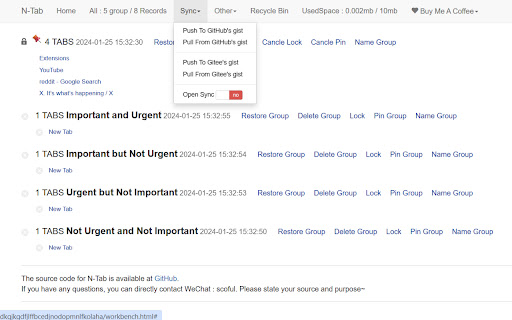
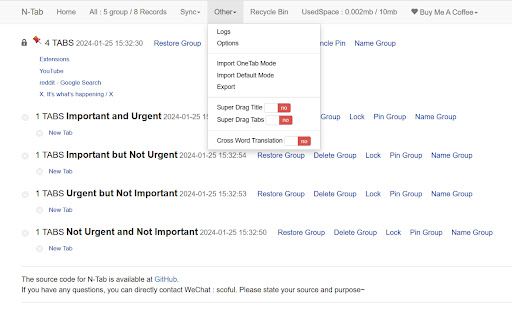
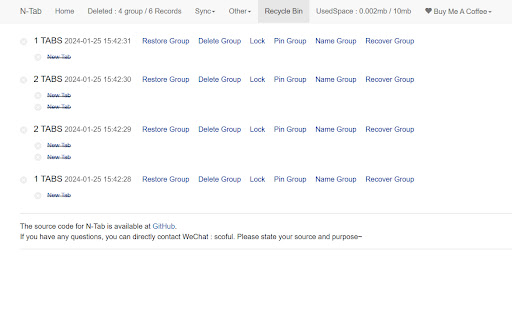
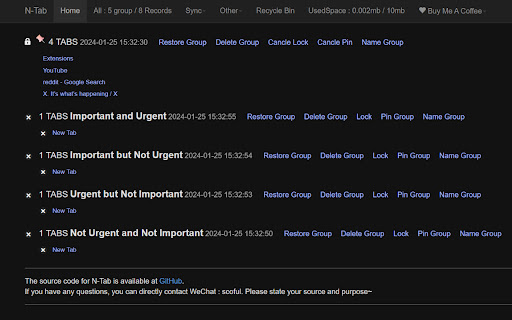
Browser Tab Management Tool: Comparable to OneTab 这是一个管理浏览器标签的工具,对标OneTab,自用了4年,没有丢失过数据。使用起来非常简单,完全依赖直觉就可以轻松上手。 如果对您有帮助或者提高您的效率的话,不管是工作上还是生活上,麻烦投喂一下,目前自由职业状态,每一分收入都很重要,谢谢!

codebox-AI Download Article
Website:https://www.code-box.fun Note: Due to review reasons, the new version may be delayed in listing. Please wait patiently. If you have any questions, please submit an issue on GitHub. We will not respond in the comment section. GitHub address: [https://github.com/027xiguapi/code-box](https://github.com/027xiguapi/code-box) Customization - Insert custom styles (CSS code) - Customize the download of HTML - Customize the download of Markdown - Customize the download of PDF CSDN - Open any CSDN blog to start copying code. - In the unlogged state on CSDN, code selection is supported. - In the unlogged state on CSDN, one-click copy is available via the button at the top right corner of the code block. - In the unlogged state on CSDN, no forced login pop-up will appear. - In the state of not following the blogger, no prompt will appear to follow the blogger to read the full article, and the article will be fully displayed. - Code blocks will be automatically expanded. - On mobile devices, the prompt to jump to the app will be blocked. Zhihu - One-click code copying. - In the unlogged state on Zhihu, no prompt will appear to expand and read the full article, and the article will be fully displayed. - In the unlogged state on Zhihu, no forced login pop-up will appear. Baidu - Disable the AI chat box. Jianshu - One-click code copying. - No prompt will appear to expand and read the full article, and the article will be fully displayed. - No forced login pop-up will appear. Script Home - Open any Script Home blog to start copying code. - In the unlogged state on Script Home, code selection is supported. - Ads will be blocked. - On mobile devices, in the unlogged state on Script Home, one-click copy is available via the button at the top right corner of the code block. 51CTO Blog - In the unlogged state on 51CTO Blog, code selection is supported. - In the unlogged state on 51CTO Blog, one-click copy is available via the button at the top right corner of the code block. - In the unlogged state on 51CTO Blog, no forced login pop-up will appear. - On mobile devices, in the unlogged state on 51CTO Blog, one-click copy is available via the button at the top right corner of the code block. PHP Chinese Network - In the unlogged state on PHP Chinese Network, code selection is supported. - In the unlogged state on PHP Chinese Network, one-click copy is available via the button at the top right corner of the code block. - In the unlogged state on PHP Chinese Network, no forced login pop-up will appear. - On mobile devices, in the unlogged state on PHP Chinese Network, one-click copy is available via the button at the top right corner of the code block.

BewlyBewly
Just make a few small changes to your Bilibili homepage. Improve your Bilibili homepage by redesigning it, adding more features, and personalizing it to match your preferences.

Tab Deck - Tab/Tab Group Manager
Your all-in-one tab/tab group manager that helps you effectively manage and organize your tabs/tab groups Tab Deck is a Chrome extension alternative to OneTab/Session Buddy, that allows you to manage your tabs & tab groups in one place. One click to aggregate all tabs & tab groups into one session. - ⚡️ Organise tabs & tab groups efficiently - 🖼️ Master Your Open Windows - ✨ See all your open windows at a glance - 💾 Save tabs into sessions for later access - 🗂️ Save/Restore/Reorganise tabs, even tab groups - in the current window - in a new window - restore and suspend tabs to save memory - 🔄 Synchronizes your browser tabs & tab groups - 🤏 Reorganize tab sessions use Drag & Drop with ease - ⌨️ Command `K` Interface - easily explore the all tabs & tab groups. - 🏷️ Visual Web Bookmark - Turn a link into a visual web bookmark with a beautiful QRCode, that you can share with others. - 💾 Session Backup Solution - 📑 Save your session as a JSON file - 📧 Send your session to your email (Sign-in) - 📥 Support migrating solution - 🔖 Support for migrating tabs data from `OneTab` to `One Tab Group` - 🔖 Support for migrating tabs data from `SessionBuddy` to `One Tab Group` - 🔍 Search all tabs quickly using fuzzy search - 🧹 Suspend open tabs to save memory - ☁️ Auto Cloud Sync with Sign in - ❤️ Bookmark your favorite sessions - ✨ Share Sessions as a link with anyone

KISS Translator
A minimalist bilingual translation extension that supports webpage, text selection, and video subtitle translation. - [x] Keep it simple, smart - [x] Open source - [x] Adapt to common browsers - [x] Supports multiple translation services - [x] Custom translation interface - [x] Covers common translation scenarios - [x] Web bilingual translation - [x] Input box translation - [x] Seletction translation - [x] Open the translation box on any page - [x] Favorite Words - [x] Mouseover translation - [x] YouTube subtitle translation - [x] Support for various translation effects - [x] Customizable text recognition and full-text translation - [x] Customizable translation styles - [x] Support for rich text translation and display - [x] Support for displaying only the translated text (hiding the original text) - [x] Advanced translation API features - [x] Aggregate and send translated texts in batches - [x] AI contextual conversation memory - [x] Customizable AI terminology dictionary - [x] AI-powered subtitle segmentation and translation - [x] Customizable hooks and parameters - [x] Cross-client data synchronization - [x] KISS-Worker(cloudflare/docker) - [x] WebDAV - [x] Custom translation rules - [x] Rule subscription/rule sharing - [x] Customized terminology - [x] Custom shortcut keys - `Alt+Q` Toggle Translation - `Alt+C` Toggle Styles - `Alt+K` Open Setting Popup - `Alt+S` Open Translate Popup / Translate Selected Text - `Alt+O` Open Options Page - `Alt+I` Input Box Translation
