
nhbdiieigbgalknjplfpgmjnpbnkchnb

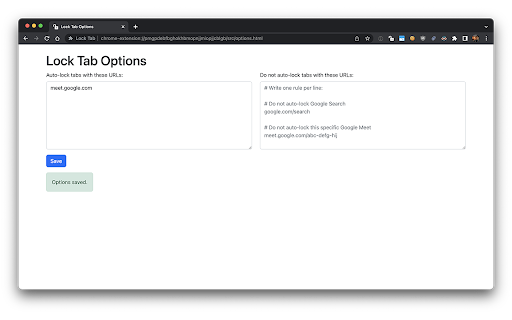
Adds a padlock icon that allows toggling each tab's lock/unlocked state. When a locked tab is being closed, a confirmation dialog which allows preventing the tab from closing, is displayed. 📣 IMPORTANT: after locking, some interaction with the page is required for it to work. So you need to, for example, click anywhere on the page after locking to actually prevent the tab from being closed. This is how Chrome works.

Secure Tab
This extension lock current tab and hide the content of that tab with password Introducing Secure Tab, your ultimate solution for enhancing online privacy and securing sensitive information within your browser. This powerful extension allows you to lock current tab with password protection. Tab Locking: Easily lock the current tab with a single click, preventing unauthorized access to its content. Secure Tab acts as a virtual vault for your online activities. Password Protection: Set a personalized password to safeguard your locked tabs. User-Friendly Interface: Secure Tab seamlessly integrates into your browser, offering an intuitive and easy-to-use interface Note: This extension only hide your current tab not all the tabs.

Tab Locker - AzriaSolutions
Secure tab locking with personal device code for remote control AzriaSolutions Tab Locker: Secure Browse with Remote Control Effortlessly secure your browser by password-protecting individual tabs and entire domains. Now with secure remote control, you can manage your locks from your phone, giving you peace of mind wherever you are. It's the ultimate tool for privacy on shared computers, protecting sensitive work, or simply staying focused. 📱 Mobile Remote Control - Lock or unlock your browser tabs from anywhere. Flexible Locking - Lock individual pages or entire domains. Auto-Lock Timer - Automatically secures tabs after 10 minutes of inactivity. Password Recovery - Regain access using pre-set security questions. Discreet Widget - A clean, unobtrusive floating icon gives you quick access. Session-Based Unlocking - Unlock a tab for your current session only. 🛡️ SECURITY & PRIVACY: Secure Storage - Your passwords and lock settings are stored locally on your device and encrypted. An anonymous, unique ID is used to enable the optional remote control feature. No User Tracking - We do not track your Browse history or collect personal data. Hybrid Functionality - Core locking features work offline. Remote control requires an internet connection. Strong Encryption - Enterprise-grade password hashing to protect your credentials. Perfect for shared computers, protecting sensitive information, or maintaining privacy in public spaces.

Tab Lock - Secure Any Website Easily
Enhance privacy and security by locking any browser tab with a PIN - works on all websites One tab. One PIN. Complete privacy. Tab Lock transforms any Chrome tab into a secure space with just a click. When your screen needs protection, nothing delivers faster. In a world where your digital life is increasingly public, Tab Lock creates instant boundaries. No complicated setup. No performance hit. Just seamless security when and where you need it, complementing your existing digital protection toolkit. Why Tab Lock? One-Click Privacy – Lock sensitive content instantly when someone approaches. Multi-PIN System – Different codes for different tabs. Your security, your way. Zero Slowdown – Full protection with zero impact on performance. Works Everywhere – Protection in coffee shops, flights, offices, and everywhere in between. Complements Your Tools – Works alongside your VPN, antivirus, and password manager. Quick Recovery – Rapid PIN entry gets you back to work without disruption. Stealth Mode – Hidden tabs stay completely invisible until unlocked. Automatic Guarding – Set timers to lock tabs when you step away. Presentation Ready – Share your screen without exposing everything. Minimal Design – Clean interface that never gets in your way.

Tab Locker Room
A Chrome extension to lock and password protect open tabs. Tab Locker Room helps you protect your browser tabs with password locks. This extension is designed for privacy-conscious users who want to restrict access to open tabs, either temporarily or continuously, preventing unauthorised viewing or interaction. It is open-source: https://github.com/The-x-35/tab-locker-room Features: - Lock tabs instantly with a password - Easily configure or change the lock password in settings - Blurs and protects the tab content, requiring the correct password for access - User-friendly interface with simple settings and secure functionality Use Cases: - Keep work-related tabs private on shared or public computers - Protect tabs while multitasking to prevent unintended access - Great for securing sensitive information temporarily Get started with Tab Locker Room today for a secure browsing experience!
