
mljpdfebllbefjhkmhecdbjhkgldjmdb


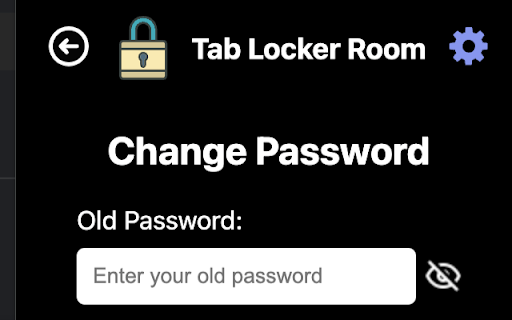

A Chrome extension to lock and password protect open tabs. Tab Locker Room helps you protect your browser tabs with password locks. This extension is designed for privacy-conscious users who want to restrict access to open tabs, either temporarily or continuously, preventing unauthorised viewing or interaction. It is open-source: https://github.com/The-x-35/tab-locker-room Features: - Lock tabs instantly with a password - Easily configure or change the lock password in settings - Blurs and protects the tab content, requiring the correct password for access - User-friendly interface with simple settings and secure functionality Use Cases: - Keep work-related tabs private on shared or public computers - Protect tabs while multitasking to prevent unintended access - Great for securing sensitive information temporarily Get started with Tab Locker Room today for a secure browsing experience!

Browser Lock | Lock Your Browser
Protect your browser against unauthorized access. Easily lock your browser for added security. Secure Your Browser with Browser Lock: The Ultimate Protection Solution In today’s digital age, securing your online activities is paramount. Browser Lock offers an advanced solution to ensure your browser remains safe from unauthorized access, providing an extra layer of security with ease. Enhanced Security with Encryption Browser Lock uses state-of-the-art encryption technology to protect your browser. This means that all your data, from saved passwords to browsing history, is securely encrypted, making it inaccessible to unauthorized users. Whether you are at home, at work, or on the go, you can be confident that your online activities are private and protected. Easy to Use and Implement One of the key features of Browser Lock is its simplicity. With just a few clicks, you can lock your browser, preventing others from accessing your sensitive information. The user-friendly interface ensures that anyone, regardless of their technical expertise, can use Browser Lock to safeguard their browsing experience. Startup Lock: Automatically locks your browser as soon as you open it. This feature ensures that every time you start your browser, you are prompted to enter a password, preventing unauthorized access right from the beginning. Right-Click Lock: Instantly lock your browser using the right-click menu. This practical feature allows you to quickly and conveniently secure your browser with just a few clicks, enhancing your security with minimal effort. Easy Lock: Quickly and simply lock your browser using keyboard shortcuts. This feature offers a fast and straightforward way to lock your browser, providing immediate security with the press of a few keys. Idle Mode: Automatically locks your browser when you're away from your computer. This feature detects inactivity and locks your browser after a predefined period of no user interaction, ensuring your data remains secure even if you step away unexpectedly. Easy Password Change: Easily change your password at any time. This user-friendly feature allows you to update your password quickly and effortlessly, enabling you to enhance your security whenever needed without hassle. Dark Theme: Stylish dark theme that is easy on the eyes. This feature provides a visually pleasing dark mode, reducing eye strain during prolonged use and offering a more comfortable viewing experience, especially in low-light environments. Multi-Language Support: Use the browser in multiple languages. This feature makes the browser accessible to users who speak different languages, allowing them to navigate and utilize all functions in their preferred language for a more inclusive experience. Unbreakable or Invisible Password: Keep your data secure with robust encryption. This feature ensures that your password is either extremely difficult to break or completely invisible, providing maximum security for your sensitive information by leveraging advanced encryption techniques. Protecting your browser from unauthorized access has never been easier. With Browser Lock, you can enhance your security effortlessly and keep your online activities safe from prying eyes. Download Browser Lock today and experience the ultimate in browser security.

Duplicate Tab Closer
A Chrome extension to identify and close duplicate tabs. Duplicate Tab Closer Effortlessly manage and close duplicate tabs to improve your browsing experience. What it does: Duplicate Tab Closer is a lightweight and efficient Chrome extension designed to help you automatically detect and close duplicate tabs with ease. The extension lists duplicate tabs in a clean and intuitive popup, allowing you to close individual duplicates or remove them all at once. Automatic Detection: Instantly find duplicate tabs, whether they’re in the same window or across multiple windows. Quick Close Buttons: Easily close specific duplicate tabs directly from the popup interface. One-Click Solution: Remove all duplicate tabs in one click to reduce clutter and free up system resources. Badge Alerts: Get notified with a badge count when duplicate tabs are detected. Customizable Look and Feel: Enjoy a clean, user-friendly interface with a responsive design. Why Install It? If you frequently work with multiple tabs or struggle to keep your browser organized, Duplicate Tab Closer helps you stay productive by eliminating unnecessary clutter. Whether you’re a developer, researcher, or multitasker, this extension optimizes your workflow by reducing the mental load of managing tabs and saving system memory. Take control of your tabs, increase your browsing efficiency, and enjoy a faster, cleaner browsing experience with Duplicate Tab Closer!

Tab Countdown Timer
A Chromium Extension that allows you to set a timer that counts down and then closes the tab. Set a countdown timer on any tab. When the timer expires, the tab closes — or for YouTube videos, you can choose to pause playback instead. Every tab can have its own timer. Enter time by typing or by scrolling with the mouse wheel (hold Shift to adjust in 5-minute increments). Changes for v1.6.0 - Twitch support: the "Pause video" action and per-content auto-start rules now work on Twitch Changes for v1.5.0 - Duration stepper buttons - hover the hours/minutes/seconds inputs to reveal up/down arrows for quick adjustments without clicking into the field. - New toolbar icon --- Changes for v1.4.0 - Auto-start rules: a timer can start automatically when you visit a saved URL or YouTube video. - Redesigned popup with tighter typography and spacing --- Changes for v1.3.1 Allow flexible minute input and improve UX. --- Changes for v1.3.0 - UI/UX improvements: Quick-set timers, updated layout and color scheme - YouTube pausing: Optionally choose to pause a YouTube video when the timer ends. - Faster Time Adjustments: Hold down the `Shift` key while using your mouse wheel to adjust the timer in 5-minute increments. --- Changes for v1.2.1 - Fixed "undefined" on first run issue. - Improved styling. - Time updates immediately upon opening popup. - Added error handling --- Changes for v1.1 - Add dark mode based on current system settings - Save last alarm values as default for next time - Update to chrome manifest v3

Google Chrome Password lock
Use Google Chrome Password lock to protect your browser. Add this extension, set Chrome password, and lock your browser and tabs. 🛡️ Protect your browsing activity with Google Chrome password lock – a simple but powerful extension that allows you to secure your browser. Whether you share your computer with family, colleagues, or friends, this extension ensures that your tabs and bookmarks, and browsing sessions remain private until you enter your secret code. 🛡️ This tool will help you set a password in Chrome browser to block access to all its features until the correct code is entered. A full-screen overlay will cover every tab, settings menu, history page, and favorites section until you unlock. This makes it impossible for anyone to bypass protection. 🛡️ It is simple. Once the extension is installed, a popup appears, asking you to enter your Chrome password twice. Your сode word input is always masked, so no one can see it while typing. After setup, the extension activates every time browser starts. 🟢 Full screen lock Chrome overlay on startup 🟢 Secure Chrome browser password entry with hidden characters 🟢 Bookmarks hidden during lock and restored after unlock 🟢 Open tabs closed on lock and restored after unlocking 🟢 Initial double setup for security 🟢 Protection against disabling without entering your passphrase 🛡️ You no longer need to worry about someone opening your browsing history or saved sessions. The system closes all tabs during lock and automatically restores them after successful login. 🌟 Why use Chrome password lock? 1. Protects sensitive data when sharing your device. 2. Ensures no one can access private bookmarks or sessions. 3. Simple interface to set password for your browser, no complex setup. 4. Runs automatically every time you open Chrome, asking for your password for Chrome lock. 5. This extension is a reliable way to ensure that your tabs remains closed to unauthorized access. 6. Your browsing experience stays the same after unlocking. 7. Fast, lightweight, and designed for real users who need privacy. 🛡️ This tool ensures all tabs are safe, favorites are hidden, and no menu is accessible until the correct Chrome browser password is typed. 💡 How it works: 1️⃣ Install the extension from Chrome Web Store 2️⃣ Set your chrome browser password with the startup popup 3️⃣ Every time you launch Chrome, a web browser lock screen appears 4️⃣ Enter the password and instantly restore your session 👥 Who needs this Google Chrome Password lock? 🔸 Students who share PCs in dorms 🔸 Families with kids who should not access the browser 🔸 Offices and workplaces that need to limit access 🔸 Personal laptops with confidential tabs and bookmarks 🛡️ With just one tool, you can lock your Chrome with another password and secure all internet browser activity. 📌 Why choose this tool: 1. Lightweight, secure, no unnecessary permissions 2. Tabs and bookmarks are restored after unlock 3. Simple design but effective password protection 4. Works with every update of browser 5. Reliable Chrome lock extension secures your browser 🔒 If you need to secure your browser, this extension is the fastest and most effective solution available. 🛡️ This extension is made for users who want peace of mind and control. 🛡️ When you activate it, the entire interface is shielded until you unlock it. 💡 With its browser lock functionality, it provides the digital equivalent of a door key. 🛡️ This is not just a simple password for google Chrome, but a fully functional extension lock that blocks all activity. 🔒 With Chrome password extension, you no longer need to worry about strangers or colleagues peeking into your online activity. If you want strong control and simplicity, this product is the right choice. 💡 FAQ ❓ Q: How to set a password Chrome browser tool to lock Chrome homepage? ✅ A: Install this tool and the how to lock Chrome homepage problem is solved – a secure screen appears before anything loads. ❓ Q: How does it work? ✅ A: It is the concept of locking your browser session until a passphrase is provided, and this extension brings that feature to you. ❓ Q: Can the extension really lock browser completely? ✅ A: Yes, it covers all tabs and menus with a full overlay until the right secret word is typed. 🔐 Consider this set password extension for an added layer of browser security.
