
ngiabacpdbgnajhaebppijjkhbncpmhe
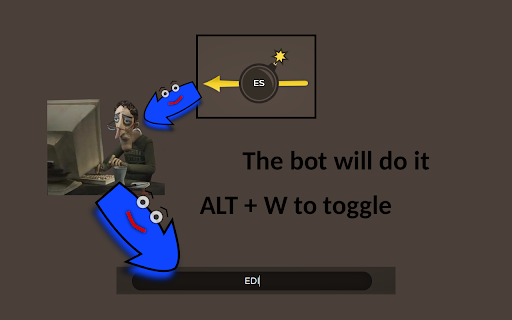
Helps you in bomb party by typing words for you! This will type words in a realistic way for you in the JKLM bombparty game. This is not a help, this is doing all the work. Press ALT + W to pause the buddy or to resume its help. Press ALT + ↑ to write faster. Press ALT + ↓ to write slower.

Artist Tools for Gartic Phone
Enhance the gartic phone experience with additional colors Artist Tools for Gartic Phone helps digital artists draw faster, stay consistent, and get better control over the drawing workflow in live games. Built for heavy drawing sessions, it upgrades Gartic Phone with customizable palettes, full shortcut remapping, sketch, animation helpers, and quick export utilities, while keeping everything integrated directly into the in-game toolbar. - Fully customizable color palette system with built-in palettes, editable palettes, import/export, duplication, reset, and drag-to-reorder swatches. - Color history row for fast reuse of recently picked colors, including quick right-click removal. - Custom eyedropper tool (with shortcut support) to sample colors from anywhere on screen, including outside the browser. - Previous Color hotkey to instantly swap back to the last used color. >> Keyboard and tool control: - Keyboard shortcuts for major drawing actions, line widths, opacity controls, eyedropper, and previous color. - Full shortcut remapping with conflict warnings and key swap flow. - Sketch Layer system to capture the canvas as a reusable reference layer. - Controls for opacity, hide/show, above/below canvas placement, transform mode, mirror/flip, reset, update, backup, restore, and clear. - Optional automatic sketch backup to local storage. - Animation Layer Toggle tool for focused single-layer editing in supported animation rounds. - Onion Layer Transform tool to move and zoom onion snapshots directly on canvas, including long-press quick reset. >> Export and utility tools: - High Resolution Download that merges all relevant layers into a clean PNG. - Custom filename pattern support with date/time/random variables. >> Personalization and settings: - Misc settings for default sketch opacity, auto-backup behavior, color history behavior, avatar display, watermark visibility, and file naming. - Optional custom avatar display for supported Twitch accounts. - Reset All Settings utility to return palettes, shortcuts, and preferences to defaults. - Watermark toggle to hide the Gartic Phone canvas watermark. Artist Tools is designed for players who take Gartic drawing seriously and want a faster, cleaner, more controllable art workflow every round.

Skribbl.io Helper
Gives you potential answers on skribbl.io Skribblio Helper is a chrome extension that provides potential answers automatically to its users. It interprets the hints given by skribbl.io and finds all possible answers among 3600+ words. Features: - Support for English, German, Spanish, Korean and French - Click on a word to have it submitted - Submitted words are removed from the word list - The word list is updated automatically when more hints are given - Search function to further narrow down potential answers - Use the tab key to cycle through words then press the enter key to quickly submit - Pressing the shift and backspace key will return to chat and clears it - Change between 4 sorting orders (Alphabetical, Most Picked, Difficulty, Mixed) - Support for custom word lists and have the ability to disable the official word list

AutoDraw for skribbl.io
How to use (when it's your turn to draw): 1. Search for an image using Google (https://images.google.com) 2. Drag and drop it onto the canvas 3. Sit back and relax Is AutoDraw active? Look for the starfish icon in Chrome's list of extensions. If it has color then the extension is active. Just drag and drop an image onto the canvas when it's your turn to draw.

bombparty-word-picker
makes you better at bomb party Tool that helps in the bombparty minigame on JKLM.fun. Lists 6 random words that fit the syllable. English only currently.
