
bpnefockcbbpkbahgkkacjmebfheacjb
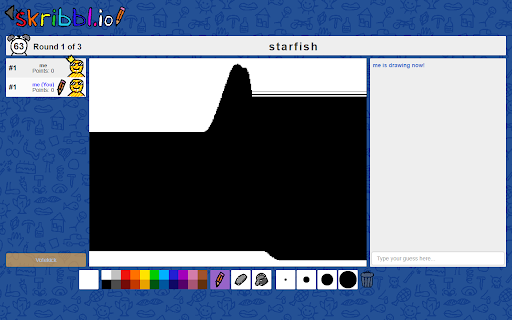


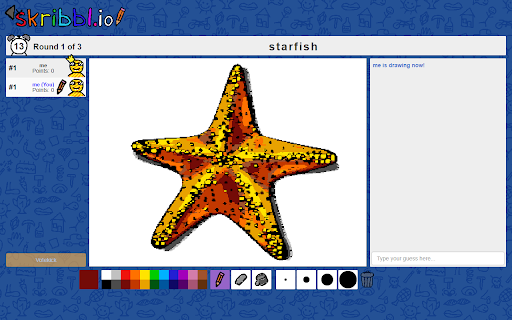
How to use (when it's your turn to draw): 1. Search for an image using Google (https://images.google.com) 2. Drag and drop it onto the canvas 3. Sit back and relax Is AutoDraw active? Look for the starfish icon in Chrome's list of extensions. If it has color then the extension is active. Just drag and drop an image onto the canvas when it's your turn to draw.

Bombparty Defuser
A tool to help you pick better words in Bombparty Bombparty Defuser is a tool that helps you choose better words in the game Bombparty on the website jklm.fun. Once installed, join a game. Then, click on the extension icon to open the extension menu. Click the toggle button to activate the tool.

Chromegle - Omegle IP & Client
Elevate your Omegle experience with IP information, custom themes, automation and other general improvements. Chromegle, the OmegleWeb Client, is a fully configurable extension introducing automation, dark mode, filters, auto-skip, UI changes, ad-blocking and quality of life improvement experiences to the OmegleWeb platform. We are NOT affiliated with OmegleWeb whatsoever, nor is Chromegle a commercial product. [NOTICE]: Chromegle is currently undergoing a makeover to support sites like OmegleWeb, EmeraldChat, and OmeTV. Some functionalities may not work. Please keep up-to-date on progress in our Discord. https://discord.gg/McNUf5HV7F Chromegle is open-source, and NEVER collects personally identifiable data. You can confirm this yourself by viewing the code for the extension which is publicly available here: https://github.com/ChromegleApp/Chromegle2 Chromegle can manage chats with its custom auto-skip, auto-typing and message filtering. It also introduces the first ever native dark mode support on the platform, allowing you to experience THREE website themes: Dark Mode, Light Mode, and Black Mode. Integrated into the client is an IP scraper (and geolocator) that can tell you a user's country, state/province, and city. Chromegle provides you with a custom paste-menu, profile notes, can take screenshots of the other user's video... and much more! To get access to these features, just install the extension and hop on https://www.omegle.com. All configuration is opt-in! Feel free to contact us through the Discord link included on the home-page for inquiries into any issues or suggestions to improve the service.

Chess Pro
A Chrome chess extension Suggesting the best move (on Lichess) and automatically moving the pieces How to run the extension: - Open the Extensions by clicking on the puzzle icon next to your profile avatar - Click on the pushpin icon next to ChessPro to pin the extension, a knight icon will show up on the taskbar - Click on the knight icon - Turn on the extension Features: - Customize analysis depth: Higher depths take longer to analyze but will result in better moves. We recommend using depth 9 or above. Note: Using depth too high risks your account getting closed. - Max wait time: Only applies to “Automove” mode. This allows you to set how long it takes for the extension to make the next move. - Winning chance: Get realtime evaluation of the match. Note: this is based on the assumption that the opponent makes perfect moves, so it's fine even if the evaluation fluctuates. - Automove: The extension automatically plays for you. - Voice suggestion: The extension will tell you which move to play using voice suggestion (Recommended on Lichess). - Auto play new game: The extension will automatically find a new game once the current one finishes. - Bongcloud: Joke opening. Notes: 1. The extension doesn’t highlight the positions when playing on lichess.org, is this an error? No, this is intentional. lichess.org can detect cheating if the extension draws on the screen, so we disabled this feature entirely. However, you can use the extension by turning on either the autoplay mode or voice suggestion mode. 2. If you have any suggestions or found any issues, please email us at speedrunlegend123@gmail.com.

PreMiD
Your Rich Presence for web services! Elevate Your Online Presence with PreMiD! PreMiD transforms your browsing experience by seamlessly integrating with Discord to display your current web activities as a ‘Watching xyz’, ‘Listening to xyz’ and ‘Now Playing’ status in your profile. Whether you’re diving into an exciting YouTube video or exploring other web services, PreMiD effortlessly conveys your online journey to your Discord profile. Broad Compatibility: With support for over 1000 websites, the scope of PreMiD’s reach is ever-expanding, fueled by a vibrant community dedicated to introducing new Presences regularly. Easy Setup: Begin by adding our extension and follow the steps prompted. Community and Support: Join our thriving community for updates, support, and more. Engage with us on our Discord server, explore our GitHub organization, or find solutions using the built-in troubleshooting inside the extension. If the built-in troubleshooting doesn’t solve your issue, join our Discord for help: https://discord.premid.app Contribute and Support: Your feedback fuels PreMiD’s growth. Consider leaving a review, sharing PreMiD with friends, or supporting our project through donations. Get started with PreMiD:
