
neninfnjnhknniefcpognoooalfdaofc

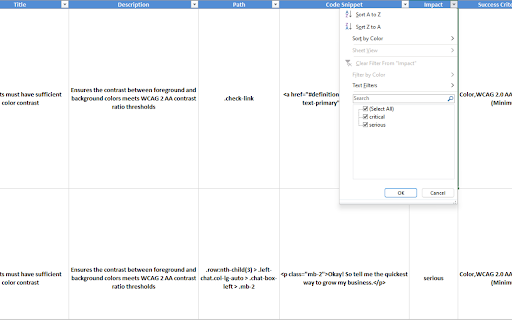
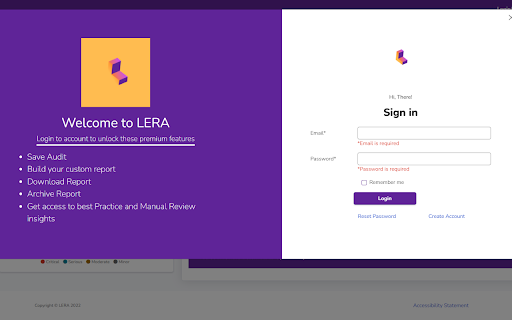
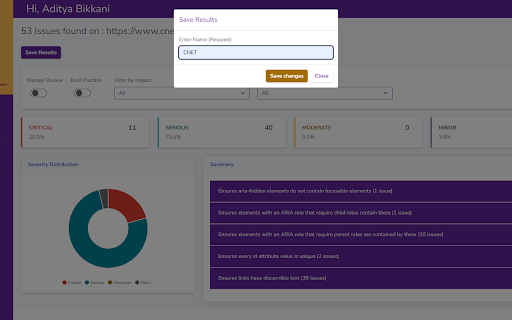

LERA is an automated web accessibility testing and reporting tool that provides you with a detailed report of your website's accessibility issues. It can evaluate websites based on the WCAG 2.1 accessibility guidelines to identify the violations and suggest potential fixes. LERA is FREE for everyone to use (and requires no credit card information). LERA is the only fully automated web accessibility extension that provides both Accessibility Audits and Accessibility Reports for free. -Free automated Accessibility audits -A reporting dashboard with granular data -Accessibility Reporting template LERA reshapes Accessibility reporting around the globe, allowing you to enjoy free downloads of the automated Accessibility reports. Install LERA now and save time without having to write reports for automated issues. Scan - scan websites for automated Accessibility issues Save - save the scans of automated issues Report - create custom reports by choosing which issues to include in the report Data comparison - Archive and retrieve data for future comparison and analysis Simple installation - You can install and set up LERA website accessibility extension from the Chrome store with one click Compelling visualization - Use LERA’s extensive WCAG checker dashboard to identify the severe accessibility issues with 360-degree visibility and take actionable steps

ARIA DevTools
Easily spot missing ARIA labels, misused ARIA roles, and incomplete keyboard support in your web applications. Creating accessible web applications is difficult. It gets even harder if you don't understand how people with disabilities use computers. With ARIA DevTools you see your website the way screen readers present it to the blind users. All page elements are presented according to their explicit or implied ARIA roles. This includes headings, images, tables and form items beyond others. It's now easy to spot missing ARIA labels, misused ARIA roles, and incomplete keyboard support. This makes testing and development of accessible websites easier.

DigitalA11Y Tublets
DigitalA11y Tublets aid developers, testers, and designers in viewing accessibility information on web pages. Introducing DigitalA11Y Tublets, your go-to companion for swiftly identifying accessibility flaws in code semantics. Whether you're a developer, accessibility expert, or any professional in the accessibility sphere, this extension is tailor-made for you! What sets DigitalA11Y Tublets apart? It empowers you to: 1.Illuminate semantic structures like tables, landmarks, headings, and lists. 2.Pinpoint form fields and relevant defects. 3.Highlight images with or without alt text, aiding in evaluating the meaningfulness of alt text values. 4.Spotlight CSS background images, enabling you to assess the necessity for text alternatives. 5.Assist in conducting keyboard testing with focus highlights. 6.Highlight anchor tags lacking href attributes. 7.Identify elements utilizing the tabindex attribute. 8.Recognize elements employing the HTML title attribute. 9.Facilitate testing for WCAG 2.1 SC 1.3.5 Autocomplete, ensuring proper autocomplete attributes in form fields. 10.Aid in testing WCAG 2.2 SC 2.5.8 Target Size (Minimum). 11.Support testing for WCAG 2.1 SC 1.4.12: Text Spacing. 12.Simplify evaluating the focus order of web pages with intuitive ease. 13.Identify the language of the page and its segments. What more does it offer? It's absolutely free! This tool is a time-saver during manual accessibility audits. For novices and non-screen reader a11y testers, it's the ideal starting point! Remember, DigitalA11Y Tublets is here to streamline your accessibility analysis process, making it efficient and accessible for all.

WAVE Evaluation Tool
Evaluate web accessibility within your browser. WAVE is a web accessibility evaluation tool developed by WebAIM.org. It provides visual feedback about the accessibility of your web content by injecting icons and indicators into your page. No automated tool can tell you if your page is accessible, but WAVE facilitates human evaluation and educates about accessibility issues. All analysis is done entirely within the Chrome browser allowing secure valuation of intranet, local, password protected, and other sensitive web pages. To run a WAVE report, simply click on the WAVE icon to the right of your browser address bar, or select "WAVE this page" from the context menu. WAVE errors align with WCAG 2.2 failures. The WAVE interface facilitates human evaluation of many other aspects of accessibility and Web Content Accessibility Guidelines, ADA, and Section 508 compliance. Version 3.3.1.0 (May 2026) - Various bug fixes and performance enhancements. Update AIM score to align with 2026 WebAIM Million. Version 3.3.0.4 (December 2025) - Bug fix for scripting exception with some pages with small text. Minor interface improvements. Version 3.3.0.3 (November 2025) provides performance, interface, and testing improvements. Improved support for ARIA headings and prefers-reduced-motion user settings. Version 3.3.0.0 (October 2025) adds numerous new features, enhancements, and bug fixes. Resetting the extension no longer refreshes the page, thus supporting better testing of dynamic content. The Summary and Details panel are now combined. The AIM Score is presented. Viewing the Order, Structure, or Contrast tabs now filters to only relevant page icons. The WAVE sidebar can now be collapsed out of view. Version 3.2.7.2 (September 2024) fixes a bug that disallowed checking of local files and suppresses errors in some cases where role="presentation" is present. Version 3.2.7.0 (August 2024) adds compatibility with Manifest v3. Inputs with aria-disabled=true are no longer considered for contrast checking. Version 3.2.6.0 (August 2024) adds support for contrast checking when foreground alpha/opacity is defined. The Contrast sidebar tools are updated to support foreground alpha. Also numerous minor bug fixes and improvements. Version 3.2.5.3 (February 2024) fixes numerous minor bugs and adds testing refinements. Some hidden inputs are no longer incorrectly flagged as not labeled. Version 3.2.4.4 (October 2023) fixes a few minor bugs with testing hidden content and with the sidebar contrast tools. Version 3.2.3.9 (June 2023) removes the warning message on UserWay pages due to them removing code that changes page content when the WAVE extension is activated. Version 3.2.3.8 (June 2023) includes numerous accessibility test enhancements, several minor bug fixes, and simplification of the contrast checking tools. Users are informed that WAVE results may be manipulated on pages that utilize UserWay or accessiBe overlays. Version 3.2.3 (March 2023) includes several minor bug fixes. A previous update to test for contrast errors in hidden elements has been reverted. While this was useful for finding contrast errors in drop-down menus, tab panels, dialog windows, etc., identification of errors in hidden elements caused user confusion and, in some rare cases, false positives. Version 3.2 (December 2022) includes over 100 bug fixes and performance enhancements. The extension no longer utilizes jQuery, resulting in faster testing and better compatibility with a variety of pages. A new Navigation Order panel is available that shows the navigation order, element roles, and accessible names (what is read by a screen reader) for all navigable elements. Version 3.1.6 (October 2021) includes numerous bug fixes and test rule enhancements for better testing contrast (filters, background images, and other complex color definitions are better handled), document language (IANA-defined language values are now tested), empty links and buttons (better ARIA support for accessible name computations), broken ARIA references, etc., etc. Performance and accessibility has been improved. Version 3.1.3 (November 2020) includes performance enhancements and fixes several minor bugs, including fixes for multiple alerts for some pseudo-lists and disabled controls being incorrectly flagged for contrast failures. Version 3.1.2 (October 2020) fixes several minor bugs, including with the Structure tab sometimes incorrectly showing no structure, and improves performance and accessibility testing reliability. Version 3.1 (September 2020) includes new accessibility tests (region, figure, possible list, select element missing label, and image with title), improved contrast checking, expanded lang attribute value checking, and numerous other bug fixes and improvements. Version 3.0.9 (July 2020) includes numerous bug fixes, improved accessibility, and improved color contrast checking including fewer false positives and expanded contrast checking for form inputs.

Accessibility Insights for Web
Accessibility Insights for Web helps developers quickly find and fix accessibility issues. The default keyboard shortcut to launch Accessibility Insights for Web is [Ctrl+Shift+K]. If that doesn't work, follow these instructions: 1. Select Shift+Alt+T to move focus to the Chrome address bar 2. Select the Left arrow key to move focus to the Accessibility Insights for Web extension. 3. Select the Space key to open the extension.
