
mpkpmgnjhejeodcbfaphaenpkkjdfbgo


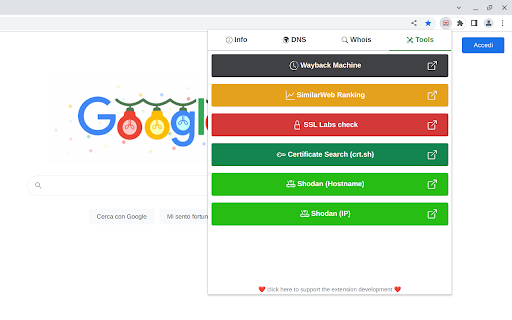
View info about IP, DNS records, SSL, country flag, domain whois, location, stats and more of any website. This extension is designed to be fast and lightweight, allows you to view all information of any website: - Display the country flag of the website in the current tab. - Show the map, IPv4 and IPv6 adresses, hostname, and the hosting company/organization. - All DNS records. - Whois owner information. - Geolocalization (down to the city). - A fast link to the Wayback Machine. - SSL check tools. - White and dark theme support. - ... and much more Support the extension development! https://github.com/sponsors/SergiX44

Country Flags & IP WhoIs
This add-on is an extension that displays a flag toolbar button indicating the current webserver's physical location. This add-on is an extension that displays a flag toolbar button indicating the current webserver's physical location. This helps to adds an extra layer of awareness to your browsing and can be useful to indicate the native languages and legal jurisdictions that may apply. Additional information about Geolocation or Whois info can be obtained if you are interested in who owns this website. The popup shows more information about the domain. Details which show up are Alexa and Quantcast ranking and the MyWOT reputation. MyWOT allows you to check whether the website is safe to browse or not.

IP Address and Domain Information
The Ultimate online investigation tool! See detailed information about every IP Address, Domain Name and Provider. This extension displays detailed information about the current website. The information can be used for online investigation and SEO purposes. See IP info like (IPv4 and IPv6): location, DNS, whois data, routing, domain neighbors, blacklists and ASN information. Including a shortcut to Your public IP Address (myIP info). See domain info like: Alexa en Quantcast ranking, DMOZ info, social media activity, WOT ranking, whois data and PageRank of every domain. See provider info like: BGP, IPv4 subnets, IPv6 subnets, connected providers (peers), hosted nameservers, hosted domains, number of spam hosts, bogon subnets and whois data. ******************* This extension is also available for Firefox, Opera and Safari. https://addons.mozilla.org/en-US/firefox/addon/ip-address-and-domain-info/ https://addons.opera.com/extensions/details/ip-address-and-domain-information/ http://www.macupdate.com/app/mac/39018/ip-address-information

Country Flag +
Shows country flag based on the server location for any website. Country Flag extension displays a flag based on the location of the website's server (active tab's URL). Pressing the toolbar icon (flag) shows you a popup with detailed info about the server, including the country name, server IP address, and coordinates metrics (latitude and longitude). Within the options page, you can change the toolbar icon size (available in 3 different sizes). Moreover, the flag icon's tooltip text shows brief info about the server's geo location. Note: To get the flag and location of the website's server, this add-on uses only a local database which is stored in the add-on's package. Once you open the popup, it will show you details about the current flag. To report bugs, please visit the addon's homepage (https://mybrowseraddon.com/flag-plus.html) and fill out the bug report form.

IP Whois - IP Address and Domain Information
Get all the details for the web page's IP address, including geolocation, network, ASN, and more. Gives you the full IP address information about the server of the website you're visiting. It also shows you the map with the approximate distance between the website server and your location. Here's the list of the data points displayed: By design, your data stays at all times on your Google account, never saved in our database. Your data aren’t shared with anyone, including the add-on owner. We complies with privacy laws (especially GDPR & California Privacy Act) to protect your data.
