
mnpelkcmkdhikmgmhnjibkiepaakidpf


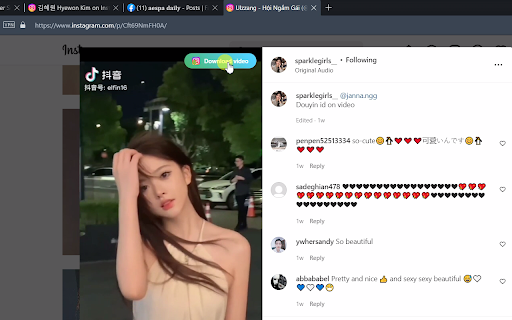

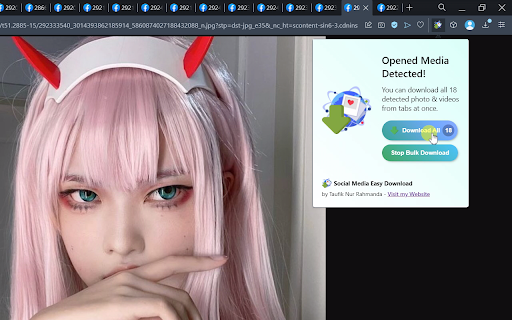
Batch download high quality photos, videos, reels, stories from Instagram, X, Facebook, and more! You can download all photos, videos, reels, and stories from Instagram, Facebook, Pinterest, and Twitter. This extension will detect media on opened social media pages and opened tabs, and then you can download, preview, or batch download multiple photos and videos from multiple posts of your choosing in the highest definition and higher quality. 1. Download HQ Photos & Videos from Facebook, Instagram, and Twitter Open any post page containing photo or video, then you can click the button which appeared on the top right of the post, or by clicking the extension icon on the right side of the address bar. After that, the popup containing preview of detected photos & videos will appear. From there you can click "Download Selected", "Open in New Tab", or "Download All". 2. Batch Download Photos & Videos from any Instagram Page Open any Instagram profile page, and then click on the extension icon. You'll see "Batch Download" button. After clicking that button, click on any post and the bulk download will start. To stop the operation, just click the extension icon and click "Stop Batch Download". 3. Download Facebook Story Open a Facebook profile or page, click on the profile picture, then click View Story. After the story view opened, reload the page. After the page reloaded, you will see the download button appeared on the top right of the media, or click on the extension icon to view all detected media from the Facebook story. Hope you enjoy!

Full Image Downloader - Download all images
Full Image Downloader, in a nutshell, it detects images from websites and allows you to download them to your computer. Depending on your settings, it also performs other functions. It's your turn Full Image Downloader, don't forget to vote. 😊😊 You can reach Full Image Downloader from the mail "harrylucas.imagedownloader@gmail.com" on the side.

Album Downloader
Find images on the page or album, download them to zip package or folder. This extension will find all images on the current page and the people who used it is free to select the image and download then as a ZIP package or save then in a folder. Tutorial: Click extension icon, it will find all img and progress it! just select and download! Enjoy! For Album: Browser any FB album, change mode to album in the upper right corner icon, simply click the start button. Enjoy it! Make it better: Just writing what you need to support! thanks. Update for v2.0.0 Remake the program to give it new functionality & UI. Now you can view other pages during the program execution. Update for v1.2.0 Add button to stop album mode scanning and fix error stop in album mode. Update for v1.1.0 Fixed a bug that could not scan album photos in Facebook™.

Social Media Downloader - SocialPlus
Status Download & Save stories from Facebook and WhatsApp, Instagram story downloader Only with a simple click With Status Download & Story Saver , you can download any story from Facebook, Instagram, and WhatsApp by a simple click. 💬Status Download & Story Saver allows you to save photos and videos stories. ➡️Use Guide For You: All you have to do is installing this extension, an icon will appear at the top-left corner of the browser, Click on that icon and whoosh the story will be downloaded 📝 Disclaimer This is an unofficial application developed and maintained independently.

Download All Images
Easily save images with a wide range of customization features, such as file size, dimensions, and image type. This is a bulk image downloader to extract all photos from the current web page. This online image downloader provides highly customizable filters based on file size, image size, and more! Features: 1. Detects all images loaded on the current web page (even if they're nested iframes) 2. Filters images by file size, dimension, URL or type 3. Finds images in links, background scripts, and CSS files 4. Displays images in a gallery view before downloading 5. Download blob-type images even if the source is dead Filters: 1. Filter by file size 2. Filter by image dimension 3. Filter by image type 4. Filter by image URL (regular expression matching) 5. Filter by same-origin policy 6. Detect image width and height by downloading only the header section of the image Features: 1. Bulk download images 2. Filter based on file properties 3. Filter based on image properties such as width and height 4. Deep image search (extract images from the current page and subsequent pages) 6. Can detect single image path 7. Can download photos in ZIP format 8. Can detect the original image size from thumbnail Download location: By pressing the "Save" button, the extension downloads all selected images in the default download directory or a specified subfolder. Change Log: Version 0.1.1 1. The extension now stores images in a sub-folder (the default sub-folder name is the domain's name) 2. One security bug is fixed. Version 0.2.0 1. Images are now saved in a zip archive to prevent multiple downloads and better file-naming 2. The image detection algorithm is improved. Version 0.2.1 1. User preferences are now persistent. It is still possible to reset them from the UI 2. It is now possible to ask for "Save Dialog" from the UI 3. There is progress indicating how many images proceed 4. UI closes itself when all images are downloaded. Version 0.2.2 1. Deep image searching through all links (up to two levels) 2. Updates JSZip library Version 0.3.4 1. You can now open "Gallery View" in a new browser tab 2. You can now click on a single image in the "Gallery View" 3. It is possible to download images from multiple tabs at once Version 0.3.7 1. Two new filters: remove identical images and remove images with forbidden keywords 2. It is now possible to stop the image spider from the UI without closing it Version 0.5.6 1. Deeps search level 3 (search for both links and images in the destination HTML pages) 2. Custom RegExp filters to increase the searching speed. Version 0.9.0 1. Moves to manifest v3 2. Internal module to detect image width and height only by downloading the header section 3. Detects images first, then detects other mime types 4. The extraction of hard-coded image links is improved
