
mnkdipbaleabnmdhikbhnkennhldlmaf
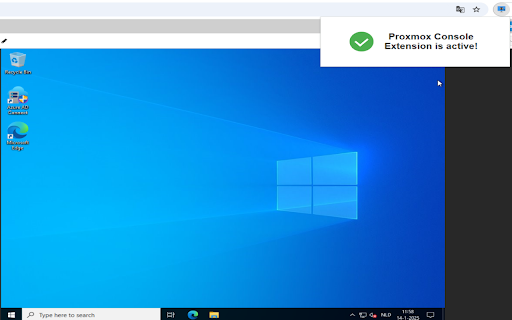

🚀 Easily Paste into Your Proxmox Console Sessions! 🚀 The VM Console Extension is here to solve a frustrating limitation—no more manual typing or restricted copy-paste functionality! With this extension, you can directly paste text, commands, or configurations into your Proxmox web console sessions with ease. 🎉 Clipboard to Console Magic: Paste text directly into your Proxmox console sessions, even in environments where this isn't normally possible. ✏️ Simplify Your Workflow: No more switching back and forth between tools—just copy and paste! 🔄 Quick & Easy to Use: Activate the extension from the toolbar and paste in seconds. ⏱️ Save Time, Reduce Errors: Focus on what matters and skip the repetitive typing. ⌨️ This extension is a must-have for anyone managing Proxmox Virtual Environments! Whether you're an IT admin, a developer, or just looking to streamline your workflow, this tool has got you covered. 😎 Install now and make your Proxmox console sessions a breeze! 🚀 Let me know if you'd like to tweak it further! 😊

KVM Console Paste
Copy and paste text into noVNC KVM consoles (IONOS, Proxmox, Plesk). Simulates keystrokes at configurable speed. Finally, copy and paste in your KVM console! Web-based KVM consoles (noVNC) used by hosting providers like IONOS, Proxmox, and Plesk don't support native clipboard paste. This means you have to manually type long commands, passwords, and configuration files character by character. KVM Console Paste solves this by simulating keystrokes directly into the VNC console, letting you paste any text instantly. How it works: 1. Open your KVM console in the browser 2. Click the extension icon and paste your text 3. Click "Send to Console" — done! Or simply press Ctrl+V directly on the console page. Features: • Paste text into any noVNC-based KVM console • Blocked by default — you choose which sites to enable, one click per domain • Auto-detect KVM consoles (including inside iframes) • Adjustable typing speed (10ms to 200ms per character) • Configurable delay after Enter for multi-line commands • Progress indicator with cancel support • Right-click context menu paste Privacy first: • No data collection whatsoever • All processing happens locally in your browser • No external servers or analytics • Blocked on all sites by default — only runs where you explicitly allow it

Paste to vSphere VM
This extension helps to paste the clipboard (password, etc) to vSphere VM HTML console via keystrokes This extension helps to paste the clipboard (password, etc) to vSphere VM HTML console via keystrokes, simulating keyboard input. Based on mengji "Paste To VM" extension - with removed jquery (calls replaced with native js), v3 compatible, for security purposes it clears the clipboard after first paste. Make sure to reload the console tab for clean initialization, don't click on the VM console window, just press Ctl-Shift-v (Win, Linux) or Command-shift-v (Mac) to paste the clipboard text to VM console via keystrokes simulation.

Kasm - Open In Isolation
Kasm - Open in Isolation , provides users a convenient way to open links inside a Kasm Workspaces session. The page is rendered inside the Kasm session, allowing users so safely interact with the webpage. None of the site's code runs on the user's computer only safely inside the remote Kasm session.

Joplin Web Clipper
Capture and save web pages and screenshots from your browser to Joplin. This is a web clipper that allows you to save web pages to Joplin and take screenshots while you're browsing the internet. You can either save complete web pages or simplified versions of it. You will need the Joplin desktop application to use this extension.
