
mnencakcmnofdmpgmklkknklikgpodoo
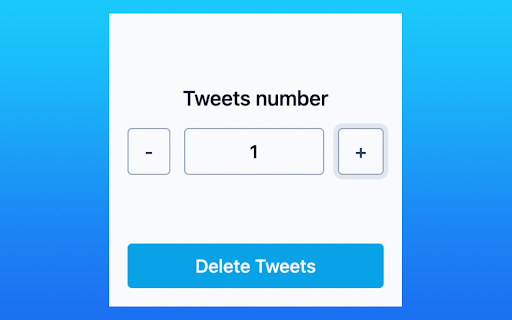
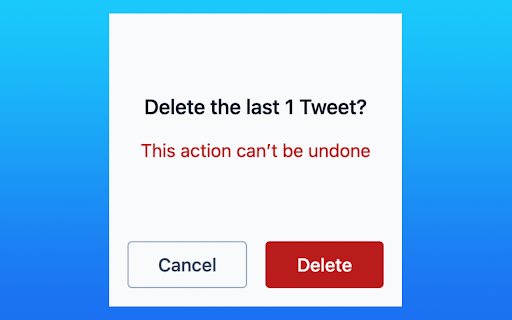

Want to start your Twitter from scratch? Try our extension! No permissions to your Twitter account are needed! All this extension does is click buttons for you! How to use: Just open your Twitter profile page, set the number of Tweets to remove, and click “Delete”! This extension will remove Tweets from the most recent to earlier ones.

DeleteTweets - Bulk Delete Tweets
🔹Advanced Filtering Use our advanced filtering to decide which tweets to delete based on your own or predefined conditions. Search all your X posts / tweets and likes by keyword, date, type, and media. Delete selected X posts / tweets and likes with one click. Simple. 🔹Twitter Archive Upload your full Twitter archive to delete all your profile’s tweets and data to restore your Twitter privacy. Retrieve your X / Twitter Data file to access posts / tweets and likes from the day you posted your first tweet (post). There are no tweet count limitations. Browse and delete your old X posts / tweets and likes easily. 🔹Bulk Deletion Delete all your tweets and likes with a few clicks and restore your privacy and clean up your Twitter Profile. We know it’s tedious to delete multiple tweets one at a time. Is your Twitter feed cluttered with old tweets? Maybe there are a few embarrassing tweets you want to erase. Deleting tweets in bulk helps you clean up your feed and make it more organized. Put time back into your day and let Tweet Delete delete all your tweets at once. You set the parameters of the deletion. Choose a date range or a keyword, then let Tweet Delete delete all tweets you no longer want. 🔹Unlike Tweets Have you liked a tweet but later changed your mind about it? TweetDelete helps you unlike tweets, to remove your endorsement. It’s helpful if you no longer agree with the tweet. Or, maybe you don't want to associate with the tweet anymore. Whatever the reason, TweetDelete assists you in unliking multiple tweets at once. 🔹Automatic Tasks Set up and run advanced automatic tasks to delete your tweets and likes consistently in the background. By design, your data stays at all times on your Google account, never saved in our database. Your data aren’t shared with anyone, including the add-on owner. We complies with privacy laws (especially GDPR & California Privacy Act) to protect your data.

X (Twitter) Select & Delete Messages Pro
Quickly adds checkboxes 🗹 to each chat, allowing you to select individual messages 📝 or all at once 🗑️ for deletion. Advantages: Fast Selection Process ⚡ Quickly adds checkboxes 🗹 to each chat, saving you time by allowing easy message selection. Flexible Deletion Options 📝 Choose individual messages or select them all at once 🗑️, giving you full control over what to keep or delete. Simplifies Bulk Actions 🗂️ Perform bulk deletions with just a few clicks, making it easy to clean up chats without hassle. User-Friendly Interface 🎯 The checkboxes 🗹 are intuitive and simple to use, even for non-tech-savvy users. Note: This extension is not affiliated with or authorized by X (formerly Twitter). It is an independent tool developed to enhance user experience

X (Twitter) Mass Unfollow
A simple (configurable) way to mass unfollow your X (formerly Twitter) followings CHANGELOG v1.2.3: Add some minor updates v1.2.2: Fixes issue with clicking confirm unfollow button v1.2.1: Fixes issue with showing unfollow modal without unfollowing the user v1.2.0: Now works with the new domain https://x.com If your X (formerly Twitter) following is a mess and you'd like to start afresh, look no further. X (Twitter) Mass Unfollow will automagically unfollow all or some of your following so you don't have to "clicky clicky" because let's face it, no one has the time for that. USAGE 1. Visit https://x.com/following 2. Click "ALL" to unfollow all the people you follow on X (formerly Twitter) or "NOT FOLLOWING" to unfollow just the accounts you follow but are not following you back. 3. Use STOP to abort the whole process Pro Tip: To see how the extension works without unfollowing anyone, click the DEMO button. OPTIONS The extension can be configured from the options page. *Exclude users* Keep a whitelist of users (X handles/usernames) to not be unfollowed. This could be people that you both are following each other or not. X (formerly Twitter) handles added here will always be given priority regardless of the action button clicked. *Stop after 1 minute* The extension will stop running (unfollowing users) after 1minute from time started. If unchecked, it will run until there's no one to unfollow & you'd have to manually "STOP" the process as you see fit. *Reload on finished* Whether the extension should reload the current page after the running process is finished/done. By default, page will be refreshed. You can uncheck this to manually reload the page yourself.

Post Deleter - Tweet Deleter
Delete all your Tweets and X posts with this Tweet deleter tool. Run it automatically and have all your Tweets deleted with a click! Delete all your tweets quickly and easily! Post Deleter is the best tweet deleter tool, providing a way to delete all of your tweets with the click of a button! Features: - Automatically delete tweets - Supports tweets and retweets - Set limit of how many tweets to delete - Set custom interval between deletes Stop manually deleting your tweets and automate the entire process. Install Post Deleter today to get started for free!
