
mppblpedoemekekejafmcopafmkagkic
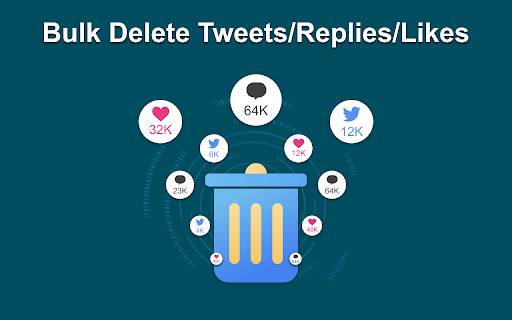
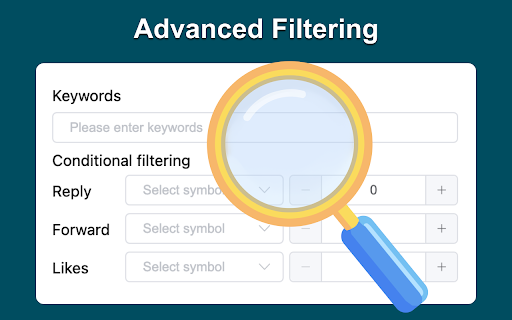
🔹Advanced Filtering Use our advanced filtering to decide which tweets to delete based on your own or predefined conditions. Search all your X posts / tweets and likes by keyword, date, type, and media. Delete selected X posts / tweets and likes with one click. Simple. 🔹Twitter Archive Upload your full Twitter archive to delete all your profile’s tweets and data to restore your Twitter privacy. Retrieve your X / Twitter Data file to access posts / tweets and likes from the day you posted your first tweet (post). There are no tweet count limitations. Browse and delete your old X posts / tweets and likes easily. 🔹Bulk Deletion Delete all your tweets and likes with a few clicks and restore your privacy and clean up your Twitter Profile. We know it’s tedious to delete multiple tweets one at a time. Is your Twitter feed cluttered with old tweets? Maybe there are a few embarrassing tweets you want to erase. Deleting tweets in bulk helps you clean up your feed and make it more organized. Put time back into your day and let Tweet Delete delete all your tweets at once. You set the parameters of the deletion. Choose a date range or a keyword, then let Tweet Delete delete all tweets you no longer want. 🔹Unlike Tweets Have you liked a tweet but later changed your mind about it? TweetDelete helps you unlike tweets, to remove your endorsement. It’s helpful if you no longer agree with the tweet. Or, maybe you don't want to associate with the tweet anymore. Whatever the reason, TweetDelete assists you in unliking multiple tweets at once. 🔹Automatic Tasks Set up and run advanced automatic tasks to delete your tweets and likes consistently in the background. By design, your data stays at all times on your Google account, never saved in our database. Your data aren’t shared with anyone, including the add-on owner. We complies with privacy laws (especially GDPR & California Privacy Act) to protect your data.

Gemini Bulk Delete
Multi-select and batch-delete Gemini chats. Tired of deleting Gemini chats one by one? Bulk Delete for Gemini adds a bulk-deletion toolbox right inside Google Gemini so you can clean up in seconds. • Multi-select checkboxes – pick the exact chats you want gone • Select All + auto-scroll – capture your entire chat history in one shot • One-click “Delete Selected” – confirm once, done • Keyboard shortcuts – Shift + A (select/deselect all), Delete (remove) • Feels native – UI matches Gemini’s light & dark modes 1.Install the extension 2.Open gemini.google.com 3.Toggle Multi-select mode 4.Choose chats → click Delete Selected Privacy No chat content is read, stored or sent anywhere. We request only the permissions needed to add the delete buttons and (if you upgrade) validate your license. Bulk Delete for Gemini is an independent project and is not affiliated with Google LLC. Stop wasting time on manual deletions—install now and take control of your chat history.

Mass Block Twitter
Mass Block Twitter - Efficiently block multiple spam accounts on Twitter/X with just a few clicks. ⚠️ MAINTENANCE MODE — Looking for what's next? Mass Block Twitter has been rebuilt as two focused, cross-platform extensions with iOS Safari support: • Twitter Blocker — True-background batch blocking that runs for days/weeks without keeping a tab open, plus a one-click block button with no multi-step popups. → https://store.rxliuli.com/extensions/twitter-blocker • Twitter Filter (free) — Moderation Lists keyword filtering (rebuilt as expression rules), with mark/hide/dynamic-block on your timeline. All previously public moderation lists are migrated as community rules. → https://store.rxliuli.com/extensions/twitter-filter This extension still works — your existing setup is safe. Already a Pro user? Email support with your receipt for a 100% upgrade coupon on Twitter Blocker. ───────────────────────────── One-Click Solution to Clean Up Twitter/X Spam. Tired of spam accounts cluttering your Twitter feed? I built this simple yet powerful tool that lets you detect and block multiple spam accounts with just one click. • ✨ Content Moderation Lists (like Bluesky's) • 🔍 Smart scan and batch blocking of suspicious accounts • 📋 Import/export block lists for sharing • 👥 Shared blocklist based on community reports • ⚡ One-click instant blocking • 🔒 Auto-hide heavily reported accounts • 🎯 Enhanced keyword filtering (across profile/username/tweets) • 🛡️ Auto-hide suspicious accounts (no avatar/bio/followers) • 🛡️ Privacy First, 100% open source Give it a try and let me know what you think! 🙌

Tweet Copier - Copy Twitter / X Threads
Copy tweets and full X (Twitter) threads in one click. Instantly save clean text for research, notes, writing, and archiving. Tweet Copier is a Chrome extension that lets you copy tweets and entire Twitter/X threads instantly with one click. Save clean, structured tweet text directly to your clipboard for research, writing, archiving, or reuse. 🚀 Key Features ✅ Copy Single Tweet Instantly copy the full text of any tweet, including quoted tweets and emojis. Copy tweet text instantly without screenshots or manual selection. ✅ Copy Twitter / X Threads Automatically detects and copies the entire thread by the same author. ✅ Auto-Scroll for Long Threads Loads hidden tweets so you can copy long Twitter threads in one click. ✅ Clean, Structured Formatting Preserves emojis, line breaks, and auto-numbers tweets (e.g., 1/12, 2/12). ✅ Native X Integration Adds Copy and Thread buttons directly to the X action bar (left of Grok). 👨💻 Who This Is For Content Creators – Save tweets and threads for blogs, newsletters, or social media. Researchers & Students – Archive Twitter discussions and primary sources. Journalists – Preserve tweets and threads before edits or deletion. How to Use - Install Tweet Copier. - Refresh X (Twitter). - Click Copy or Thread on any tweet. - The tweet text is copied instantly to your clipboard. 🔒 Privacy-First Twitter Extension No data collection No tracking or analytics No external servers Runs entirely locally Tweet Copier does not automate engagement, modify content, or interact with your account. It only reads tweet text you explicitly choose to copy.

X (Twitter) Select & Delete Messages Pro
Quickly adds checkboxes 🗹 to each chat, allowing you to select individual messages 📝 or all at once 🗑️ for deletion. Advantages: Fast Selection Process ⚡ Quickly adds checkboxes 🗹 to each chat, saving you time by allowing easy message selection. Flexible Deletion Options 📝 Choose individual messages or select them all at once 🗑️, giving you full control over what to keep or delete. Simplifies Bulk Actions 🗂️ Perform bulk deletions with just a few clicks, making it easy to clean up chats without hassle. User-Friendly Interface 🎯 The checkboxes 🗹 are intuitive and simple to use, even for non-tech-savvy users. Note: This extension is not affiliated with or authorized by X (formerly Twitter). It is an independent tool developed to enhance user experience
