
bdbdcppgiiidaolmadifdlceedoojpfh
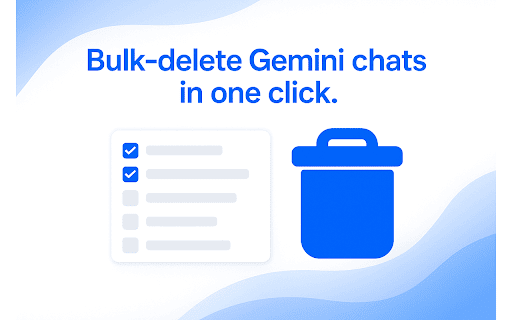


Multi-select and batch-delete Gemini chats. Tired of deleting Gemini chats one by one? Bulk Delete for Gemini adds a bulk-deletion toolbox right inside Google Gemini so you can clean up in seconds. • Multi-select checkboxes – pick the exact chats you want gone • Select All + auto-scroll – capture your entire chat history in one shot • One-click “Delete Selected” – confirm once, done • Keyboard shortcuts – Shift + A (select/deselect all), Delete (remove) • Feels native – UI matches Gemini’s light & dark modes 1.Install the extension 2.Open gemini.google.com 3.Toggle Multi-select mode 4.Choose chats → click Delete Selected Privacy No chat content is read, stored or sent anywhere. We request only the permissions needed to add the delete buttons and (if you upgrade) validate your license. Bulk Delete for Gemini is an independent project and is not affiliated with Google LLC. Stop wasting time on manual deletions—install now and take control of your chat history.

YouTube to NotebookLM
Send YouTube to NotebookLM. Save videos, sync YouTube channel to NotebookLM, and manage any NotebookLM video easily 🌐 With this powerful extension, you can easily connect YouTube and NotebookLM to create organized, AI-ready notes and summaries. It supports YouTube videos, playlists, channels, and even search results. The extension transforms your video-watching habits into a productive, research-driven workflow. ✅ Why You Need Youtube to NotebookLM? 1️⃣ Add any Youtube video to NotebookLM instantly 2️⃣ Send an entire Youtube playlist to notebook lm for bulk video research 3️⃣ Extract videos from a Youtube channel to notebooklm seamlessly 4️⃣ Turn your video research into actionable insights 5️⃣ Use Youtube search to notebooklm to batch-import search result videos ⚡ Key Features You’ll Love: 💡 Add single or multiple videos from YouTube to NotebookLM app 💡 One-click to create notebook, or choose notebook from your existing list 💡 Extract summaries, timestamps, and AI highlights using notebooklm video overview 💡 Support for notebooklm video podcast content 💡 Quick access button in the browser for fast action 🎯 Turn your browser tab to notebooklm effortlessly 🎯 Extract ideas, arguments, key points from long-form videos 🎯 Use the extension to send a site tab to notebook lm, not just YouTube 🎯 Works with Notebook LM Plus for advanced AI-powered insights 🎯 Compatible with both light and dark themes 🧠 NotebookLM AI uses your saved videos to: 🔸 Generate contextual summaries 🔸 Create structured Q&A formats 🔸 Offer deeper insights from NotebookLM video overview 🔸 Help you build notebooks with long-term value 🔸 Sync video content across all your learning projects This extension isn’t just a clipper — it's a bridge between video learning and structured knowledge capture using the technology. Perfect for All Types of Learners: 💼 Students organizing lecture content 💼 Podcasters summarizing interview footage 💼 Researchers building video-based citations 💼 Creators looking for inspiration 💼 Anyone using NotebookLM for research videos Just find a video, click, and you’re done — whether it's a single clip or an entire Youtube playlist to notebooklm. 🔹 Choose to Create notebook or just Choose notebook from your list 🔹 Add NotebookLM source for smarter future search 🔹 Built-in support for NotebookLM Reddit 🎯 Looking to turn YouTube videos into actionable notes and summaries? The Youtube to Notebook LM extension is your ultimate tool for research, learning, and content organization. 🎯 In just one click, you can send any YouTube video to NotebookLM, including playlists, channels, and even search result pages! ⚒️ No matter how you learn or work, Notebook LM features ensure your NotebookLM YouTube experience is tailored to your needs. ❓ What is Youtube to NotebookLM? 🧩 It’s a Chrome Extension that sends YouTube content (video, playlist, channel, or search result) to NotebookLM app for AI-powered summarization and note-taking. ❓ Can I use it with playlists and channels? 🧩 Yes! You can send a full Youtube playlist to notebooklm or an entire Youtube channel to notebooklm. ❓ Will NotebookLM summarize the videos? 🧩 Yes! The extension helps you access notebooklm video overview and summaries generated by NotebookLM AI 🧠 ❓ Can I choose where to save my notes? 🧩 You can Create notebook or Choose notebook from your existing list – it’s completely flexible. ❓ What about browser tabs that aren’t YouTube? 🧩 You can send any site tab to notebooklm, not just YouTube. Perfect for additional context and source linking. 🌟 Make your video-watching smarter, faster, and more organized with Youtube to NotebookLM. The perfect solution for anyone serious about content digestion and research. Whether you're dealing with podcasts, lectures, documentaries, or vlogs — NotebookLM for research videos transforms how you think, learn, and remember.

AI Chat Sweep: Bulk Delete ChatGPT, Claude & Gemini
One-click to manage and bulk delete your chat history on ChatGPT, Claude, and Gemini. Keep your sidebar clean and organized. 📌 Summary : Batch delete your chat history on ChatGPT, Gemini, and Claude with a single click. The essential 3-in-1 tool for a clean AI workspace. Sweep the Clutter, Keep the Insight! Is your AI chat history filled with meaningless test logs? No need to click hidden three-dot menus one by one to delete them anymore. [AI Chat Sweep] allows you to quickly and cleanly clear your chat history across the world's top 3 AI platforms (ChatGPT, Google Gemini, Anthropic Claude) using just one extension. 3-in-1 Universal Support: Works seamlessly across ChatGPT, Gemini, and Claude. No need to install separate extensions for each service. Smart Batch Delete: Select multiple chats you want to remove using intuitive checkboxes and batch delete them all with a single click. Stable Processing (API-Based): Instead of relying on unstable screen-click macros, it uses background API communication. Even when deleting multiple chats, it processes them calmly and reliably without interrupting or tangling. Sleek Design: Features a modern, clean UI/UX (Neumorphism style) that blends naturally with the default themes of each AI service. This extension operates exclusively on your currently open tab (activeTab). We never collect, store, or transmit your chat content or account information to external servers. It is a lightweight and highly secure tool that does not request unnecessary permissions. Visit the ChatGPT, Gemini, or Claude website. Click the [AI Chat Sweep] extension icon in the top right corner to turn on 'Edit Mode'. Select the checkboxes that appear next to the chat list. Click the [Delete] button on the top toolbar, and you're done! Install now and experience the cleanest AI workspace!

ChatGPT Bulk Delete
A Chrome extension to bulk delete ChatGPT conversations This Chrome extension is designed to help users quickly and efficiently delete conversations in the ChatGPT’s left sidebar. With the extension installed, users can add checkboxes to each conversation in the sidebar, select multiple conversations to delete or archive, and accomplish this with just a few clicks. Hold Shift and click to select multiple conversations for efficient bulk actions. This extension is particularly useful for users who frequently use ChatGPT and need to manage their conversations efficiently. Instead of deleting conversations one by one, users can remove multiple conversations at once, saving both time and effort. Additionally, this extension now offers a “bulk archive” feature for a one-time fee of $0.99 USD. This paid feature allows users to archive multiple conversations simultaneously, further enhancing the tool’s utility and convenience. The extension popup includes a small advertisement labeled “Ad” in the footer, linking to TubeVocab (https://www.tubevocab.com/), a third-party language-learning product. This ad helps support the continued development and free distribution of ChatGPT Bulk Delete. Clicking it is entirely optional and does not affect any of the extension’s core functionality.

Gemini Watermark Remover — Auto Clean AI Images
Automatically removes watermarks from Gemini-generated images. No clicks needed — works instantly when you download. Tired of watermarks on your Gemini-generated images? Gemini Watermark Remover automatically removes the visible watermark from images generated by Google Gemini — right when you hit the download button. No extra steps, no manual editing, no hassle. Once installed, the extension runs silently in the background while you use Gemini. When you click the download button on a generated image, it intercepts the process, strips the visible watermark, and delivers a clean image straight to your downloads folder. The entire operation happens in milliseconds — you won't even notice it's there. This extension was built with simplicity and privacy in mind. There are no buttons to click, no settings to configure, and no accounts to create. It just works. ✅ Zero-click workflow — the watermark is removed automatically every time you download an image from Gemini. No need to open a separate tool or upload your image somewhere else. 🔒 100% local processing — your images never leave your browser. Everything is handled on your device — no data is sent to any external server, ever. Your creations stay yours. 🛡️ No data collection — the extension does not collect, store, or transmit any personal data, browsing history, or image content. What happens in your browser stays in your browser. 🆓 Completely free — all features are available at no cost, with no hidden fees, no premium tier, and no usage limits. ⚡ Lightweight and fast — the extension uses minimal resources and does not slow down your browser or your Gemini experience. 🎯 WHO IS THIS FOR? Whether you are a designer using Gemini for quick mockups, a content creator generating visuals for social media, a marketer producing assets for campaigns, or simply someone who wants clean images without watermarks — this extension saves you time and effort on every single download. ℹ️ WHAT THIS EXTENSION DOES NOT DO To be fully transparent: this extension removes the visible watermark overlay from Gemini-generated images. It does not alter invisible metadata such as SynthID or other embedded identifiers. It only works within the Gemini web interface and does not modify images from other sources. Click "Add to Chrome," open Gemini, generate an image, and download it. That's it — your image will be watermark-free.
