
mmkbpninbdnjaocadhomhcadglnkafeb
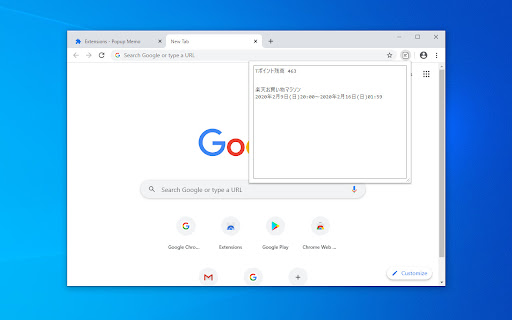
Save your memo automatically when popup closes. Data is stored in storage area of the extension and the data will be shown in the popup when you restart your browser.

grt memo
simple memopad simple memo pad !!! note pad !!! grt memoは、ブラウザ利用中に簡単にメモれる拡張機能です。 ■ 無限シンプルタブ、数字ボタンでメモ内容を切り替えられます。 ■ TIMEボタンで時間挿入 ■ URLボタンで現在のタブのURL挿入 ■ 自動保存!編集中にもりもり保存します。徒然なるままにメモしてください。 付箋のように気軽にメモしてください。 simple notpad ! simple tag, auto save ! very easy to use ! * TIME : insert time string. * URL : insert url by active tab. this icon is a japanese character "メ". 0.2.7 リンク修正 0.2.5 アイコン修正 0.2.4 バグ修正 0.2.2 デザイン修正 0.2.0 削除ボタンを追加しました。 0.1.4 mail, twitter を修正.

Simple Quick Notes
A simple notes extension for simple, fast, minimalistic note jotting. Quik, easy, simple, uncluttered notes for your simplistic needs.

パネルメモ
サイドパネルで編集できるメモ帳 ・メモを読み書きするのに、その都度アプリケーションやタブを切り替えるのは面倒くさい ・Chromeでメモを管理したい ・シンプルなメモ帳を使いたい そう思っているあなたへ(私も思っていました) この拡張機能は、上記全てを解決します。 ・メモ帳として必要最低限の機能を提供 ・サイドパネル上にあるので、ブラウザでの作業を中断する必要なし ・メモをGoogleアカウントで同期するか、デバイスごとに別々に管理するか選択可能 ※同期する:同じGoogleアカウントであれば、どのマシンからも同じメモにアクセス可能(容量に制限あり) ※同期しない:ほぼ無制限にメモを保存可能 使ってみればわかると思います。 意外と有能です。

AlwaysOnTop Sticky Note, Memo
1. Functions You can always use a memo pop-up window with the features above. 2. Functions It is recommended for those who move a lot, such as Word, Excel, and web pages. 1) You can always bring up a notepad from above. It's always up there no matter what program you turn on. 2) You can adjust the size of the notepad and the size of the handwriting. 3) You can add a link to visit your favorite page immediately. 4) You can click the 'Instant' menu to create additional pop-up notepads. 5) You can open and turn off the notepad with just the keyboard by setting the shortcut key. 6) Shortcuts have been added to the menu that appears when you right-click. 7) If you use the whale browser, you can also use the 'Always Above' function on the notepad that you have floated as Instant. (If you press the top left pin shape in the Instant window, the function always applies to the top.) 3. How to use the full screen 1) Press Instant to open Notepad in a new window. 2) Press F11 to open the notepad on full screen. When used as a full screen, it can be used as a whiteboard. 4. How to open not-browser programs (ex.Excel) right on top of it all the time 1) chrome://extensions/shortcuts 2) Set to 'Global' and 'All' in the shortcut setting. 3) You can also use shortcuts in other programs to open Notepad. 5. Precautions 1) It is available on most web pages, but sometimes it is not. In this case, you can open a notepad by opening another web page. 2) Because it uses the PIP, the webpage that opened the notepad must be fixed. * Please refer to the following for future updates, information, and inquiries. https://utilzip.com
