
mlmkffbkmdphkbnapkcnmhjiinhlblde
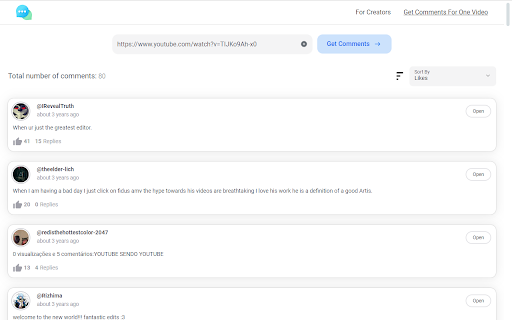
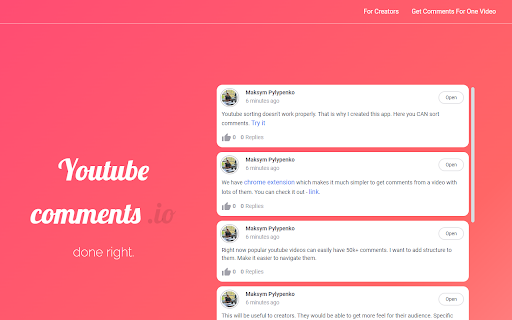
Sort youtube comments with one click This extension adds one button right next to subscribe button that says: "sort comments". On click it will start sorting it on my server and when done it will open sorted comments in beautiful UI on youtube-comments.io. *Can take up to few minutes for videos with a lot of comments(10k+).

Screenshot YouTube
Take a screenshot of any YouTube video with one click. Adds a “Screenshot” button to the YouTube video player which saves a screenshot of the currently playing video as a file, or copies it to the clipboard, or both. Optionally with keyboard shortcuts, and buttons for changing the playback rate. New in version 3.0.0: moved to the newly required manifest v3, and removed the history permission, which should also make the screenshot button more reliable. This extension does not contain any malicious or tracking code. No viruses. No ads. Only good software. Thanks to Ari Velazquez, and Zertsu for their contributions.

Youtube Comments Insights
Analyzes the comment section of a youtube video according to the themes that are discussed the most This Chrome extension is a unique tool designed specifically to analyze the comment section from videos of your favourite Youtube channels. Whether you want to grab a quick glance of the most popular discussed topics or explore emerging trends based off the comments from your favourite creators, this extension can help provide you with a quick overview, which is especially useful for videos that contain thousands of comment threads. Youtube Comments Insights also possesses a filter for the number of total comments you want to retrieve for a useful analysis which are given the percentage values of 50%, 75%, or 100%. Additionally to the most repeated words, the result from each analysis also identifies the most repeated bigrams, and trigrams which will provide a clear insight into the general themes being discussed within the comments section of the video you wanted to analyze.

YouTube Comments Sentiment
Visualize a YouTube video's sentiment given the comments. Visualize the aggregate sentiment of a YouTube video's comments on an adapted Likert scale. This extension uses the specialized social media VADER Sentiment Analysis algorithms to evaluate the sentiment of the top 300 comments by relevance. The compound sentiment value for a comment is scaled by the amount of likes the comment has received. Scaling by likes allows for an accurate depiction of the sentiment with a low sample size of comments. The sentiment analysis results act as a loose proxy for the Like-to-Dislike ratio, but are not always indicative of the true Like-to-Dislike ratio.

Copy Youtube Transcript
Copy YouTube video transcripts with one click. Copy Youtube Transcript lets you instantly copy or download video transcripts with a single click. 🎯 MAIN FEATURES: • One-click transcript copying • Clean, formatted output • Works with regular YouTube videos and Shorts • Customisable formatting options • Dark mode support • Optional AI summary prompt for easy content analysis 🔍 PERFECT FOR: • Students taking notes • Researchers analysing content • Content creators repurposing videos • Anyone who needs quick access to video transcripts • AI/LLM users seeking structured input 💡 HOW TO USE: 1. Open any YouTube video with captions 2. Click the extension icon 3. Click "Copy to Clipboard" 4. Paste anywhere you need! ✨ SIMPLE, FAST, AND RELIABLE: • Clean, modern interface • No ads or tracking • Works offline once loaded • Respects your privacy • Lightweight and fast Note: This extension requires videos to have captions/transcripts available on YouTube.
