
hfjekmdcadjmenibkbegnoccofgepgip
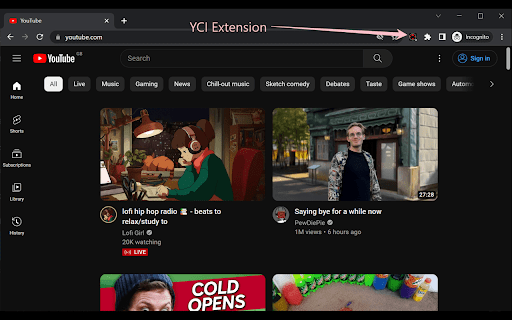


Analyzes the comment section of a youtube video according to the themes that are discussed the most This Chrome extension is a unique tool designed specifically to analyze the comment section from videos of your favourite Youtube channels. Whether you want to grab a quick glance of the most popular discussed topics or explore emerging trends based off the comments from your favourite creators, this extension can help provide you with a quick overview, which is especially useful for videos that contain thousands of comment threads. Youtube Comments Insights also possesses a filter for the number of total comments you want to retrieve for a useful analysis which are given the percentage values of 50%, 75%, or 100%. Additionally to the most repeated words, the result from each analysis also identifies the most repeated bigrams, and trigrams which will provide a clear insight into the general themes being discussed within the comments section of the video you wanted to analyze.

YouTube Comments Sentiment
Visualize a YouTube video's sentiment given the comments. Visualize the aggregate sentiment of a YouTube video's comments on an adapted Likert scale. This extension uses the specialized social media VADER Sentiment Analysis algorithms to evaluate the sentiment of the top 300 comments by relevance. The compound sentiment value for a comment is scaled by the amount of likes the comment has received. Scaling by likes allows for an accurate depiction of the sentiment with a low sample size of comments. The sentiment analysis results act as a loose proxy for the Like-to-Dislike ratio, but are not always indicative of the true Like-to-Dislike ratio.

CommentFlow: Youtube Audience Insights™
Understand your YouTube comments instantly. Save time, reduce hate, and grow smarter. This is not just another Sentiment analysis extension. Commentflow gives you key insights from viewer comments and hides hateful ones right on your video page.And whats the benefit? It saves both your time and mental health -Video Ideas - The best Video ideas are the ones extracted from your comments -Constructive Criticism – Know what your audience wants you to fix - Key Appraisal - Know what your viewers loved about your video -Audience Questions – Extract Viewer's question for your Q&A videos. -Hateful Comment Hider – Detect and hide all hateful comments with one click -Highlight Mentions – Find mentions of your sponsors or products -Technical Feedback – Technical issues are as important as the content itself 🧠 Who It's For: Perfect for YouTubers, creators, marketers, and editors who want to: 1.Install the extension 3.Click the CommentFlow icon 4.Boom—instant analysis right inside the video page 5. To hide hate comment look above the comment section for a red button. 💡 Why Use CommentFlow? You're already working hard on your content. Let CommentFlow handle the comment chaos:

Comment Insights: Interactive AI-Powered YouTube Comment Analyzer
YouTube comment insights with ChatGPT. Unlock the collective wisdom of your audience. Unlock the power of YouTube comments with Comment Insights! This AI-driven tool not only analyzes and refines comments but also allows you to send queries directly to AI (ChatGPT) for interactive insights. Access valuable, dynamic feedback right from your Chrome extension or embedded panel on the YouTube page, and gain a deeper understanding of YouTube comments to enhance your insights and decision-making. • AI-Powered Analysis: Utilize advanced AI technology to extract key insights from YouTube comments. • Interactive Queries: Send your specific questions directly to AI (ChatGPT) for personalized, dynamic feedback. • Noise Reduction: Focus on the most relevant comments, cutting through the clutter. • Sentiment Analysis: Understand the emotional tone of comments to better gauge viewer sentiment. • User-Friendly Interface: Seamlessly integrates with your YouTube experience, providing easy access to refined comment insights. Experience the future of YouTube comment analysis with Comment Insights. Download now and unlock the collective wisdom of your audience through interactive AI-powered insights.

YouTube Comment Reader
Search, Sort, Filter, Translate, Read, Export YouTube Comments in spreadsheet format. Navigate Comments & Rplies with arrow keys +++ New Export functionality in version 1.0.28 +++ All loaded comments now exportable optionally in XML for Excel, JSON, or CSV (comma, tab or semicolon separated) format. The export complies with the current filter and order settings (i.e. you can easily export a filtered part of the comments in a desired order). If you are in dark mode, then the Excel sheet is created in dark mode as well. +++ New in version 1.0.20 +++ New translate buttons in the comment popups (listening to Alt+Y) ..translating every foreign language comment into your language (back and forth). +++ New in version 1.0.17 +++ + Shortcut key now is Ctrl+Shift+Y (for extension popup) ..which can be changed in extension settings + Any short video can quickly be opened in a regular video player (where timeline, speed, volume etc. can be adjusted) by clicking the video title in the extension's popup. +++ New in version 1.0.16 +++ Comments now also visible and sortable ascending by timestamps appearing in comments Features: ➤ Youtube comment presented in multi-functional spreadsheet format ➤ Sort comments (by table header click) ascending or descending by author, comment time, upvotes count, replies count, last reply time, timestamps appearing in comments, comment length, or channel owner's upvotes (heart symbol) ➤ Search main comments and/or replies by author and/or text content ...e.g. filter for an author's main comments and/or responses ...e.g. filter for comments and/or responses containing a specific text phrase ➤ Works in every language ➤ Works with YouTube Shorts as well ➤ Quickly navigate through comments and responses by (left, right, up, down) arrow keys ➤ Easily switch between light and dark mode Instructions: 1. Open a YouTube video. 2. Click on the extension icon (in the chrome extensions toolbar, to the right of the address bar). 3. Wait for the extension popup to load a brief overview containing the YouTube channel, video title, total comments count etc. 4. In the info popup click on the Comment Reader icon. The Comment Reader opens in a new tab and starts loading comments (from newest to oldest). 5. Watch the progress while comments are loading. 6. Click OK to interrupt the loading process at any time to start reading the comments that has been loaded till then. When all comments are loaded, the progress view and interrupt button will disappear. 7. An interrupted loading process can be continued at any time if loading more comments is desired. Tips: Use (left, right, up, down) arrow keys to quickly navigate through comments and replies (although, of course, mouse clicks work as well). ➤ use up & down keys to go from one row to another ➤ use the right arrow key to dive into details (of a currently selected row) ➤ use the left arrow key to leave the details and return to parent list ➤ Quickly open any short video in a regular player (..so you can adjust the timeline, speed, volume etc.) by clicking the video description in the extension's popup 8. To reply to or upvote a comment you may click on the comment time (e.g. "6 hours ago") above the comment text. This will open a new regular YouTube window with the targeted comment (as the "highlighted comment") appearing immediately under the video player. That way you can interact via the regular YouTube user interface.
