
mkphjcfplanogllpfpfefcpfbdpchkjh
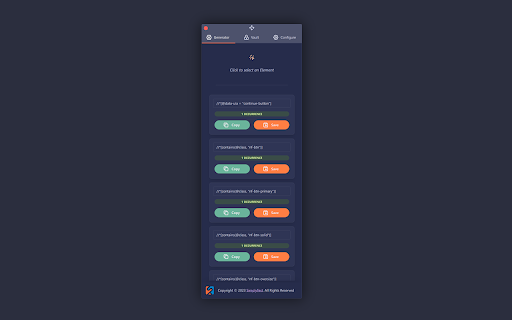
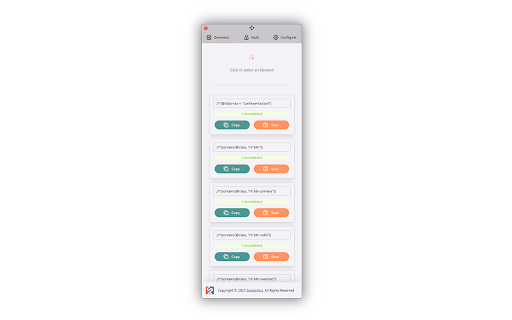


A 'click-to-build' xpath and css selector generator STargazer extension helps you to find reliable xpath and css locators for UI elements on web pages

E2E Test Helper
A helpful tool for locating UI elements for Cypress, Playwright, Selenium. Will create a Page Objects for by Generative AI. The **E2E Test Helper Extension** is designed to simplify and enhance your end-to-end testing workflow by leveraging AI to generate page objects. This extension integrates seamlessly with popular testing frameworks like Cypress and Playwright, enabling you to create robust, reusable page objects quickly and efficiently. - Element Scanning: Automatically scan your web pages to identify elements based on a predefined attribute. This feature helps you quickly locate elements that will be used to generate page objects. - Customizable Prompts: Define and manage both system and user prompts to tailor the AI's behavior to your specific testing needs. Customize the responses to ensure they align perfectly with your testing requirements. - Support for Shadow DOM: Enable the inclusion of elements within Shadow DOM, allowing you to work with modern web components effortlessly. - Flexible AI Integration: Choose from various AI instances, including OpenAI, LLaMA, and Azure AI. Configure the AI model, API endpoint, and other settings to match your development environment. - Efficient Page Object Generation: Generate page objects with meaningful names and detailed prompts. The extension sends the HTML elements and your instructions to the AI, which returns a complete page object ready for use in your tests. - Easy Export Options: Save the generated page objects as files or copy the code directly to your clipboard. This makes it easy to integrate the generated code into your existing codebase. 1. Scan Elements: Begin by scanning the web page to identify elements with the specified attribute. 2. Define Page Object: Provide a meaningful name for the page object and select or define prompts to guide the AI in generating the page object. 3. Generate and Save: Send the request to the AI and wait for the response. Once the page object is generated, you can save it as a file or copy the code. 1. Install the Extension: Add the E2E Test Helper Extension to your Chrome browser from the Chrome Web Store. 2. Configure Settings: Navigate to the Settings tab to configure your preferences, including the E2E attribute, AI instance type, API endpoint, and model name. 3. Manage Prompts: Go to the Prompt Manager tab to define and manage system and user prompts. 4. Start Scanning: Use the Scan button to identify elements on your web page and generate page objects with the help of AI. - Save Time: Automate the tedious process of writing page objects, freeing up your time to focus on writing tests. - Consistency: Ensure consistent and reusable page objects across your test suite. - Customization: Tailor the AI-generated page objects to fit your specific testing framework and coding standards. - Advanced Features: Take advantage of advanced features like Shadow DOM support and flexible AI integration to handle complex web applications. Support and Feedback We are committed to providing the best possible experience with the E2E Test Helper Extension. If you have any questions, need support, or want to provide feedback, please submit a support request. Thank you for using the E2E Test Helper Extension! Happy testing!

Attribute Reporter
Dev Tools Extension to report on elements attributes and copy their value as text or xpath expression Attribute Reporter is a DevTools panel for inspecting HTML element attributes across a page. Select any element, type an attribute name (or pick class, id, or data-testid with one click), and instantly see a list of all matching child elements with their values — or which ones are missing them. - 🔍 Inspect any attribute by name across all child elements - ✅ Spot missing or empty attribute values at a glance - 📋 Copy individual values, XPath expressions, or CSS selectors to the clipboard - 📦 Export all results as JSON (element, value, CSS selector, XPath) - 🔒 No special permissions required What's New in v2.1.0 - 🔍 Missing attribute finder — Toggle "∅ missing" to instantly see all elements that lack the target attribute (e.g. buttons without aria-label). - 🏷️ Element-type filter — Filter results by element type (button, input, div…). Multi-select, composes with the missing toggle. - 🟢🟡🟠🔴 Status indicators — Every row now shows a color-coded status: OK, duplicate value, empty value, or missing attribute. Hover for details. - 📋 Copy as CSV — Export the current filtered list as CSV, ready for spreadsheets or bug reports. - 💾 Remembers your last attribute — The target attribute name is now saved between DevTools sessions. - aria-label shortcut added to the quick-select badges.

Element Selectors
Chrome extension to find element selectors Xpath and CSS plugin to auto generate shortest xpath, css & Playwright Locators Element Selectors plugin can also be used to auto generate the unique shortest xpath, shortest css and Playwright selectors. Steps to generate xpath, css and playwright locator 1. Once installed, please restart your browser 2. Open the page you can want to get css selector 3. Open Devtools by clicking on the inspect window or F12 (Function F12) 4. Open the Element Selectors sidebar panel located in the devtools 5. Inspect the desired element to get the css locator Features- a) Playwright Locator b) Short and Long CSS c) Short and Long Xpath If you are facing any issue or want to give a feedback, feel free to reach out to me at genaidevguru@gmail.com

HakaPath
¿Qué hace? - Permite descargar el historial de localizadores generados en hasta 5 diferentes tipos de archivos. - Crea hasta 4 localizadores (2 XPath + 2 CSS) de forma automática utilizando algoritmos precisos. - NUEVO: Los primeros slots usan algoritmos locales optimizados (más confiables) - NUEVO: Los segundos slots pueden usar IA local para generar alternativas inteligentes - Conserva un historial de hasta 30 localizadores generados para su posterior consulta o reutilización. - Permite convertir los localizadores a código de Selenium en hasta 4 lenguajes de programación. - NUEVO: Conteo inmediato de coincidencias con badges de colores - NUEVO: Generación de Page Object Model (POM) automático Discover our plugin developed to generate XPaths and CSS selectors that will help you automate tests and make them up to 70% faster and with fewer failures. 🔵 Haka Path is a valuable extension designed specifically for web browsers that revolutionizes the way you generate XPaths and CSS selectors for your test automation projects. With just a few clicks, this tool allows you to create locators efficiently and effectively, significantly speeding up your workflow. 💻 🔵 One of the standout features of Haka Path is its ability to generate multiple locator alternatives. This means that you won't just get one XPath, but several options in both XPath and CSS selectors to choose from, giving you flexibility and precision in your automation testing. This results in a drastic decrease in the time needed to build locators, allowing you to focus on other essential tasks in your project. 🤖 NEW FEATURE: CHROME LOCAL AI INTEGRATION Now with support for Chrome Built-in AI (Gemini Nano), HakaPath can generate intelligent locators using local artificial intelligence, without sending data to external servers. The AI analyzes element context and generates more precise and unique XPaths and CSS selectors. Characteristics - Web Plugin. It integrates easily and natively into Google Chrome and Microsoft Edge. - Downloadable directly from the Chrome Store. - Construction of XPath and CSS selectors using the Hakalab methodology to create effective locators. - NEW: Intelligent generation with Chrome local AI (Gemini Nano) - NEW: Dark/light mode for better visual experience - NEW: Live preview with element highlighting - NEW: Real-time locator validation - Languages: Spanish and English. What does it do? - Allows you to download the history of generated locators in up to 5 different file types. - Creates up to 4 locators (2 XPath + 2 CSS) automatically using precise algorithms. - NEW: First slots use optimized local algorithms (more reliable) - NEW: Second slots can use local AI to generate intelligent alternatives - Preserves a history of up to 30 generated locators for later consultation or reuse. - Allows you to convert locators to Selenium code in up to 4 programming languages. - NEW: Immediate match counting with colored badges - NEW: Automatic Page Object Model (POM) generation Benefits - Generation of locators up to 70% faster - NEW: More precise locators with local AI (when available) - Multiple locator options: 2 XPath + 2 CSS selectors - NEW: Total privacy - AI works locally without sending external data - Selenium code generation for automation with a single click, in up to 4 different programming languages - Locators history, allows you to create groups per page and download the document - NEW: Modern interface with dark mode and live preview
