
mjecmgchgphemimdojlcfhkkniibojgg
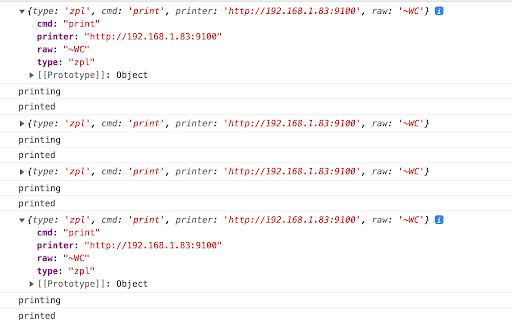
Allow to print any raw data from JavaScript at any opened page directly to any .ZPL printer like Zebra Listen extension: window.addEventListener("message", function (event){ if (event.data && event.data.type && event.data.type == 'from_zpl_ext') { // receive version of extension if exists if (event.data.cmd === 'version') { ZPL_EXTENSION_VERSION = event.data.value; return; } // receive status of printing if (event.data.cmd === 'status') { console.log(event.data) return; } } }, false);

Ninja Printer
Ninja Printer is a browser based solution for printing from authorised website(s) using Google Chrome. Technically the solution is based on the NativeMessaging feature of the browser and runs a simple Java application in the background to execute printing on the local machine. Currently it only supports Windows and OSX, but it should be easy to adjust other unix-like systems. One of the main design goals was to be able to pick the printer to be used from the web application, meaning obviously that the application needs to be aware of the available printers on the users machine. NinjaPrinter ships with support for 2 different type of documents: ZPL (label) and the PDF, but extending it should be fairly straight forward.

SysmexNZ PrintControl Chrome Extension
SysmexNZ PrintControl Chrome Extension is used by Sysmex application for customizing the printing (includes ZPL label printing) process from a web browser.

Hiecor Zebra Print
Integrates your network connected zebra printer with the HieCOR Software. Paired with your HieCOR subscription, this application will allow you to integrate your zebra printer and print barcodes with the HieCOR application.

ZPL emulator
A basic emulator that can convert ZPL text to png images and pdf files Utilizes the labelary API to convert raw ZPL text into an image, all within a convenient popup. It allows for label width, height, and dpmm adjustment, and provides easy png and pdf download options. While other emulators are locked to chrome OS, this one can run in any chrome browser. It doesn't yet have the ability to receive print data directly, and requires copy-pasting the ZPL text for now. If you'd like a system that can consume zpl directly from a browser print let me know in the comments.
