
iieoaakmbimeipdjhpgloagddeoeaooh
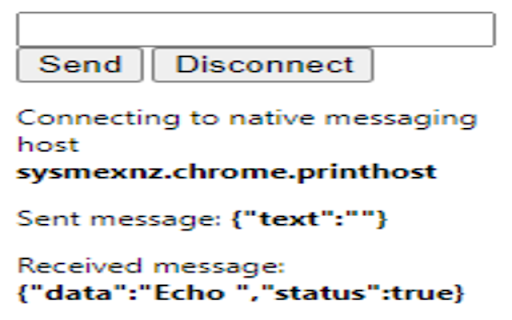
SysmexNZ PrintControl Chrome Extension is used by Sysmex application for customizing the printing (includes ZPL label printing) process from a web browser.

ZPL printer / JS provider
Allow to print any raw data from JavaScript at any opened page directly to any .ZPL printer like Zebra Listen extension: window.addEventListener("message", function (event){ if (event.data && event.data.type && event.data.type == 'from_zpl_ext') { // receive version of extension if exists if (event.data.cmd === 'version') { ZPL_EXTENSION_VERSION = event.data.value; return; } // receive status of printing if (event.data.cmd === 'status') { console.log(event.data) return; } } }, false);

ZPL emulator
A basic emulator that can convert ZPL text to png images and pdf files Utilizes the labelary API to convert raw ZPL text into an image, all within a convenient popup. It allows for label width, height, and dpmm adjustment, and provides easy png and pdf download options. While other emulators are locked to chrome OS, this one can run in any chrome browser. It doesn't yet have the ability to receive print data directly, and requires copy-pasting the ZPL text for now. If you'd like a system that can consume zpl directly from a browser print let me know in the comments.

UpSeller - Product Importer
Import products from popular suppliers to your online stores [FREE of Charge] Import products from the most popular platforms of LATAM (Amazon, Mercado Libre, etc.) to your online stores in a simple and fast way. With the UpSeller's extension for Chrome, sellers will be able to import information such as description, title and images from the different e-commerce platforms to UpSeller and publish dozens of products in a matter of minutes. Features: - Add products to your stores from 10+ popular suppliers by one click - Import and copy products in bulk (up to 100 products) - Image editor, auto-fill GTIN/EAN - Manage orders, Inventory and more - Manage all your online stores from one place The uses of the application are described as follows: 1- Log in to UpSeller. 2- Enter any of the supported platforms. 3- Find the product or products you want to import. 4- Click on the button that appears above each publication or on the button "Import all products" of UpSeller if you want to import in bulk. 5- Enter UpSeller and fill in the missing data for each product. 6- Publish them in all your stores linked to UpSeller. Try it for free: https://www.upseller.com If you have any questions email us at support@upseller.com *** UpSeller - Free Multi-channel ERP for e-commerce businesses ***

ZPL to PDF - Zebra Label Converter
Convert ZPL to PDF instantly. Preview Zebra labels and download print-ready PDFs. Perfect for e-commerce shipping. Convert ZPL to PDF instantly. Preview Zebra labels and download print-ready PDFs. Perfect for e-commerce shipping.
