
mihcahmgecmbnbcchbopgniflfhgnkff
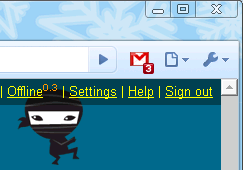

Displays the number of unread messages in your Google Mail inbox. You can also click the button to open your inbox. Displays the number of unread messages in your Google Mail inbox. You can also click the button to open your inbox.

Password Alert
If you enter your Google Account password or Google for Work password into anywhere other than Google's sign-in page, you’ll receive an alert, so you can quickly change your password if needed. Password Alert also checks each page you visit to see if it's impersonating Google's sign-in page, and alerts you if so. FAQ -- When will Password Alert take effect? Password Alert will initialize itself the next time you enter your password into accounts.google.com. -- Does Password Alert store my password or keystrokes? No. Password Alert doesn’t store your password or keystrokes -- instead, it stores a secure thumbnail of your password, which it compares against a thumbnail of your most recent keystrokes within Chrome. -- Where does Password Alert send data? If you are using Password Alert in a Google Account, Password Alert does not send any data from your local computer. If your Google for Work administrator chooses to deploy Password Alert across your domain, the administrator will receive alerts when Password Alert triggers. -- What are Password Alert limits? Password Alert only operates inside the Chrome web browser when Javascript is enabled. Password Alert doesn't protect Chrome Apps or Chrome Extensions, and it only protect incognito tabs if configured at chrome://extensions. It also does not protect passwords for non-Google services. -- Where can I find more details? Visit the full FAQ at https://support.google.com/a/answer/6197508, or you can see the entire open-source codebase at https://github.com/google/password-alert. By installing this item, you agree to the Google Terms of Service and Privacy Policy at www.google.com/policies/

Checker Plus for Google Drive™
Quickly browse your Google Drive files without opening a webpage and get notifications of modifications to your shared documents • Browse, open, search or delete your files and documents right from a browser button (without waiting for Google Drive's page to open) • Get desktop notifications when any of your files/documents are modified or updated by a shared user Click "Website" or visit jasonsavard.com for more info.

Feedly Notifier
Extension for Feedly news reader Feedly notifier is a tiny extension that keeps you up to date with your feedly subscriptions. - unread news count - unread news headers (with direct link on the news site) in the popup window - article preview in the popup window - ability to set categories for updates - HTTPS support - ability to mark news as read - ability to save feeds for later reading - ability to filter feeds by category in the popup - ability to open site on button click (work as a counter only) - desktop notifications - background mode **Translation** Help us to translate the extension or improve existing translations. https://poeditor.com/join/project?hash=2fZxqOmDJo If you found a bug or you have a suggestion, please let us know. You can report about it here: https://github.com/olsh/Feedly-Notifier/issues

Save to Google Drive
Save web content or screen capture directly to Google Drive. The Save to Google Drive Chrome extension helps you save web content or browser screenshots to your Google Drive. * Adds a browser action to save the current page. * Adds a right-click context menu to save hyperlinks and media. * Configurable through an options page. * Save a PDF of the current page via the Chrome Print menu This extension allows you to save web content directly to Google Drive through a browser action or context menu. You can save documents, images, and HTML5 audio and video all by right clicking and selecting 'Save to Google Drive'. You can save the currently viewed page using the 'Save to Google Drive' browser action or as a PDF from the Chrome Print menu.. The directory location and format of saved HTML pages can be controlled with the extension's options page (Choice of Entire image (default), Visible image, Raw HTML, MHTML, or Google Doc). You can automatically convert Microsoft Office files or comma separated files to Google Docs format. After your content is saved, the progress dialog allows you to open the file, rename, or view the file in the Google Drive document list. From the document list, you can organize and share your new document. To save a file:// URLs, or to enable in incognito mode, go to chrome://extensions/ and enable the associated checkbox. Due to security restrictions, this extension cannot capture chrome:// pages or Chrome Web Store pages. New in Version 2.3.2: * Fixes a bug where certain PDF files would save without an extension name. New in Version 2.3.1: * Bug fixes. * Allows for the printing of the current page from Google Chrome to Google Drive, as a PDF. Note: Currently Google Chrome provides this feature natively, but this native feature will soon be replaced fully by this Chrome Extension's similar feature. New in Version 2.1: Authorization now requires you to be signed into Chrome. In order to save to a different Google Drive account, you must change Chrome profiles. New in Version 2.0.1: Bug fix for Authentication page redirecting to about:blank after clicking Accept. New in Version 2: * Uses OAuth2 authentication flow, so you will need to re-authenticate on first use * Ability to choose destination folder (configured in Options page) * Support for high devicePixelRatio (Chrome Pixel & Retina displays) * Clicking saved folder name displays the newly uploaded file in the destination directory * Options are stored in shared storage, so are synchronized across browsers if Chrome Sync is enabled. By installing this item, you agree to the Google Terms of Service and Privacy Policy at https://www.google.com/intl/en/policies/.
