
mfmbohhilekeamheodippbnplaficklg

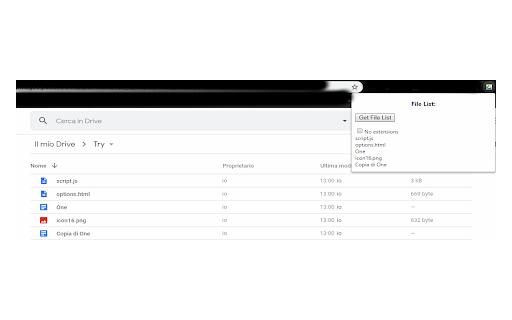

Drive File List creator >>> DONATE!

Bookmarks Table
View your Chrome bookmarks by date in a sortable searchable table Search your entire Chrome bookmarks collection in a table format. Each column is sortable and searchable. To open click the icon to the right of your address bar. This is an Open Source source project, please see the website link for more info.

Extension Manager
Extension that manages other extensions If you have tons of extensions but don't want to leave them all on at the same time - this extension is for you. You can use this to turn them on and off. Ctrl+L is the default keybinding to open the popup Move with arrow keys Press enter to turn toggle extensions on and off This is mostly for personal use but if you find it useful as well then great :)

Bookmark Manager per Domain and Page
A Bookmark Manager to list all bookmarks for the domain or page of the current URL as hyperlinks. This Bookmark Manager is special, it displays only bookmarks belonging to the current domain. ie. https://gist.github.com or https://docs.github.com/en will be displayed if you have it as a bookmark and navigate to https://www.github.com Open any URLs from Domains that you have saved within *.domain.com* We will show you only the ones from that domain. The extension does not work across domains from the same brand, such as pinterest.de or pinterest.at, etc. we might add this functionality in a near future update if there is demand. So if you are looking for that best next app to open pages in a new tab, while simply organizing your url in this awesome quick software, with our bookmark manager you will not need more bookmarking apps on your sidebar, forget all the other addons. Save webpages that you find popular, then navigate there with speed, have a look at your bookmarklet and use our free extension to view your custom starred urls, search through them with ease. Updates / Change log: 22.06.2024 / V 1.0.7 - Responsive pop-up added, Extension Icons added, fixed folder view, deleting and editing the URL 25.05.2024 / V 1.0.6 - Updated Manifest to v3 19.07.2021 / V 1.0.5 - Removed "Storage" permission, not needed. 22.12.2020 / V 1.0.4 - Added FOLDER view buttons 14.12.2020 / V 1.0.3 - We added DELETE and EDIT buttons

Super Bookmark Desktop
Super Bookmark Desktop - the new tab page + bookmark manager that acts like your computer desktop!… Super Bookmark Desktop - the new tab page + bookmark manager that acts like your computer desktop! If you've ever wanted to treat your bookmarks like files on your desktop then give this a try! Some features: * Cool desktop backgrounds and ability to add your own. Add a subreddit source and get new backgrounds every day! * Click and Drag icons to move them around the desktop or into folders. * Create a selection of multiple items by clicking and dragging with the mouse (then try moving all of them). * Hold down Ctrl, Shift, or Command and then click an icon to multi-select icons. * Right Click the desktop create bookmarks or to change backgrounds and set background settings. * Right Click icons to edit or delete them (editing and deleting affects the actual bookmark). * Create text files that sync like a normal bookmark. Good for making quick reminders!
