
meonalmakdjaojaoipfhahcfccoecegk
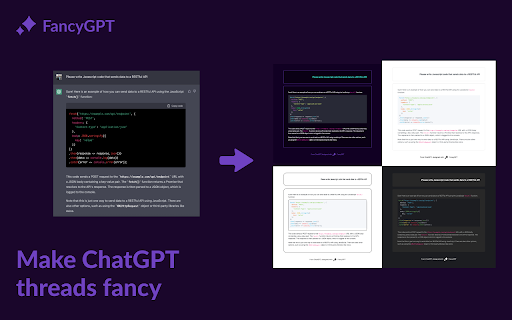
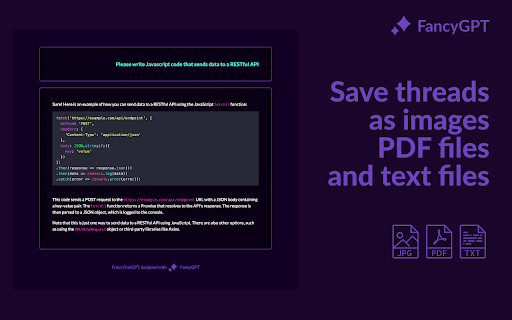
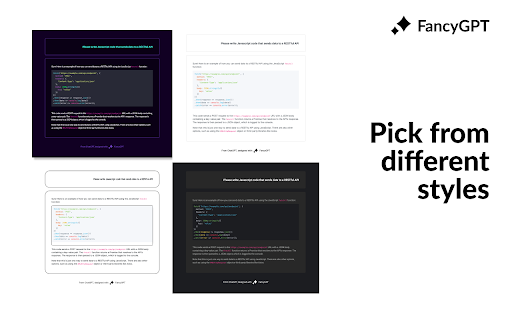

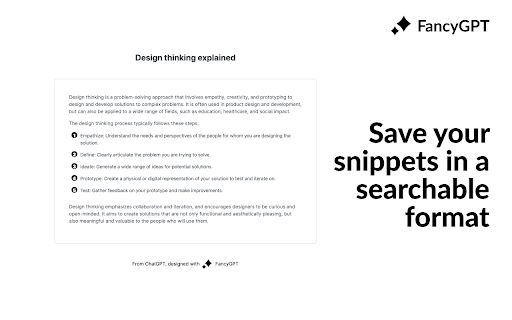
Save and share beautiful ChatGPT snippets as images, PDFs, and text files. FancyGPT lets you beautify your ChatGPT threads, and store them for future reference or sharing with others with images, searchable PDFs, and text files. Features: - Export better looking code snippets, lists, tables, and more. - Choose which messages to include / exclude when sharing. - Select from neon, sketch, dark, and light styles. - Highlight areas of interest in ChatGPT's responses. - SVG path images are rendered below the code. - Save as an image for social sharing. - Save as a PDF for keeping and sharing searchable content. - Save as a text file in markdown format for sharing searchable content. Use cases: - Save chat threads for your personal reference when ChatGPT is down. - Share selective messages in a good looking way with friends and colleagues. - Export chat threads as text for further processing and analysis. If you have any issues, ideas, or requests, message us on Twitter @fancyGPT. Thanks for trying FancyGPT!

Jetwriter AI: Reply Emails, Ask Page, Summarize, Fix Grammar, and More
Write emails & messages, chat with page, improve writing, translate, and do much more. Powered by the most intelligent AI models Get personalized, context-aware AI help on any website with Jetwriter AI. Write emails and messages, chat with page, fix grammar, improve your writing, translate text, and much more - all in seconds. Powered by the world's most intelligent AI models. Free to try. 📧 ADVANCED GMAIL INTEGRATION: REFERENCES PAST EMAILS, WEB SEARCH, and HELP DOCS Generate personalized, context-aware replies in your exact tone directly from the Gmail compose window. Jetwriter AI learns your unique style from your sent emails, while seamlessly pulling accurate, real-time answers from your linked website, help docs, or live web searches. ✍️ GENERATE CONTEXT AWARE REPLIES IN YOUR VOICE Get AI assistance on email and messaging platforms such as Gmail, WhatsApp, LinkedIn, Outlook, Zendesk, and more. 🚀 HIGHEST QUALITY RESPONSES Go beyond generic AI. Our system is fully personalized to you, generating intelligent, context-aware responses. Powered by the world's most advanced AI models, including GPT-5.2 Thinking, Claude Sonnet 4.6, Gemini 3.1 Pro and more. 🌐 WEB SEARCH & READ LINKS Accesses the web to get the latest info for your replies. 📄 CHAT WITH ANY PAGE - Summarize articles - Find key information - Proofread your work - Explain complex terms ✨ SELECT ANY TEXT TO TRANSFORM - Correct grammar and spelling - Improve writing clarity and style - Rephrase and change the tone - Translate to any language - Create your own custom actions 👤 PERSONALIZED TO YOU - Teach the AI about you and your role for truly personalized responses. - Create different writing styles for various purposes. - Save your favorite prompts for one-click access. - Customize the length of AI responses. - Supports all languages. 🎙️ VOICE INPUT Save time with instant, accurate voice-to-prompt in any language. 🎨 MINIMAL, NON-INTRUSIVE DESIGN - No Layout Shifts: Unlike sidebar extensions, Jetwriter opens as a clean modal on top of the page. - Flexible: Resize and drag the modal anywhere on your screen. - Easy Access: Open via keyboard shortcut, highlighting text, right-click context menu, or the extension icon. - Integrated Buttons: Find AI reply buttons directly within popular sites such as Gmail, LinkedIn, WhatsApp Zoho, and more. - Rich Chat Experience: Supports multi-turn conversations, Markdown, code highlighting, and LaTeX. ⚡ SUPERIOR PERFORMANCE - Lightweight extension (

ChatGPT Optimizer - Boost Your AI Workflow
Enhance the Chat GPT interface and bring GPT trough all the web! The ultimate productivity tool for ChatGPT. Enhances the interface and adds new features. Improve your workflow with a simple installation. 💬 Messages - Copy buttons (Plain & HTML) - "Scroll to Latest" Button - "Read Aloud" Button - Stop Reading Button - Play/Pause Read Aloud - 30+ Voices - Persitente Voice Setting - Chars and word counter - Copy the latest message via the shortcut - Windows/Linux/ChromeOS: Ctrl+C - Mac: Command+C - Stop and Regenerate the Answer via the shortcut - Stop: Ctrl+Escape - Regenerate: Ctrl+Backspace - Copy clean text without style of selection - Delete Messages 💪 Prompt Everywhere - Prompt Selection via Context Menu - Prompt Page via Context Menu - Prompt from Search Bar - Type in "gpt" and click tab key to prompt - New chat via command - Windows/Linux/ChromeOS: Ctrl+Shift+O - Mac: Command+Shift+O - Access ChatGPT from extension popup ✍️ Prompting - Prompt input max chars warning - Quick Prompt to rewrite message - Jailbreak with DAN Model button - Prompt URLs 🤝 Usage - Prompt History - Navigate trough prompt history by clicking up and down arrow on prompt text area - Get Insights and Charts - Pass "GPT On Capacity" Page 👀 Interface - Collapsible Navigation Bar - Shortcut: Spacebar - Open chats scrolled to the bottom - Less prominent plan upgrade button - Direct chat deletion with shortcut - All Platforms: Control / Command or Shift + Delete Icon - Direct focus on the text area to directly start typing - Horizontal word break for too long messages in width - Adjustable message width for large screens - Blur chats on sidebar for presentation - Expand/collapse button for prompt field - United Settings Popup ✅ Secure Code - Compatible with ChatGPT Plus - Compatible with ChatGPT Normal - Compatible with AIRMP 🧑💻 Next Features - Improve "Read Aloud" - Read faster - Prompt Generator - Promp on Page Popup 📆 Planned Features - Multi Delete Chats - Search in Chats - GPT in Search Engines - Google - Bing - DuckDuck Go - Brave Search - GPT in GMail - GPT in LinkedIn - Generate Post Content - Improve Post Content - Based on User Pages - GPT in YouTube - Video summarizer based on title and subtitles - Enable / Disable Features - Website about Extension - Version Features - FAQ & Help - Contact - More Information - Quick Feature / Support Requests (For Extension) 💡 Description Introducing the ultimate productivity booster for the official Chat GPT website - the ChatGPT Optimizer! This powerful tool will improve the way you use the website, by adding a host of new features that will boost your productivity and streamline your workflow. The extension also offers a variety of other features that will make it easier for you to use GPT everywhere. This means you can use GPT's capabilities to improve your search results, compose better emails, and even enhance your LinkedIn profile. With its user-friendly interface and powerful features, the GPT Extension is the perfect tool for anyone who wants to get the most out of GPT. So why wait? Download the GPT Extension now and start seeing the benefits for yourself! Important: This extension isn't developed by Open AI or the Chat GPT team.

Writingmate: #1 AI Copilot powered by GPT-4
🚀 Writingmate.ai for SEO Marketers Elevate your SEO strategies using Writingmate.ai. Ideal for crafting high-ranking SEO blog posts, researching long-tail keywords, rewriting competitor content, and creating AI-generated imagery. Export directly to Google Docs for effortless workflow. 🔥 Writingmate.ai for Software Engineers and Coders An essential tool for Software Engineers and Coders, Writingmate.ai simplifies coding. Get explanations for complex code, debugging help, leetcode solutions, and coding interview prep. Integrates smoothly with GitHub, GitLab, and others. 👥 Writingmate.ai for Customer Support Teams Transform your customer support with Writingmate.ai. Easily integrate AI into your customer support systems. Enhance customer interactions with our advanced AI capabilities. 📘 Writingmate.ai for Students Especially beneficial for software engineering, law, and doctoral students. Craft superior essays, prepare for exams, and get AI-proof writing assistance. Writingmate.ai is your ultimate academic ally. 💻 General Features Experience your GPT-4 AI assistant with the ChatGPT Plugin. Writingmate.ai answers complex questions, assists in article writing, AI painting, and comprehending articles and web pages. Compatible across all websites. 🚀 Quick Start Guide 1️⃣ Activate Writingmate.ai with Cmd+M or Ctrl+M to chat using GPT-3.5 and GPT-4 models. 2️⃣ Highlight any text for explanations, translations, or paraphrases using GPT. 3️⃣ Utilize the Prompt Library for diverse ChatGPT prompts. 💻 Feature Highlights 💡 Chatbot: Engage with Writingmate.ai in a sidebar, powered by GPT-4 and GPT-3.5. 💡 Web Browser Plugin: Access real-time internet information with ChatGPT technology. 💡 Copywriting: Create compelling ad copy effortlessly. 💡 Prompt Library: A vast collection of prompts for ChatGPT, GPT-3.5, and GPT-4. 💡 ChatPDF: Interact with PDF content in a ChatGPT-like manner. 💡 Quick Actions: Translate, paraphrase, and explain text on any webpage. 💡 AI Painting: Generate images from text descriptions. 💡 Mail Login: Easy access without a ChatGPT or OpenAI account, bypassing regional restrictions. ❇️ How Writingmate.ai Works Powered by the ChatGPT API, Writingmate.ai understands and responds to chat messages, generates copy, translates, paraphrases, and explains web text. 📒 Detailed Introduction Supporting GPT-3, GPT-3.5, and GPT-4, Writingmate.ai offers writing, translation, summarization, paraphrasing, and explanation services without needing a ChatGPT or OpenAI account. Experience fast, efficient, and cutting-edge AI technology as a Chrome extension. Just press Cmd+M or Ctrl+M to chat. 🔥 Key Advantages No need for ChatGPT or OpenAI accounts. Access to GPT-3.5 and GPT-4 models. Over 10 templates for writing articles, ad outlines, blogs, resumes, and more. Paraphrase, translate, and explain any webpage text using ChatGPT models. Chat anytime with ChatGPT in the browser sidebar. Stable network connectivity and frequency limit solutions. Customizable prompts for a personalized ChatGPT experience. Committed to 100% privacy. ⚙️ Function List ➤ Sidebar Chat: Interact with GPT-3.5, GPT-4, and voice input options. ➤ Quick Activation: Low memory usage and smooth ChatGPT experience. ➤ Built-in Templates: Support for YouTube outlines, Gmail, LinkedIn, and more. 🧑💻 Usage Instructions Click "Add to Chrome". Log in to your Writingmate.ai account. Wake up the tool with Cmd+M/Ctrl+M. Dive into the ChatGPT experience! ❓ FAQs 📌 Is it free? Limited free use; Premium version for advanced features. 📌 Relationship with ChatGPT? Developed based on ChatGPT models, offering similar capabilities. 📌 Availability on iOS, Windows, Mac? Currently in development for multi-platform use. 📌 Future model integrations? Plans to incorporate GPT-5 and other models like Excel-ChatGPT, SQL-ChatGPT, Mini-ChatGPT, Claude, Brad, etc. 📪 Contact Questions or suggestions? Contact us at 💌 artem@writingmate.ai. Try Writingmate.ai now for the ultimate ChatGPT-driven AI assistant experience!

ChatGPT Extention for Chrome
Interact with ChatGPT in Google Search results page A simple chrome extension that adds a sidebar to the browser and enables the users to interact with ChatGPT from from inside chrome. 👋 Introducing ChatGpt Sidebar, the newest addition to your Chrome browsing experience. With this extension, you can easily access the powerful ChatGpt and webGPT AI assistant from any website, simply by opening the sidebar. 🔮 ChatGpt is a large language model trained by OpenAI, and is able to help you with a wide range of tasks, from answering questions to providing helpful suggestions. 💚 You can even collaborate with ChatGpt to create blogs, write code, and much more. Give ChatGpt Sidebar a try today and see how it can enhance your browsing experience and help you with your creative projects. 👨🏻💻 A great extention for developers and coders who want to laverage ChatGPT for fixing bugs, learning new languages, translating code or just asking general questins. 👩💻 Entrepreneurs can use this tool to brainstorm new ideas, create content and get inspired. you can create business plans, learn about startups or analyse your market space.
