
iihamopomflffiecicbgelncanmfionp
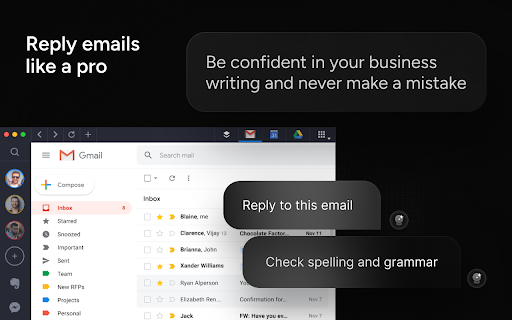
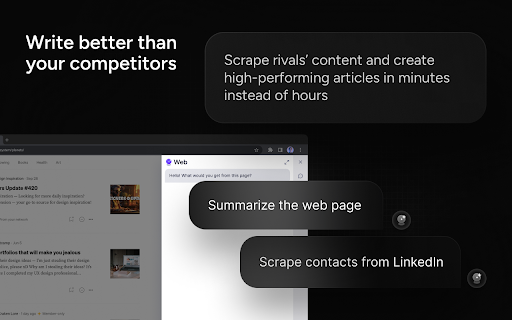


🚀 Writingmate.ai for SEO Marketers Elevate your SEO strategies using Writingmate.ai. Ideal for crafting high-ranking SEO blog posts, researching long-tail keywords, rewriting competitor content, and creating AI-generated imagery. Export directly to Google Docs for effortless workflow. 🔥 Writingmate.ai for Software Engineers and Coders An essential tool for Software Engineers and Coders, Writingmate.ai simplifies coding. Get explanations for complex code, debugging help, leetcode solutions, and coding interview prep. Integrates smoothly with GitHub, GitLab, and others. 👥 Writingmate.ai for Customer Support Teams Transform your customer support with Writingmate.ai. Easily integrate AI into your customer support systems. Enhance customer interactions with our advanced AI capabilities. 📘 Writingmate.ai for Students Especially beneficial for software engineering, law, and doctoral students. Craft superior essays, prepare for exams, and get AI-proof writing assistance. Writingmate.ai is your ultimate academic ally. 💻 General Features Experience your GPT-4 AI assistant with the ChatGPT Plugin. Writingmate.ai answers complex questions, assists in article writing, AI painting, and comprehending articles and web pages. Compatible across all websites. 🚀 Quick Start Guide 1️⃣ Activate Writingmate.ai with Cmd+M or Ctrl+M to chat using GPT-3.5 and GPT-4 models. 2️⃣ Highlight any text for explanations, translations, or paraphrases using GPT. 3️⃣ Utilize the Prompt Library for diverse ChatGPT prompts. 💻 Feature Highlights 💡 Chatbot: Engage with Writingmate.ai in a sidebar, powered by GPT-4 and GPT-3.5. 💡 Web Browser Plugin: Access real-time internet information with ChatGPT technology. 💡 Copywriting: Create compelling ad copy effortlessly. 💡 Prompt Library: A vast collection of prompts for ChatGPT, GPT-3.5, and GPT-4. 💡 ChatPDF: Interact with PDF content in a ChatGPT-like manner. 💡 Quick Actions: Translate, paraphrase, and explain text on any webpage. 💡 AI Painting: Generate images from text descriptions. 💡 Mail Login: Easy access without a ChatGPT or OpenAI account, bypassing regional restrictions. ❇️ How Writingmate.ai Works Powered by the ChatGPT API, Writingmate.ai understands and responds to chat messages, generates copy, translates, paraphrases, and explains web text. 📒 Detailed Introduction Supporting GPT-3, GPT-3.5, and GPT-4, Writingmate.ai offers writing, translation, summarization, paraphrasing, and explanation services without needing a ChatGPT or OpenAI account. Experience fast, efficient, and cutting-edge AI technology as a Chrome extension. Just press Cmd+M or Ctrl+M to chat. 🔥 Key Advantages No need for ChatGPT or OpenAI accounts. Access to GPT-3.5 and GPT-4 models. Over 10 templates for writing articles, ad outlines, blogs, resumes, and more. Paraphrase, translate, and explain any webpage text using ChatGPT models. Chat anytime with ChatGPT in the browser sidebar. Stable network connectivity and frequency limit solutions. Customizable prompts for a personalized ChatGPT experience. Committed to 100% privacy. ⚙️ Function List ➤ Sidebar Chat: Interact with GPT-3.5, GPT-4, and voice input options. ➤ Quick Activation: Low memory usage and smooth ChatGPT experience. ➤ Built-in Templates: Support for YouTube outlines, Gmail, LinkedIn, and more. 🧑💻 Usage Instructions Click "Add to Chrome". Log in to your Writingmate.ai account. Wake up the tool with Cmd+M/Ctrl+M. Dive into the ChatGPT experience! ❓ FAQs 📌 Is it free? Limited free use; Premium version for advanced features. 📌 Relationship with ChatGPT? Developed based on ChatGPT models, offering similar capabilities. 📌 Availability on iOS, Windows, Mac? Currently in development for multi-platform use. 📌 Future model integrations? Plans to incorporate GPT-5 and other models like Excel-ChatGPT, SQL-ChatGPT, Mini-ChatGPT, Claude, Brad, etc. 📪 Contact Questions or suggestions? Contact us at 💌 artem@writingmate.ai. Try Writingmate.ai now for the ultimate ChatGPT-driven AI assistant experience!

Superpower Chat
Superpower Chat is a browser extension trusted by over 400,000 people. Save and reuse your multi-step prompts, organize chats into folders and subfolders, search past conversations instantly, organize and search your images in the gallery, save notes for each conversation, bulk delete/export/archive your chats in a few clicks, and many more. It helps you keep ChatGPT organized, productive, and easier to use every day. ⭐️⭐️⭐️⭐️⭐️ New Pro Feature: ✨ Prompt Optimizer: Optimize your prompts with one click 🌳 Conversation Tree Map: Visualize multi-branch conversations, explore alternate paths, and export the full tree as a PNG. Free for shorter conversations; Pro unlocks larger trees. ⏳ Prompt Queue: Queue prompts to send automatically one after another. Free for up to 5 queued prompts; Pro unlocks longer queues. 📚 Advance Prompt Manager: Manage all your prompts in one place with NO LIMIT 📝 Notes: Save notes for each chat and access them later. Synced across devices and can be searched 🌉 Image Gallery: Now you can see all your images in one place. Read the prompt, search images, download all images, and more... 🔄 Automatic folder: Automatically create folders for conversations created with Custom GPTs 🔊 Side-by-side Voice mode: Use the Advanced Voice mode from ChatGPT in a side-by-side view while looking at the conversation. 🖱️ Right-click menu: Easily access and run all your custom prompts on any website from the right-click menu. 🌉 Send screenshot with right click: Use the right click menu on any page to quickly send the screenshot to ChatGPT 🤑 Enhanced GPT Store. Discover over 100,000 custom GPTs and try them with one click! 🔗 Reference Conversations: Easily reference one or more conversations from your history inside the current conversations 🔁 Auto Delete and Auto Archive: Option to automatically delete or archive old messages after a certain number of days 🎧 Download audio: Option to download the audio for ChatGPT responses 📥 Select and export individual messages from a conversation ⭐️⭐️⭐️⭐️⭐️ ★ Chat Management for ChatGPT: • 🗂 Folders and subfolders for your chats: Create folders easily and organize your chats in folders and subfolders. Assign different colors and images to each folder. Drag and drop conversations to add/remove them from folders. Favorite folder at the top. • 🗺️ Minimap. See a reduced overview of the entire conversation on the left edge of the screen • 📥 Export: Select and Export any number of your chats from ChatGPT into multiple formats (PDF, .txt, .json, .md) • 🔎 Search and Highlight: Search through all your previous chats on ChatGPT and highlight results for quick review • 📌 Pinned Messages: Pin important messages in each conversation and quickly access them using our quick navigation sidebar • 🗑️ Group Deletion: Select and delete a group of chats on ChatGPT • 🕰️ Timestamps: Timestamps for all chats and individual messages ★ Prompt Management for ChatGPT: • ⛓️ Prompt Chains: Save and run a series of prompts with one click. • ⚡️ Auto Complete Menu: Simply type / to open a menu of all your prompts right above the input box • 🔙 Recent Prompt: Your recent prompt saved privately on your computer. • 🔼🔽 Quick Access: Just use the Up/Down Arrow key in the input box to go through your previous prompts • ⭐ Favorite prompts: Mark your prompts as favorite in your prompt history • 📄 Prompt templates: Put words inside {{double curly brackets}} in your prompt to create variable in your prompts • 🔍 Search Function: Easily search through your prompt history and thousands of public prompt examples from the ChatGPT community • 📜 Public Prompts: Get inspiration from thousands of other prompts created by the community and share your prompts too. Upvote, downvote, and report prompts, and sort them by the most used or most upvoted. Filter prompts by category and language • 🔗 Prompt Sharing: Easily share a direct link to the community prompt on ChatGPT with a single click ★ Language and Style for ChatGPT: • 🌍 Language Selection: Change the response language with one click (Supports over 190 different languages) • 🎭 Tone and Writing Style: Change the Tone and the Writing style of the Response ★ Utilities for ChatGPT: • ❌ Block ads on ChatGPT • ⮐ Disable Enter to submit prompt. Instead, use CMD/CTRL + ⮐ to submit prompts. • 👥 Custom Instruction Profiles: Why create only one Custom Instruction on ChatGPT when you can easily create and save multiple profiles and quickly access them with a click of a button • ✂️ Auto Splitter: Automatically split your long input into smaller chunks and send them to ChatGPT individually. • 🗒 Auto summarize: Using the power of auto-splitter, your long text will be summarized into a shorter version so you can ask questions • 📏 Custom Conversation Width: Adjust the width of the conversation on ChatGPT to your liking • 🔄 Smart Replace: Automatically replace pre-defined phrases with longer text as you type prompts • 🖱️ Auto Click: Automatically click on the default favorite prompt button at the end of each response • 📊 Word and Character Count: Add the word and character counters to both the user input and the responses • 🎛 Model Switcher: Easily change the model (GPT-5.2, GPT-4, GPT-3.5, etc.) in the middle of the conversation. Simply hover over the avatar icon to see what model was used for each response • 📋 Copy and Paste: Easily copy each chat with a click of a button and keep the formatting (support plain text, markdown, and HTML format) • 🕶️ Copy Mode: Setting to copy either both user input and response or only the chat response • ⌨️ Short keys: Quickly access your most used features using our growing list of short keys • ⏫⏬ Scroll to the top/bottom or scroll one message at a time • 🗄️ Newsletter Archive: Access the newsletter archive and read all the previous versions ____________________________________________________________ ▶️ Watch our YouTube Channel for Tutorials and Tips https://youtube.com/@spchatgpt 🤑 Become an Affiliate (Link to our affiliate program is also provided in the extension) https://spchat.co/affiliate/ 📜 Try Snipman extension: https://chromewebstore.google.com/detail/snipman/obpihkiilednknalffilmhopfifnbbha

ChassistantGPT
Use ChatGPT as your personal assistant ChassistantGPT is a ChatGPT voice assistant. It allows you to send prompts to ChatGPT via voice and hear the response from anywhere! ChassistantGPT supports 60+ languages and dialects. How To Use Say "Hey girl" followed by your prompt. For example: "Hey girl, what is love?" or "Hey girl... Tell me a joke". You can also configure a custom trigger phrase instead of "Hey girl". Alternatively, you may trigger ChassistantGPT by pressing Cmd/Ctrl + Shift + E from anywhere in the browser. If a prompt follows as part of the same sentence, ChassistantGPT will forward the prompt directly to ChatGPT. If not, a "beep" sound will follow (accompanied by switching of the popup icon to red), signifying ChassistantGPT is waiting for input. Before sending to ChatGPT, ChassistantGPT will say "OK, coming up". While waiting for a response from ChatGPT, the popup icon will turn green. In addition to the voice response from ChatGPT, you can view the full conversation at any time by clicking on ChassistantGPT's popup. You may stop ChassistantGPT's voice playback at any time by pressing Cmd/Ctrl + B. If you closed the extension's tab, you can reopen it by reopening the browser or reloading the extension. Privacy ChassistantGPT relies on your existing session with ChatGPT. If you aren't logged in, please do so at https://chat.openai.com/chat. The extension does not store any data. It does not transmit data from your device, except for the sentence that directly follows the "Hey, girl" command, which is sent straight to ChatGPT. The extension's only permission is limited access to `chat.openai.com` (webpage + fetch without CORS).

InstantGPT - ChatGPT Powered Assistant
Access ChatGPT instantly! Summarize articles with one click. InstantGPT is a chrome extension that utilizes the power of OpenAI's… Access ChatGPT instantly! Summarize articles with one click. InstantGPT is a chrome extension that utilizes the power of OpenAI's ChatGPT to provide quick and helpful information on demand. The extension can be easily accessed by using the keyboard shortcut 'Ctrl Shift S', which brings up the assistant for users to ask questions and receive responses. Additionally, the extension allows users to control the API parameters in the settings, providing a personalized experience. A key feature of this extension is the ability to summarize any text on a web page by highlighting the text, right-clicking, and selecting 'Summarize'. A pop-up window will then appear with a summary of the selected text. To use the extension, users must provide their own API key, which can be obtained for free from the OpenAI website.

Suggesty
Get human-like answers powered by GPT-3 to your Google searches With Suggesty extension, there is no need to scroll through all results pages - you can get the answer straight away. How does it work? We send your anonymized Google request to GPT-3 and display its answers on the Google page. What can I do with that? - Grammar correction. Type “fix grammar” to correct your sentence. - Translation. You can easily translate your text into other languages. For example, type “translate to french my name is Nick” - Recipes. Create a cocktail recipe from the ingredients you have. - Any other request. Do you need a movie recommendation? Don’t you know how a refrigerator works? Do you need a step-by-step guide on how to achieve something? Just type that, and GPT-3 will cover you!
