
mbaalgdmjfeaefniicnhfoancdcakane
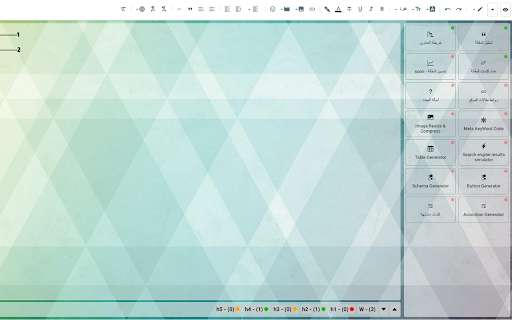
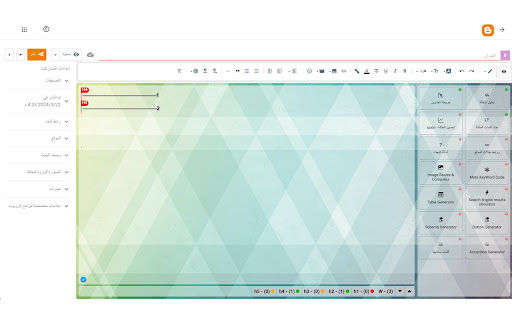
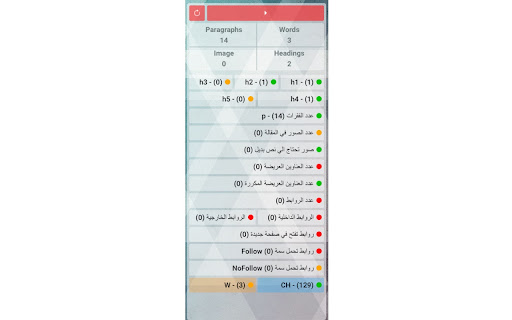
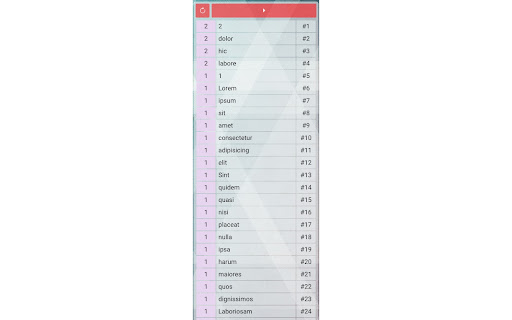
## All New Update For Tool in last Description ### 🎉 **Blogger Helper Tool**: The Ultimate Companion for Blogger Enthusiasts ✨ The **Blogger Helper** tool is the first of its kind, crafted exclusively for the **Blogger platform** and tailored to bloggers who love sharing their thoughts and ideas on this platform. 📝💻 We offer two versions of the tool: 🔹 **Free Version**: A great starting point with essential features. 🔹 **Paid Version**: Unlock advanced tools and premium capabilities (details below). 🚀 With this tool, we've aimed to equip bloggers with everything they need, eliminating the hassle of visiting external websites or using third-party programs. Everything you require for **top-notch blogging** is right at your fingertips! 🛠️🎯 💡 **Key Features You’ll Love**: - **SEO Optimization**: Ensure your articles follow best practices for better visibility. 🌟 - **Error Tracking**: Identify and fix mistakes or duplications effortlessly. 🚦 - Plus, a wide range of other tools to make your blogging journey smoother and more enjoyable! 🌐📈 Get ready to elevate your blogging experience with **Blogger Helper**! 💪✨ 🚀 **Exciting Updates for Blogger Helper Tool!** 🛠️ 🌟 **Version 1.2.6** 🎨 change the styling of Tool 📌 Other improvements 🗂️ Add article optimization tool 🌟 **Version 1.2.5** 🖥️ Added viewport options: **Desktop**, **Tablet**, and **Mobile**. 🗑️ New feature to **delete unnecessary codes** from article. 🔍 Search in **Google** using a keyword, with results including: **Similar words** **Questions** **First 10 search results** 🌟 **Version 1.2.4** 📌 Shows **paragraph location (p)** directly in the editor. 🌟 **Version 1.2.3** 🗂️ Display articles based on **categories**. ✏️ Control the **number of words** in the description box. 🖼️ Identify images without **Alt attributes**. 🌟 **Version 1.2.2** 📑 Added **Schema for Answer and Questions**. 🌟 **Version 1.2.0** 🛠️ Fixed errors. 📋 include the **Schema Generator Tool**. 🌟 **Version 1.1.8** (Part 2) - 🧮 Added a **post counter**. - 📤 Moved **Contact Us** to the main menu. - 🎨 Updated **styling** for improved appearance. 🌟 **Version 1.1.8** (Part 1) 🌗 include The Dark/Light Mode. 🎨 Fixed **CSS styling issues**. 🌟 **Version 1.1.5** 🔄 Added a feature for **social media sharing**. 🗺️ Restyled the **heading map**. 🌟 **Version 1.1.1** 🛠️ Fixed the issue of detecting **Arabic language** in the Windows. 🌟 **Version 1.1.0** 🛠️ Fixed error in detecting **internal and external links**. ✨ Stay updated for more enhancements! 💡

YouTube Video to Blog Convertor
Turn any YouTube video into a fully optimized, AI-generated blog post with just a few clicks! This powerful Chrome extension is designed for content creators, bloggers, and marketers who want to repurpose video content into high-quality written articles effortlessly. ✅ AI-Powered YouTube Video to Article Conversion: Extracts transcripts from YouTube videos and transforms them into well-structured, SEO-friendly blog posts. ✅ YouTube Video to Text in Seconds: Converts spoken words into written content with accuracy and efficiency. ✅ SEO-Optimized Blog Generator: Enhances your content with relevant keywords to rank higher in search results. ✅ Word Count Tool: Helps you meet content length requirements for better SEO and readability. ✅ One-Click Copy to Clipboard: Quickly copy the generated blog post and paste it into your CMS or editor. ✅ Dark Mode: Enjoy an eye-friendly interface with a stylish dark mode. 1. Install the Extension: Get the extension from the Chrome Web Store. 2. Paste the YouTube Video URL: Open the extension and enter the link to the video you want to convert. 3. Generate a Blog Post: Click "Generate Blog" to instantly turn the video transcript into an SEO-optimized article. 4. Copy, Edit, and Publish: Use the word count tool to refine the content, copy it to your clipboard, or make edits before publishing. 5. Switch to Dark Mode: Enjoy a user-friendly dark mode for better readability in low light. - Save Time & Effort: Convert YouTube videos to articles instantly, eliminating the need for manual transcription and writing. - Boost SEO Rankings: AI-generated content includes keyword-rich text, enhancing your website's search engine visibility. - Repurpose YouTube Content: Turn videos into blogs, articles, or social media posts to maximize engagement. - Perfect for Bloggers & Marketers: Ideal for those who want to leverage video content for written media efficiently. Start converting YouTube videos into high-quality blog posts today! This AI-powered Chrome extension is the ultimate tool for content repurposing, SEO optimization, and digital marketing success.

mdblogger
Markdown editor for blogger 'mdblogger' is a markdown editor for google blogger. This extension insert a markdown editor to the blogger post edit page to let you use markdown editor. Nowadays a markdown editor is more preferred as a writer can focus on their writing instead of styling their writing. With mdblogger, you can load and save markdown content as well. ## 💪 Support this extension: - Github sponsor page: https://github.com/sponsors/opdev1004 - ko-fi: https://ko-fi.com/opdev1004 ### Releasing v0.0.8 Fixed scroll problem for editor ### Releasing v0.0.7 Found Korean and other typing not working. So this version fixes that problem. Adjusted update speed to about 59 fps. From v0.0.6, now draft saving to the cloud is working, therefore posting your blog post would not require editing the original blogger's editor from now. ## 👨🏫 Things you must know: 1. If you have any ad block extensions/plugins, add `blogger.com` or `https://blogger.com` in the exception list from the ad block settings. 2. This may not be required anymore since draft saving is working -> After you are done writing, you must edit the blogger's editor once before finishing your post. Like `adding a space and remove it` or `change from compose view to html view`. Because the content is not going to be saved as a draft or updated or published until the blogger editor updates the post data that is hidden. It is difficult to find where the blogger editor store our post data. So until we find a way, this will be the way. Just give a small change to the blogger editor after you are done writing. 3. Pressing 'Ctrl' and 'q' will copy what is in the blogger editor(Left side) and paste to the markdown editor(Right side). Use this short cut('ctrl + q') for adding images. But you can also use the markdown editor's image uploading system. In that case the image will be stored as a data in your post. And your post can be a bit messy. For the videos, you have to use the blogger editor to add them. Markdown editor does not support videos and it will probably convert the video to a single image. 4. From all the links in the post, target and rel attributes are not going to work as markdown does not support. And it will always get removed as you write something. You can still try. I do not encourage doing it though. 5. This extension is an open source extension with MIT license. It is free for commercial and non-commercial use. 6. If you have a custom theme, it might cause some problems for some cases. Because they affect styling of the edit page. 7. In many other case, if this extension is not working, just try to refresh(F5) the edit page. This extension does not back-up your data. So make sure you back-up your unsaved data. Eg. drafting, or save markdown etc.

RightBlogger - AI for Bloggers
AI-Powered Content Creation Tools for Bloggers. Struggling with writer's block or SEO analysis? RightBlogger's Chrome extension offers essential blogging tools in your browser, helping you create and optimize content quickly with instant SEO overview and AI tools. Instantly enhance your content creation workflow: - AI Writing Tools: Generate ideas, fix grammar, rewrite, shorten, or expand text directly on any webpage. - On-Page SEO Analysis: Get a quick overview of any page's Title, Meta Description, Canonical URL, Robots status, and Open Graph data. - Headings Analysis: View all H1-H6 tags in a visual hierarchy with one-click copy. - Link Analysis: See all page links with internal/external labels, rel attributes (nofollow, sponsored, ugc), and filter by type. - Image Audit: Find every image on a page with alt text status — instantly spot missing alt tags. - Schema Viewer: Inspect structured data (JSON-LD) with collapsible nested properties. - CSV Export: Copy or export links, images, and headings as CSV for use in spreadsheets. - SERP Metrics: View keyword difficulty, search volume, and CPC directly on Google search results. - Quick Summaries: Condense web pages or YouTube videos into key points with a single click. Stop switching tabs and start creating smarter. RightBlogger brings essential blogging and SEO tools right into your browser.

Blog Live Reload
Automatically reload the blog when saving in Blogger's theme editor. 🛠️ Blog Live Reload — Automatic Reload for Blogger Do you edit templates in Blogger and are tired of manually refreshing your blog every time you make a change? This extension is for you! Blog Live Reload is specially designed for those who work with the Blogger theme editor, offering a smoother, faster, and more modern editing experience. 🚀 What does this extension do? 🔁 Automatically reloads your blog every time you save changes from the theme editor. ⌨️ Enables the keyboard shortcut Ctrl+S (or Cmd+S on Mac) to save your changes without using the mouse. 📄 Prevents Ctrl+S from saving the web page by mistake, and turns it into a real shortcut to the editor’s “Save” button. ⚡ Improves your workflow by allowing continuous editing, with no interruptions and no time wasted on manual refreshes. 🎯 Why use Blog Live Reload? ✔️ Optimizes your development time in Blogger. ✔️ Perfect for designers, developers, content editors, and blogging enthusiasts. ✔️ Works quietly in the background, only when you're in the theme editor. ✔️ Zero-intrusive interface and 100% automatic. ✔️ Lightweight, fast, and free of complicated settings. Install the extension from the Chrome Web Store. Open the theme editor on blogger.com. Edit your template as usual. Your blog will automatically reload after each save. Compatible with all Chromium-based browsers that support extensions. ✨ Made with love by a Blogger editor for other editors I developed this extension because I know how tedious it can be to constantly refresh the page while adjusting a template's design. This tool was born from the real need to speed up the creative process and make editing in Blogger a more enjoyable experience. 💬 Got suggestions or ideas? I’m open to feedback! If you have a feature in mind that could improve the experience even more, don’t hesitate to share it. This extension is made for you and will continue to evolve based on community input. Install it now and transform your Blogger experience.
