
mapbhjcejbjaldfnhbcffdjifefhnjak

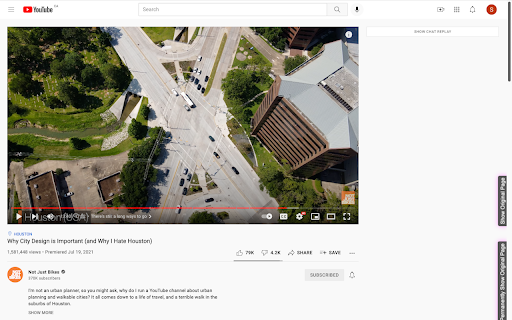
Hides feeds and recommendations from Twitter, Youtube, etc. while still keeping the sites usable for research The goal of the Focus browser extension is to hide feeds, recommendations and other distractions while retaining maximal functionality for doing focussed work. On most sites, Focus will replace the feed on the front page with a search page. Supported Sites: - twitter.com - youtube.com (also hides recommended videos) - reddit.com - instagram.com - facebook.com - messenger.com - mail.google.com (only to auto-focus the search bar, nothing is hidden) The extension can be disabled for each page individually using the buttons on the right edge of the page. To re-enable it click the button at the bottom left corner of the page. This extension is open source at github.com/rmst/focus.

Unhook - Remove YouTube Recommended & Shorts
Hide YouTube related videos, shorts, comments, suggestions wall, homepage recommendations, trending, and other distractions. A browser extension to remove YouTube distractions, including the recommended sidebar, shorts, endscreen video suggestions, user comments, homepage related videos feed, trending tab, turn off autoplay or annotations, and more. Toggle the options through the popup to customize your own YouTube experience! Compatible with mobile YouTube, m.youtube.com, through Firefox on Android. Also works on video embeds. Unhook YouTube is available as an add-on for: - Firefox: https://addons.mozilla.org/firefox/addon/youtube-recommended-videos/ - Microsoft Edge: https://microsoftedge.microsoft.com/addons/detail/unhook-remove-youtube-r/hebpjnnclppdnfghdnmhgdljmjpfhggk If you find Unhook useful, please consider making a donation: PayPal.me/unhook OPTIONS: - Hide Homepage Feed - Hide Video Sidebar - Hide Recommended (Related Videos) - Hide Live Chat - Hide Playlist - Hide YouTube Shorts - Hide End Screen Videowall - Hide End Screen Cards - Hide Comments - Hide Mix Radio Playlists - Hide Merch, Tickets, Offers - Hide Video Info - Hide Video Buttons Bar (share, likes, dislikes) - Hide Channel (profile + subscribe button) - Hide Video Description - Hide Top Header - Hide Notification Bell - Hide Irrelevant Search Results ("Related to your search", "Latest from", "Searches related to", "People also search for", etc.) - Hide Explore and Trending - Hide More from YouTube - Hide and Redirect Subscriptions - Disable Autoplay - Disable Annotations

YouFocus - Hide YouTube Distractions
Hide YouTube suggested videos, comments, and more with a single click YouFocus hides distracting content on YouTube with just one click. Whether you're watching YouTube for educational content or just for entertainment purposes, there is no reason to get sucked into videos that you did not originally intend to watch. 70% of all videos watched on YouTube are those recommended to the user, not searched. With YouFocus, you can beat the YouTube algorithm and watch what YOU want to watch, not what YouTube is recommending. YouFocus is a customizable experience. You can select which elements of YouTube you want to hide and which elements you want to see. The extension also has a schedule feature, allowing you block distractions during select hours. YouFocus has intuitive, easy to use controls. Additionally, the state of your extension is synced with your google account, allowing you to use the extension on multiple computers at once. Privacy is very important. YouFocus does not have access to your browsing history. YouFocus is open source! View the code on GitHub: https://github.com/leo3friedman/you-focus

YT Focus - Learning Made Easy
YouTube Without The Distractions | Focus Homepage, Hide Shorts/Comments/Recommendations and more... It's always hard to learn in the same place you relax. YouTube Focus fixes that problem: - Hide homepage recommendations - Blur or Hide Recommendations - Video Brightness - Video Blue Light Filter (Sepia) - Hide Comments - Hide Shorts - Shorts Timer - lowercase titles combat (CLICK BAIT) - Power Button to toggle on & off YT Focus About: YouTube Focus improves productivity by combatting distractions on YouTube. This means getting rid of flashy click-bait thumbnails, and titles THAT LOOK LIKE THIS, hiding shorts, and so much more. YouTube Focus, well, wants you to focus! With this app, you can laser focus on whatever you need to do, stopping impulsive clicks or searches. Then when you're done, toggle it off, kick-back and relax. Open Source (Learn How to Make a Chrome Extension): YouTube Focus is open source, meaning that all the code for this extension is visible on our github page! If you've been looking to contribute or want to learn how to make your own chrome extension like this, it's all available on our repository! We have both our chrome extension and website code public, so there's a lot to learn or add to. Open for Feedback: YouTube Focus is committed to providing a distraction free learning experience on YouTube. If you find any bugs or have a feature suggestion, let us know on GitHub! Report Bugs: If you encounter any bugs while using YouTube Focus, please leave an issue on our GitHub page. Additionally, most bugs are fixed by refreshing the page. Personal Data: YouTube Focus respects the privacy of its users and is committed to protecting their personal information. We do not collect or retain any personal data, browsing history or other identifying information. Third Party Services: YouTube Focus uses Chrome (Chromium) or WebExtensions Storage Sync API to store user settings, and browser's Web Storage API (localStorage) to store Developer Tools fixes. Donations to YouTube Focus are processed by Open Collective and their chosen payment processors, Stripe and PayPal. Do yourself a favor and get focused!

Escape the Algorithm - Social Feed Blocker
Hide distracting feeds and suggested content on YouTube, Twitter, Facebook and more to unhook your brain from social media addiction Regain control of your time online; don't let sophisticated algorithms control you. ⚡️In 30 seconds, we'll save you countless hours of scrolling and autoplaying content that you don't need or want so that YOU can be the sophisticated one online and use the internet the way it's supposed to be used. 🚫 We block the main feed, stop autoplay, and hide all algorithmically generated content on YouTube, 𝕏/Twitter, Facebook, Instagram, TikTok, and more for a super simple way to stop scrolling away your days and regain your focus and attention on the internet. No more distracting sidebar or end screen suggested videos — just the stuff you intended to see in the first place. 🔒 Your privacy also is crucial to us, so we don't store any of your data; we will request your email address on signup just to keep you updated with product updates and share occasional new products with you that I'm building that make our time online something that only impacts our lives positively. 🧠 Let's make the internet what it's supposed to be: a resource for learning and entertainment that makes us smarter and happier! ✉️ Email me at ernest@escapethealgorithm.org if you want to be in touch and stay updated with my mission to build a better internet.
