
khncfooichmfjbepaaaebmommgaepoid


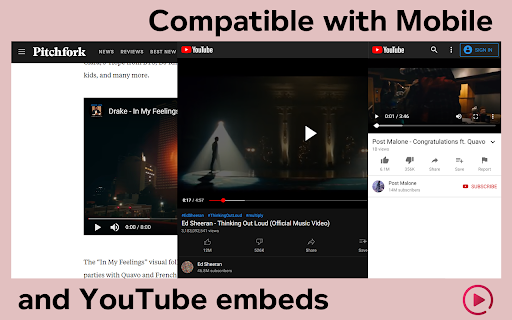
Hide YouTube related videos, shorts, comments, suggestions wall, homepage recommendations, trending, and other distractions. A browser extension to remove YouTube distractions, including the recommended sidebar, shorts, endscreen video suggestions, user comments, homepage related videos feed, trending tab, turn off autoplay or annotations, and more. Toggle the options through the popup to customize your own YouTube experience! Compatible with mobile YouTube, m.youtube.com, through Firefox on Android. Also works on video embeds. Unhook YouTube is available as an add-on for: - Firefox: https://addons.mozilla.org/firefox/addon/youtube-recommended-videos/ - Microsoft Edge: https://microsoftedge.microsoft.com/addons/detail/unhook-remove-youtube-r/hebpjnnclppdnfghdnmhgdljmjpfhggk If you find Unhook useful, please consider making a donation: PayPal.me/unhook OPTIONS: - Hide Homepage Feed - Hide Video Sidebar - Hide Recommended (Related Videos) - Hide Live Chat - Hide Playlist - Hide YouTube Shorts - Hide End Screen Videowall - Hide End Screen Cards - Hide Comments - Hide Mix Radio Playlists - Hide Merch, Tickets, Offers - Hide Video Info - Hide Video Buttons Bar (share, likes, dislikes) - Hide Channel (profile + subscribe button) - Hide Video Description - Hide Top Header - Hide Notification Bell - Hide Irrelevant Search Results ("Related to your search", "Latest from", "Searches related to", "People also search for", etc.) - Hide Explore and Trending - Hide More from YouTube - Hide and Redirect Subscriptions - Disable Autoplay - Disable Annotations

Chrome Web Store
Add new features to your browser and personalize your browsing experience.

Hide YouTube Thumbnails
Hide YouTube Thumbnails for less clickbaity browsing Simply hides thumbnails on YouTube to have a more peaceful and less distracting browsing experience. Also useful for avoiding spoilers or inappropriate imagery. This extsion could also be descibed as blocking YouTube thumbnails on videos, disabling YouTube thumbnails on videos, blurring YouTube thumbnails on videos. People have found it useful for: - Hiding distracting or inappropriate YouTube thumbnails in class when teaching students - Hiding YouTube thumbnails to reduce distraction and procrastination when studying or working - Hiding YouTube thumbnails to avoid spoilers in the video

IGPlus - Hide Instagram Reels, Explore Page
2026 • Open-source • Disable Instagram Shorts, videos, comments, suggestions wall, likes, recommendations... and many more. IGPlus is an open-source extension designed to help you reduce distractions from Instagram. Hide reels, videos, comments, recommendations, trends, and other unnecessary elements, allowing you to focus on what truly matters. Take control of your Instagram experience and tailor it to your preferences. Features: – Disable Reels and Videos: Remove the reels section and video content for a distraction-free browsing experience. – Hide the Explore Page: Regain control of your Instagram feed by turning off the Explore page. – Hide Stories from the Main Page: Clean up your feed by hiding stories from the homepage. – Turn Off Stories Everywhere: Completely disable Stories across all sections of Instagram. – Customize Message Notifications: Disable or grayscale the new message counter for a less intrusive interface. – Personalize Fonts: Choose from various fonts, including Noto Sans, Pixelify, Montserrat, Poppins, Merriweather, and Nunito. – Hide Recommendations: See only content from the accounts you follow. – Remove Like and Follower Counts: Create a less competitive and more mindful browsing experience. – Enable Grayscale Mode: Reduce visual stimulation by smart converting Instagram to black and white. – Square Design Mode: Standardize UI elements with a clean, uniform square layout. – Block Images and Videos: Reduce data usage by preventing images or videos from loading. ...and many more customization options! Unlock a whole new level of settings and enhance your Instagram experience with my extension. Download now and make Instagram truly yours! --- Note: Instagram is a registered trademark of Facebook, Inc. This extension is not affiliated with or endorsed by Facebook, Inc. --- Changelog: ## Version 2.1.0.1 - Hotfix - Fixed Threads icon hide option (mobile viewport). ## Version 2.1.0 - Stable Release - Added Threads button hiding feature. - New interface languages: French, Japanese, Chinese, and others. - Improved grayscale mode. - Resolved issues with hiding stories (mobile viewport & desktop). - Fixed inconsistencies in hiding elements on mobile viewports. - Corrected elements rendering incorrectly in dark mode. - Improved translations for Polish and English. - Improved build configuration and development server setup. - Added comments to improve code readability. ...and other improvements ## Version 2.0.0 - Current Release - Resolved issues related to the feed disabling feature. - Fixed the hiding of likes on post hover when using the disable_vanity feature. - Fixed the issue where stories were not properly disabled on the main page. - Corrected the functionality for disabling various counters. - Fixed issues with disabling recommendations. - Fixed issues with navigating to DMs directly from the main page. ...and other changes ## Version 1.2.5 - Current Release - Fixed Stories disable (Main page / everywhere) - Added comments section disable - Added Belarusian locale (BE) - Fixed "Rectangle" mode ...and other changes ## Version 1.2.4 - Stable Release - Fixed recommendations disable on the Main page - Fixed error when font disappears on Firefox

No Youtube Studio Comment Widget
Remove the last comment widget from youtube studio Remove the last comments widget from the youtube studio dashboard
