
lojpifiihcmbngjbhpmggclejpeofoil
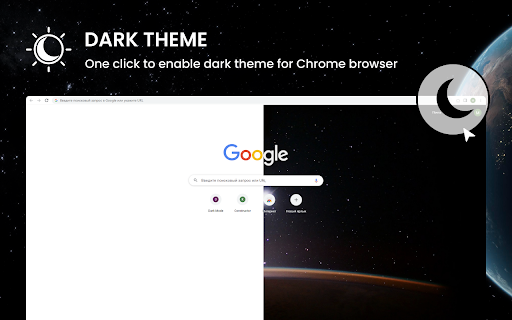

Click the icon to enable Dark Mode For Chrome. Dark theme with a single move. Dark Theme for Chrome is a convenient and stylish extension for Google Chrome browser that allows the user to enjoy a unique dark mode of web surfing. The app is designed to meet the needs of users who prefer a dark color scheme for working or viewing content at night. Whether you want to reduce eye strain or just give your browser a more modern look, Dark Theme will help make your online experience more enjoyable. 1. Dark Color Theme:Dark Theme transforms Chrome's standard light interface into an elegant dark color scheme. This reduces screen brightness and helps reduce eye strain in low light conditions. 2. Custom Settings:The app provides flexible settings that allow users to customize dark colors, backgrounds and fonts to suit their preferences. You can choose from several theme options or create your own unique combination. 3. Auto Power On: Dark Theme can automatically turn on at night or depending on the user's schedule. This saves time on manual configuration and improves usability. 4. Smart Detection: The extension can automatically detect when dark mode is most needed, such as when watching a YouTube video or while reading long articles, and turn on the dark theme automatically. 5. Minimum performance impact: Dark Theme is designed with performance optimizations in mind to minimize the negative impact on browser speed. The extension has low resource consumption and will not slow down Chrome. 6. Regular updates and support: Dark Theme for Chrome will be updated regularly to meet the latest Chrome requirements and add new features. Users can count on support and fast response to feedback. 1. Open the Google Chrome browser. 2. Go to the Chrome Web Store. 3. Type "Dark Theme" into the search bar. 4. Click "Install" next to the Dark Theme extension. 5. After installing the Dark Theme extension, open a new tab or restart your browser. 6. Now you can enjoy a nice dark interface while browsing the web. Dark Theme for Chrome is an easy way to make your web surfing experience more comfortable and enjoyable, and give your browser a more modern and stylish look.

Dark Reader
Dark mode for every website. Take care of your eyes, use dark theme for night and daily browsing. This eye-care extension enables night mode by creating dark themes for websites on the fly. Dark Reader inverts bright colors to make web pages high contrast and easier to read. Adjust brightness, contrast, the sepia filter, font preferences. Enable dark mode on every web page or give websites a sepia tone. Enable or disable Dark Reader for specific websites, automatically sync with system dark mode, or detect already dark websites and leave them unchanged. This is the original Dark Reader extension. Since 2014, we continuously evolve alongside modern web technologies to deliver fast and reliable dark mode support for people sensitive to bright light. By installing the extension you agree to these terms of use https://darkreader.org/terms/

Dark Mode for Chrome
Click the icon to enable Dark Mode For Chrome. Dark theme with a single move. "Dark Mode for Chrome" is a browser extension (plugin) for Google Chrome, which is designed to change the color scheme of your browser and web pages to dark mode. This plug-in can be especially useful at night or in low light conditions, when the bright white background of web pages and browser interfaces can be annoying or uncomfortable for the eyes.

Midnight Dark mode - Dark theme Chrome
Turn on dark mode across all websites. Customize dark theme and brightness. Dark reader - dark skin for Chrome. Dark Mode - Midnight Chrome: A Night-Time Companion for Your Browsing Experience Transform your browsing experience with Dark Mode - Midnight Chrome, the ultimate Chrome extension designed for comfortable and eye-friendly internet usage at any hour.* Key Features and Benefits: 1. Universal Dark Mode: Instantly apply a sleek, dark theme across all your favorite platforms, including YouTube, Facebook, and more, ensuring a consistent and strain-free viewing experience. 2. Reading Night Shift Mode: Automatically adjusts your screen to warmer tones during night-time, reducing blue light exposure and aiding in better sleep quality. 3. Collaborative Browsing Support: Enhance group work or shared screen experiences with an interface that's easy on everyone's eyes, ideal for late-night study sessions or team projects. 4. Customizable Viewing: Tailor your browsing experience with adjustable brightness, contrast, grayscale, and color temperature settings, providing personalized comfort and accessibility. 5. Enhanced Contrast for Accessibility: Specialized contrast settings to aid users with visual impairments, ensuring the web is accessible and enjoyable for everyone. 6. Free to Use: Enjoy all these premium features at no cost, making it an ideal choice for students, professionals, and casual users alike. 7. Multi-Language Support: Catering to a global audience, ensuring a user-friendly experience for diverse users. 1. Install with a Click: Simply add the "Dark Mode - Midnight Chrome" extension to your Chrome browser from the Chrome Web Store. 2. One-Touch Activation: Enable dark mode across all sites with just one click. 3. Customize Your Experience: Access the extension's menu to adjust brightness, contrast, and more to fit your viewing preferences. 4. Enjoy Collaborative and Individual Browsing: Whether it's for personal use or while collaborating, the extension adapts to your needs. - Eye Comfort: Reduces eye strain, particularly during night-time browsing. - Enhanced Readability: Improves text clarity and reduces glare. - Energy Efficient: Can lead to reduced screen power consumption. - User-Friendly: Intuitive design for ease of use and customization. With "Dark Mode - Midnight Chrome," night-time browsing is no longer a strain on your eyes. Whether you're a night owl, a professional working late, or someone who enjoys a customizable browsing experience, this extension is your go-to solution for a more comfortable and personalized internet experience.

Dark Reader for Chrome
A classic Dark theme for every website. Switch any web pages to dark mode or night shift mode in one click. Dark Reader - Dark Mode and Night Shift is a fast, lite and simple extension that automatically turns the colors of your browser content to warmer or darker. This eye-care extension enables night mode by creating dark themes for websites on the fly. Dark Reader inverts bright colors, making them high contrast and easy to read at night. What will you get from Dark Mode extension: 1) An easy way to create dark mode on every website. In addition, you can customize your dark theme visual from Brightness, Contrast, to Saturation. 2) A night shift mode which changes the website's color to warmer, making it much more pleasing to watch. You can choose to use either dark theme or night shift mode, or both. Turning on reading mode protect your eyes from reading for hours. You can manually choose the shift from color presets, to pick up the most comfortable and calm atmosphere for your eyes during the night sessions or thru the all day long. Social networks, mainstream sites, and all other new tabs will be in dark mode with Dark Theme extension. No needs to open every website settings one by one - just one add-on makes every website in dark mode. Note: Remember to disable any similar dark theme or night shift mode extension to prevent compatibility issues. We really hope that our Dark Reader will be useful to you! We look forward to your feedback and ratings! Also write your suggestions for improving the functionality.
