
lobiadjfmkomemokdfhiaaaidgdhcded
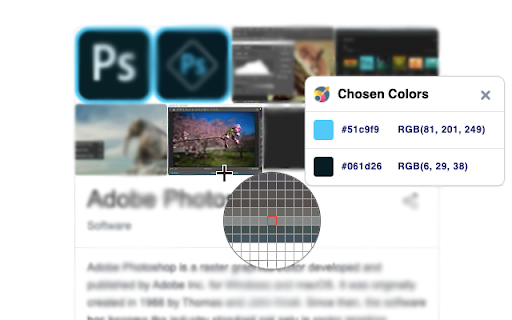
Quickly pick HEX, RGB colors from a page with lightweight eyedropper tool If you looking for: ⭐️ Color Picker ⭐️ EyeDropper ⭐️ Photoshop Color Picker for Chrome ⭐️ The best tool for web designer ⭐️ 100% Free ColorPicker ⭐️ Most used color from web page palette

Web Color Picker - online color grabber
Grab colors from web pages. Color picker, color history. Live smart color picker tool in HEX, RGBA. Eyedropper colorpick for free Web Color Picker revolution tool for designers. Now you can easily pick any from any website with our new extension. Eyedropper tool will get color palette from any webpage you need. It`s pretty useful tool for web developers or web designers. This extension is pretty simple to use and it has simple and user-friendly interface. We provide you and amazing and useful eyedropper tool so you can get RGB colors from any webpage. Extract palette from web pages while you're browsing the web. There are three color formats available: RGB, CSS, and HSL. It`s also pretty simple to use – just click on extension icon in the upper right and star working. - Identifying the RGB HEX CMYK - Saving pallets - Editing them into beautiful palette combinations is a quick and simple job. Color Picker features are: * Different formats: HEX, RGB, HSV * Detect most used color on the page * Color list of recently picked colors * Red-Green-Blue (RGB) wheel to adjust selected and lot of others

Responsive Viewer
A Chrome extension to show multiple screens in one view. the extension will help front-end developers to test multiple screens while developing responsive websites/applications. Clarification on privacy: This extension does not collect, store, or track any of your personal data. Your privacy is fully respected.

What Font - font finder
What font? Easy identify the font on a web page, html font size, color and font family. So many brilliant fonts are used at a numerous websites. What is the easiest way to find out the fonts used in a webpage? Firebug and Webkit Inspector are easy enough to use for developers. However, for others, this should not be necessary. It's an easiest way to find out which exactly font is on the page - use the extension What Font. Extension has simple and intuitive interface for the more pleasant experience. Font extension is multifunctional and reliable tool that’s so easy to use. You’ve got a task, and we’ve got the best tool - find font extension. Easily detect any html fonts on a web page from your favorite sites using the What font chrome extension. How to use WhatFont for Chrome : 1. Click on the “Add to chrome” button to install it 2. Tap on “What font” icon, this will enable the extension 3. Click the mouse pointer on any word for which you want to get font details 4. After clicking the word you will get all the font details 5. In order to exit What font you need to click the right top corner button "Exit ". What Font allows you to know the font name, its family, color, style, size, position. Such a great tool to create designed web pages fastly. Now you can simply identify a liked font and select exactly the same for your needs without a long search for a suitable one. This extension supports Google API as a font finder, so you will have info about all popular Google Fonts. WhatFont will be useful for web designers, marketers, and developers and is useful for quickly getting information about all the fonts on a web page. Web Developers: To create a beautiful website web developers need to use attractive fonts & this extension will surely help them to pick the right font details very quickly. Freelancers: Freelancers can use this extension if their client needs to have the same font style as their competitor’s website. Designers: It can make a huge difference if you choose the right font style for your website. Fonts can have a profound psychological impact on visitors and affect their ability to read your content. As simple as just hovering the cursor to any word you want to fully inspect web fonts. Take the info about font name and color, style and position and more. Make up on the web page easily with What Font for quick inspecting web fonts. We hope you find our Font Finder useful! We are waiting for your feedback and ratings! If you’re experiencing problems or app isn't working on, please contact us.

Balance – perfect daily ToDo list for New Tab
Balance - a very simple to-do list that will change your Life. By clicking "Add to chrome" you accept and agree to installing "Balance™" extension and setting Chrome New Tab to that provided by the service and the Terms of Use and Privacy Policy. The extension will update your search settings and will change your search engine to be provided by Microsoft Bing. Each new day like absolutely pure sheet and every new day you can choose how to fill this day. Each time it is only your decision. Every new day you have the opportunity to go either the usual way or completely new way. Most of us devote a lot of time for work and little time for ourselves and our lives. It depends on the social priority - the modern world every day plunges us more and more into the race for financial well-being, which forces us to work harder and better, and forget about the pleasure that we can get from both work and life. That is why every new day you will start with two empty lists of tasks that you will fill: each new day you have to choose between completing the tasks of the previous day or starting your day from scratch and follow the new path. You will have to divide Life and Work Tasks and write them in separate lists. Thanks to this division, it will be possible to note the existing disbalance between these two lists and focus your thoughts on what is really important, but ignored. We have created this Custom New Tab extension exactly for people who feel that there is another life way and everything can change. And we will show that it is real. And some legal links below: Read few words about our team and contact us: https://monetizi.net/
