
lnaahdmijnjnmgaalacdgakieangpjgp

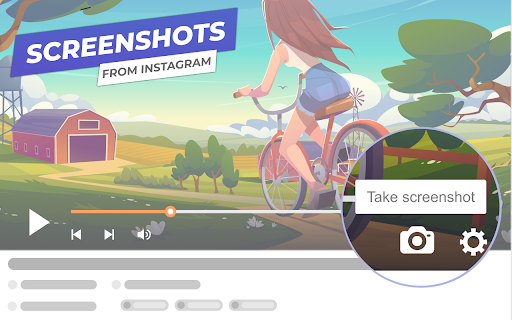

Quickly extract video frames from YouTube and OK.ru and save to JPG images with just one click. Screenshot YouTube Video is a compact and user-friendly extension that allows you to take a screenshot of YouTube and OK.ru videos and save the frame to your PC without using third-party programs and without cropping the video player frames. Ready-to-use frame from a movie or clip in maximum quality with just one click of the cursor. It is easy to find the Video Screenshot Button — that's the camera image in the lower part of the player. Features of the browser extension: — The button is well-integrated into the design of the YouTube and OK.ru video players; — Screen capture in JPEG format and without the frames of the video player; — Downloaded frames have readable (human-friendly) names; — "Embedded" video frame loading support, i.e. YouTube and OK.ru videos hosted on third-party sites;

Screenshot for Youtube & Other Video Services
Take a screenshot of any YouTube & other video services video with one click. Want to take a screenshot of the video playing when you're on Youtube/Vimeo? You can do so today when you install this extension. This software allows you to take a screenshot of the Youtube video/Vimeo video which is on your current tab. As the screenshot functionality needs to work on both Youtube.com and Vimeo.com, that is why the host permissions is needed for both of these domains. Take a screenshot of your favorite videos today which are playing. Its extremely simple to use. After you install the software, refresh any current tabs which were open before. When you wish to take a screenshot, click on the screenshot button/icon which is located at the bottom right corner of the Youtube video screen. Please note this extension is made by an independent developer and is NOT an official extension of Google/Vimeo. We hope you enjoy using this software to take screenshots of your favorite epic youtube videos.

Ostendo – Capture Beautiful YouTube Screenshots
Capture & Share beautiful Tiles of YouTube Thumbnails & Comments! Customize the shape, content, and theme! Ostendo is a tool for Creators and Thumbnail Designers to capture and share beautiful, high-quality screenshots from YouTube. Ostendo is designed to create aesthetically pleasing screenshots for sharing: perfect for Tweets, Discord messages, Reddit posts, or saving inspiration for thumbnail designers. You have the ability to either save the images Ostendo creates, or simply copy them to your clipboard so you can effortlessly paste it wherever you want. • Capture Raw Thumbnails in the highest available quality! • Capture Comments! – 2 color themes (light & dark) – Option to show comment and 1 reply • Capture Video Screenshots – draw on screenshots using 4 colors and 3 brush sizes For Thumbnail Designers & Creators: Ostendo can be upgraded to Ostendo Pro to change the way you collect, sort, and filter your thumbnail inspiration!

YouTube Screenshot
you can get youtube screenshot! YouTube Screenshot is a handy Chrome extension that allows you to easily capture high-quality screenshots from YouTube videos. With a single click, you can get the original width and height of the video capture, copy it to the clipboard, or save it as a PNG file. Whether you need a screenshot for reference or sharing, YouTube Screenshot makes the process quick and hassle-free. Install the extension and start capturing YouTube screenshots today!

Screenshot YouTube New
Take a screenshot of any YouTube video with one click. Screenshot YouTube - simple tool to make Youtube screenshots and buttons for changing the playback rate. 📸 Take full-resolution screenshots with ease. ✂️ Copy to clipboard, save as a file, or do both – it's your choice! 🔑 Use the "p" key as a quick shortcut to capture screenshots. 🖼️ Choose Your Format from JPG or PNG or WEBP 🎥 Works seamlessly with embedded YouTube videos too. This extension does not contain any malicious or tracking code. No viruses. No ads. Only good software.
