
bdfkognhpfgcoafcncpdgpjlbhoigpil
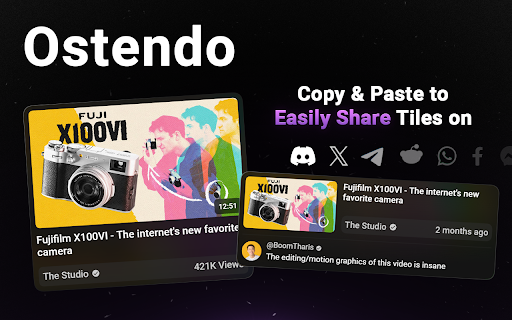
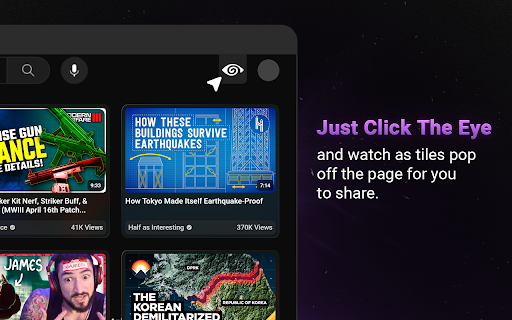
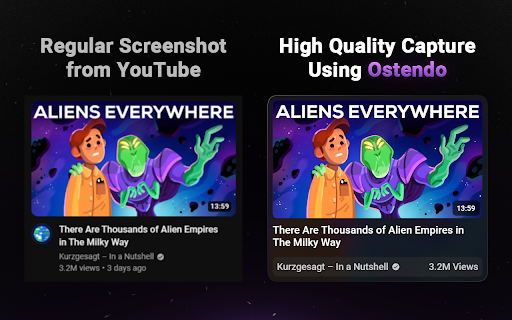
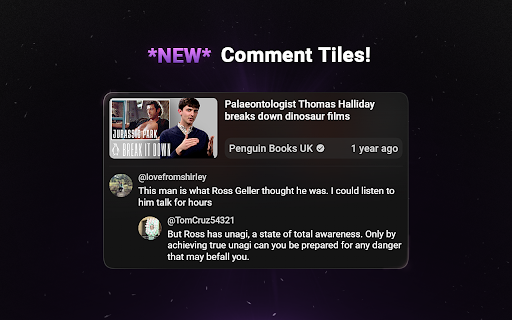
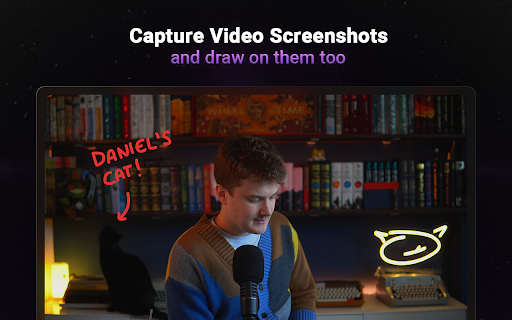
Capture & Share beautiful Tiles of YouTube Thumbnails & Comments! Customize the shape, content, and theme! Ostendo is a tool for Creators and Thumbnail Designers to capture and share beautiful, high-quality screenshots from YouTube. Ostendo is designed to create aesthetically pleasing screenshots for sharing: perfect for Tweets, Discord messages, Reddit posts, or saving inspiration for thumbnail designers. You have the ability to either save the images Ostendo creates, or simply copy them to your clipboard so you can effortlessly paste it wherever you want. • Capture Raw Thumbnails in the highest available quality! • Capture Comments! – 2 color themes (light & dark) – Option to show comment and 1 reply • Capture Video Screenshots – draw on screenshots using 4 colors and 3 brush sizes For Thumbnail Designers & Creators: Ostendo can be upgraded to Ostendo Pro to change the way you collect, sort, and filter your thumbnail inspiration!

Viewstats - YouTube video & channel analytics
View video and channel analytics while browsing YouTube Viewstats: Data insights on YouTube videos and channels Discover performance insights into your favorite creators’ videos with a new and exciting way to explore YouTube! The Viewstats Chrome Extension provides video and channel analysis while browsing YouTube. Deep Video Insights: Gain unique insights, all without leaving the YouTube platform! Views Over Time: Explore views over time with the interactive graph. Thumbnail and Title Changes: Uncover changes that remain hidden to others. Ranking System: Evaluate how the video you are watching compares to the creator’s previous nine uploads within the same time frame. Was the video a hit or a miss? Compare Videos: Analyze the performance of multiple videos over various time intervals with just a click. One-Click Channel Analytics: Examine your favorite channels total views, subscribers, video breakdown, and so much more with a single click! Trending Channels: Easily view “Trending channels today” and navigate to their Viewstats page. It Gets Even Better with Viewstats.com! The Viewstats Extension will be the ultimate YouTube companion you never knew you needed. But we didn’t stop there. Visit viewstats.com for the most advanced YouTube analytics, backed by one of the largest databases ever. For more information, please visit: Note: Not every video and channel may be available on the extension. If you find one that we don’t have in our database, you can go ahead and enable tracking for it!

Better YouTube Studio - by SQUIDUU
Additional & enhanced features for YouTube Studio. Better YouTube Studio is an advanced Chrome extension that enhances, optimizes, and modernizes YouTube Studio for demanding creators. It adds smart, visual, and practical features directly into the official interface, without ever distorting it. 👉 "Designed by creators, for creators." Here are the features currently available: 🚀 YouTube Studio Dashboard Customization - Dedicated button integrated into the official interface - Reorganize dashboard cards with simple drag & drop - Automatically saves your custom layout 🔁 Advanced Account Switcher (multi-channel) - Instant search bar to find a channel - Adds a favorites system for your channels - Reorganize your channels with a drag handle 📉 Retention Graph directly in the Dashboard - Integrates the audience retention graph for the latest upload - No clicks, no back-and-forth in Analytics ▶️ Built-in Video Player - Replaces the thumbnail of the latest upload with the embedded YouTube player - Clean, responsive design, consistent with YouTube Studio 🎯 Subscriber Progress Bar - Adds a visual progress bar under the subscriber counter - Smart milestones: 1K, 10K, 100K, 1M, etc. 🧠 Built for Performance - No data collected - No tracking - No negative impact on YouTube - Dark Mode / Light Mode compatible Status: Extension in continuous evolution. New features arrive regularly. ❤️ Developed by SQUIDUU, to improve the daily life of YouTubers who want to go faster, cleaner, smarter.

Google Image Search Sizer
This is an extension that adds a "Size" button that controls the image search size your your google content. 2MP -70MP Allowing the user, creatives, and designers to navigate high quality image assets quickly.

ClickPilot Clipper
Easily add videos from YouTube to your ClickPilot projects with just a click. Quickly add links to YouTube videos to your ClickPilot project boards. Build a library of inspiration to fuel your next big idea. 1. Open the extension and log in with your ClickPilot account. 2. Click the ClickPilot icon next to your desired video to add it to your bucket. 3. You can add as many videos to your bucket as you like. 4. Choose the ClickPilot project to save the video links to and click Save.
