
mflhfbknkdbjbfmnfmblhjchcbopejhg
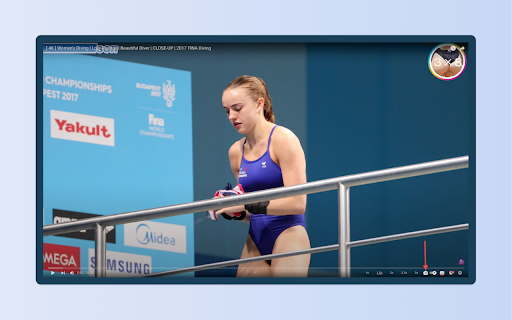


Take a screenshot of any YouTube video with one click. Screenshot YouTube - simple tool to make Youtube screenshots and buttons for changing the playback rate. 📸 Take full-resolution screenshots with ease. ✂️ Copy to clipboard, save as a file, or do both – it's your choice! 🔑 Use the "p" key as a quick shortcut to capture screenshots. 🖼️ Choose Your Format from JPG or PNG or WEBP 🎥 Works seamlessly with embedded YouTube videos too. This extension does not contain any malicious or tracking code. No viruses. No ads. Only good software.

Screenshot YouTube
Take a screenshot of any YouTube video with one click. Adds a “Screenshot” button to the YouTube video player which saves a screenshot of the currently playing video as a file, or copies it to the clipboard, or both. Optionally with keyboard shortcuts, and buttons for changing the playback rate. New in version 3.0.0: moved to the newly required manifest v3, and removed the history permission, which should also make the screenshot button more reliable. This extension does not contain any malicious or tracking code. No viruses. No ads. Only good software. Thanks to Ari Velazquez, and Zertsu for their contributions.

Screenshot for YouTube™
A Screenshot for YouTube™ extension is a software program or browser extension that enables a user to take screenshots or still images from YouTube videos. This extension are design to enhance the user experience of browsing YouTube and provide additional functionality beyond what is available by default on the platform. With a Screenshot for YouTube™ extension, a user can pause the video at any point and capture an image of the current frame. This can be useful for a variety of purposes, such as creating thumbnails for YouTube videos or capturing images for research or documentation.

Copy Youtube Transcript
Copy YouTube video transcripts with one click. Copy Youtube Transcript lets you instantly copy or download video transcripts with a single click. 🎯 MAIN FEATURES: • One-click transcript copying • Clean, formatted output • Works with regular YouTube videos and Shorts • Customisable formatting options • Dark mode support • Optional AI summary prompt for easy content analysis 🔍 PERFECT FOR: • Students taking notes • Researchers analysing content • Content creators repurposing videos • Anyone who needs quick access to video transcripts • AI/LLM users seeking structured input 💡 HOW TO USE: 1. Open any YouTube video with captions 2. Click the extension icon 3. Click "Copy to Clipboard" 4. Paste anywhere you need! ✨ SIMPLE, FAST, AND RELIABLE: • Clean, modern interface • No ads or tracking • Works offline once loaded • Respects your privacy • Lightweight and fast Note: This extension requires videos to have captions/transcripts available on YouTube.

Screenshot for Youtube & Other Video Services
Take a screenshot of any YouTube & other video services video with one click. Want to take a screenshot of the video playing when you're on Youtube/Vimeo? You can do so today when you install this extension. This software allows you to take a screenshot of the Youtube video/Vimeo video which is on your current tab. As the screenshot functionality needs to work on both Youtube.com and Vimeo.com, that is why the host permissions is needed for both of these domains. Take a screenshot of your favorite videos today which are playing. Its extremely simple to use. After you install the software, refresh any current tabs which were open before. When you wish to take a screenshot, click on the screenshot button/icon which is located at the bottom right corner of the Youtube video screen. Please note this extension is made by an independent developer and is NOT an official extension of Google/Vimeo. We hope you enjoy using this software to take screenshots of your favorite epic youtube videos.
