
llokcoejiedkbcibibhhefbcmdhcahdd

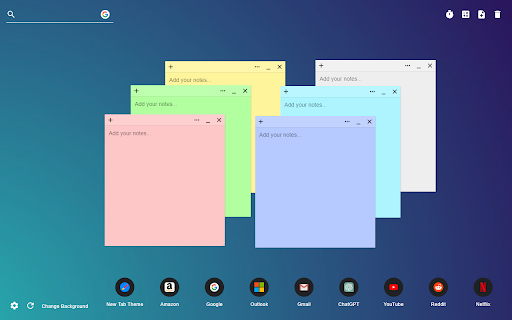
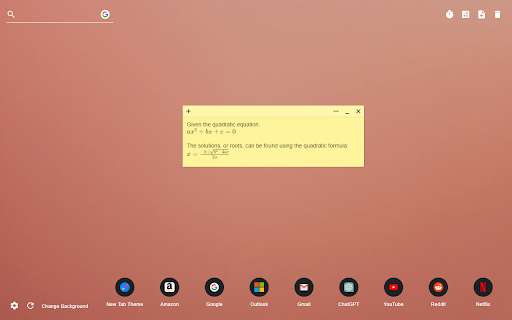
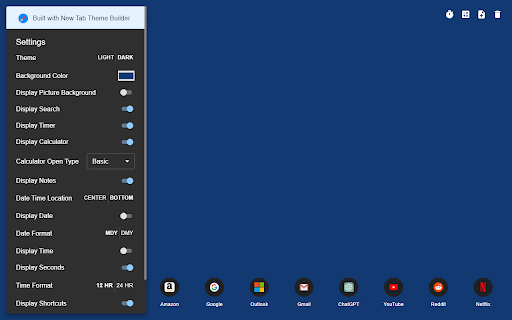
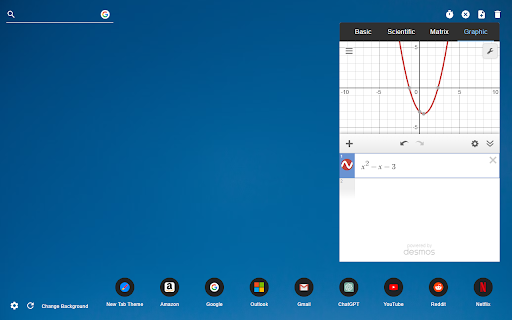
Sticky Notes New Tab adds sticky notes to your new tab page. The Sticky Notes New Tab offers markdown-friendly, draggable, and minimizable sticky notes for your new tab page. It also features a calculator, canvas for drawing, a timer, games, movies, and a customizable search engine bar that supports Google, Bing, and DuckDuckGo. Users can drag and edit shortcuts, tailor the date and time display, select from a variety of default gradient wallpapers, modify the background color, and delve into numerous other personalization options.

New Tab Redirect
Allows a user to provide the URL of the page that loads in a new tab. Allows you to change the new tab page to the New Tab Redirect app page, or a custom URL of your choice! Choose from chrome's about pages, *NewTab, Extensions, Downloads, History*, a few popular URLs, or provide your own. Your custom tab can also be a local file, allowing you to create your own new tab page. Saving blank text will cause your new tab to be about:blank. Files can begin with: file:\\, file://, and file:/// Important: This is not meant to replace your homepage, only new tabs. If your browser is set to load the New Tab page as your homepage, there may be odd consequences. Note: Because this extension perform a "redirect", I have no control over address bar highlighting or focus. I am not affiliated with Google or Google Chrome. Google Chrome is a registered trademark of Google, Inc. The 'Popular Pages' are taken from www.alexa.com/topsites. I am in no way affiliated with Google, Facebook, Twitter, Yahoo, Wikipedia, Digg, Slashdot or any other page listed here. These are provided as a convenience to the user of this extension. By using those pages or any others as a replacement for your new tab, you are still bound by any agreement between you and that site or service.

MemoTab - New Tab Notes
Turn your new tab into a sticky note board Enable the persistence of your notes across all newly opened tabs. 🗂️ Multiple Boards Support – Switch between different boards for various projects or contexts. ✍️ Draggable and Resizable Notes – Move and scale your notes effortlessly 🎨 Customizable Note Colors – Color-code your notes to suit your workflow. 🔤 Tailored Font Styles – Apply custom fonts for a note-taking experience that fits your style. 🗃️ Archive Functionality – Keep your workspace tidy without losing past notes. ⌨️ Keyboard Shortcuts – Add new notes and navigate your board faster with handy shortcuts. 📁 Persistent Across Tabs – Notes stay in place no matter how many tabs you open. 📝 Markdown & Plaintext Support – Write notes in Markdown for rich formatting or stick to simple plaintext. 🔍 Search Within Notes and Boards – Instantly find the content you're looking for. 📤 Export and Import Notes – Backup your data or move your boards across devices effortlessly.

Tab Notes
Unlike other similar apps, this one allows you to keep more than one note. ✔ Different note in each tab, not the same note everywhere. ✔ Offline & private. Notes never leave your computer. ✔ Search notes by clicking on the extension icon. ✔ Manage and open your notes from anywhere in Chrome.

Speed Dial
Speed Dial allows you to add and manage bookmarks in the New Tab page. Manage bookmarks directly in the New Tab page of your browser. All important websites are displayed quickly in the browser tab. You could select from predefined background themes and set a custom background image. With the integrated search box you can start your search directly in the New Tab. The default search is changed to addonsearch.net in the New Tab. Your bookmarks are only stored locally in your browser and are kept private.
