
llmablechnljafolndbikamkjmoahlok
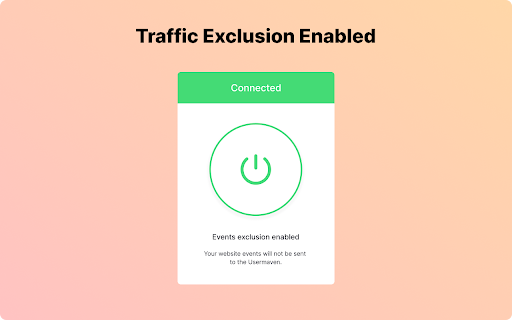
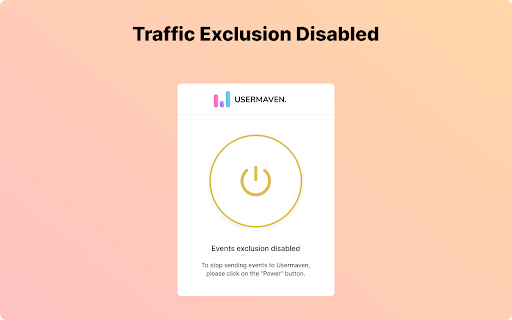
An extension that enables users to exclude their browser from Usermaven's tracking. A browser extension designed to allow users to opt-out of Usermaven's tracking. Prioritize only the website visits of significance. Skip the hassle of repeatedly excluding your IP address every time your location changes. With Usermaven's Chrome extension, effortlessly prevent your browser from being tracked by Usermaven, irrespective of your location. To ensure you're off Usermaven's radar, simply tap on the Usermaven icon in your extension panel and press the Power button. Following this, no events will be relayed from your browser to Usermaven.

tabExtend - Easy Tab manager
Transform your new tab into a powerful dashboard. Add notes, set reminders, and sync across devices to boost productivity. The best way to manage your tabs and organize your workflow on any device. (Chrome, Brave and Edge supported) TabExtend is the easiest way to manage browser tabs, offering a seamless solution for anyone looking to organize and control their tabs. The pain caused by having too many open tabs and disorganized windows in Google Chrome is a thing of the past. You might have tried other tab management tools, such as OneTab, Workona or Toby, and run into countless problems with feature limitations and organization. TabExtend is the ultimate replacement for this. We transform your new tab into an interactive dashboard and Kanban board, ensuring your tabs and workspaces are always organized and in sync. If you are looking for a way to manage tabs in Chrome, look no further. We have you covered with TabExtend - tab management has never been easier nor more efficient. What are you waiting for? Once you install, you will finally have a way to take control of your tabs. ✔︎ Manage tabs & tab-groups across multiple windows ✔︎ Notes / To-dos ✔︎ Setup reminders for sites and notes ✔︎ Popover with saved notes on any site ✔︎ Sync to Mobile apps(iOS & Android) ✔︎ Import bookmarks and top sites ✔︎ Save selected text-snippets ✔︎ Search sites and items ✔︎ Dark/light theme ✔︎ Shared workspaces ✔︎ Share categories via public link ✔︎ Upload custom emojis Try as guest or sign up for a free account. All features included up to 30 saves. Available for Chrome, Brave, and Edge TabExtend helps users with all sorts of questions; here are just a few: How do I manage too many tabs in Chrome? How do I organize my Chrome tabs? How do I save tab groups in Chrome? How do I sync tabs across devices? How do I manage browser tabs efficiently? How to organize Chrome tabs? How to save tab groups? How to manage multiple windows? How to sync tabs between devices?

Replug | URL Shortener & Links Management
Shorten, track and optimize your links with catchy call-to-actions, retargeting pixels, branded links and powerful analytics. Replug is a feature-rich URL shortener tool that lets you create simple short links or branded short links (custom domain short links). Install Replug URL shortener chrome extension to get the most out of the links you share. Click on the extension icon in the toolbar to quickly create the shortened link of the page you’re visiting. Replug is not just a link shortener tool; it’s an all-in-one link management tool that lets you track and optimize your links with catchy call-to-actions, retargeting pixels, branded links, and powerful analytics. Shorten Links: Easily shorten long and unattractive URLs to short links in just a few clicks. Branded Short Links: Create branded short links or custom domain links to build and improve your brand authority. For example, turn any link like “www.thirdpartywebsite.com/link” to “your brand.co/link”. Call-to-actions (CTAs): Add CTAs to your shortened links (even third party links) to collect leads, drive traffic to your website and increase conversions. Edit Short Links: Easily change or edit the destination URL of your short links. Social Media Bio Links: Create beautiful landing pages for your the bio links of Instagram, TikTok and other social media platforms. You can create bio links landing pages from our dashboard by signing in to your account. Custom Widgets: Add 3rd party widgets to your links. For example, opt-in forms from tools like Optinmonster, Sumo, Poptin or your own lead forms. Retargeting Pixels: Replug allows you to add retargeting pixels to your links and retarget anyone who clicks on your links. QR Generator: Easily a smart QR code with every branded short link you create. Advanced Link Analytics: Make informed decisions by analyzing KPIs such as clicks, impressions, conversions, visitors by country, visitors by source, and many more. Password Protected Links: Restrict access to your links by protecting them with passwords. Other replug features include UTM Builder, RSS Automation, Deep Links, Automated Reports, and tags. Visit https://replug.io to create your account and use our advanced features.

Create interactive demos,videos,how-to guides
Create interactive product guides and explainer videos With Floik, you can turn your product workflows into amazing self-serve explainer videos, interactive demos, step-by-step guides and more in minutes. You can do all of this & more with purpose built editing tools on a single platform. Get started for FREE 🙂 Install the chrome extension, capture your workflow and let Floik do the rest. With Floik, showcase how your product is helping solve your prospects and customers problems in 3 simple steps. ⓵ Choose the screen (tab or a window) and start your screen capture ⓶ Customize: Use our edit options & tailor you're output like a pro ⓷ Engage: Share it anywhere on the web, integrate with your CRM and view real-time user insights Floik enables you in supercharging your product-led-growth and achieving your goals 🎯 faster. 👀 Drive product-qualified leads by giving a sneak peek of your product's aha moment 🏃Steer faster product adoption with visually engaging on-boarding guides 🤩Increase customer satisfaction by answering repeated queries much faster with lesser effort No more typing or tying screenshots together. Use Floik's all-in-one platform to capture and showcase your product perfectly! 🎉

CONTADU NeuronWriter - SEO/NLP optimization
Show NLP optimization recommendations in your favorite editor/CMS. Currently supports Google Docs, Wordpress and Shopify products. Use of the extension requires a CONTADU/NeuronWriter account. 1. Open the Google Docs/Wordpress/Shopify(products) editor. 2. Log in to your account. 3. Select the analysis you want to connect to the editor. 4. Write and optimize using the tips in the sidebar.
