
lkomnldkbflfbkebenomadllalainpec
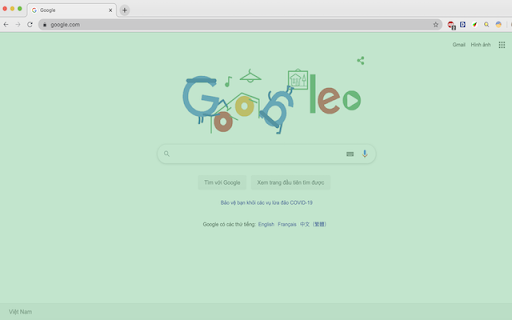
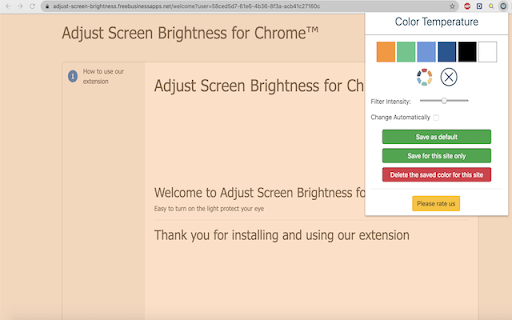
Changes the color temperature of websites. This extension helps to reduces the screen brightness level for both daytime and nighttime periods to reduce eye strain when using the computer. It is designed to reduce eyestrain while reading documents online. To enhance the usability the extension offers two different values for daytime and nighttime duration. Note: It is possible to have no effect on daytime duration by setting the brightness level to 100% . Blue Light - Take care of your eyes by eliminating the blue light coming from your screen. Highly recommended especially during late night browsing. Simply slide to the preferred level of warmth. Blue light affects the quality of your sleep. Hence it is recommended for users to stop using their phones/computers at least two hours before they go to sleep. Brightness / Saturation / Contrast - Adjust the brightness, the contrast and the saturation to match the recommended healthy levels and protect your eyes.

Adjust Page Brightness
Control your browser's global screen brightness to use sites that do not support the native dark theme This extension reduces or increases the screen brightness level for both daytime and nighttime periods based on user-defined values. It helps the websites that do not support the native dark theme. Also, it can increase the brightness of websites that are too dark. It reduces the eyestrain while reading documents online when dark mode is not supported. The extension offers two different values for daytime and nighttime duration to enhance usability. Features: 1. Control the darkness level of all websites or just a single hostname 2. You can increase or decrease the brightness level of a website 3. Supports keyboard shortcuts for every action. 4. You can disable the extension on a single website or entirely 5. Control the brightness level from 0% (completely dark) to 120% (20% brighter than the original) 6. Supports two different methods to decrease the brightness level. Notes: 1. By setting the brightness level to 100%, the extension does not affect browser tabs (does not inject any CSS styling) 2. It is recommended to configure the start time for both daytime and nighttime. By default, daytime starts at 08:00, and nighttime starts at 19:00. 3. By adding a website to the exception list, brightness control is turned off for this website. You can use this feature to turn off the extension on websites that support native dark mode. 4. This extension does not reduce the screen brightness when printing a webpage. There is a CSS selector that only affects "screen" type displays. What is the difference between this extension and other dark mode extensions (e.g. "Dark Reader™" or "Turn Off the Lights™" (I do not own these two extensions))? These extensions manipulate the styling of all elements by using custom stylesheets. They convert the light theme to dark. This extension only injects a filter to reduce or increase the original brighness. So it does not perform any resource-intensive operations and does not alter the website's styling.

Night Shift
Night Shift automatically shifts the colors of your browser content to the warmer end of the color spectrum after dark. Night Shift automatically shifts the colors of your browser content to the warmer end of the color spectrum after dark. ⚡ You need to refresh all the tabs, which were opened BEFORE the Night Shift was installed. You can also restart Chrome to refresh all the tabs at once. Otherwise, Night Shift will work only with the newly opened tabs. ⚡In accordance with the Chrome Browser policies, Night Shift is restricted to work on the Chrome Web Store and Home Page. Please open any other website (for example, YouTube) after installing this extension and check the extension in action. Night Shift provides itself on a scheduled basis, you can choose from 3 options: 1. Sunset to Sunrise (Chrome colors will be shaded every day automatically on Sunset). 2. Off (manually enable the Night Shift to shade the screen) 3. Custom (set up your own schedule to start up and finish display color adjustments) Take care of your eyes. Change screen brightness to special eye-protective colors from the list or to a color that you prefer. Night shift changes the colors of the screen to warm and eye-protective shades. You can set automatically change screen mode by schedule or select a color theme for a certain website. Working on a computer a night time may take affect your eyes. Night Shift Mode is a good opportunity to reduce screen brightening to take care of your eyes. Dark Mode isn't suitable for all websites, so applying warm colors to all websites will be the best alternative for screen tinting. Screen Shader Mode is a pleasure for your eyes!

Pastel Pink YouTube
Changes the background color of YouTube pages to a pastel pink color. Change the default white background of YouTube to a cute pastel pink. Customize YouTube with your favorite color! CHANGELOG: Version 3.0 Fixed the extension, since it stopped working with changes in the YouTube design. Version 2.0 Added a On/Off slider. This needs new permissions to correctly apply the setting of the user to all YouTube tabs.

Colorfy
Change colors of elements on a web page easily. Colorfy is a powerful web customization tool that lets you easily change the colors of any website to match your preferences. Create multiple color themes, switch between them instantly, and make the web more comfortable for your eyes. 🎨 KEY FEATURES: • Multi-Style Support - Create up to 5 different color themes per website (e.g., "Dark Mode", "High Contrast", "Work Theme") • Instant Theme Switching - Switch between your custom themes and the original design with one click • Smart Element Selection - Click any element on the page to customize its background and text colors • Professional Color Picker - Choose from curated palettes or use the advanced color picker for precise control • Advanced Manual Editing - Target specific elements using CSS selectors (class/ID) for power users • Auto-Save & Sync - All changes are automatically saved to your device for each website 🔧 HOW TO USE: 1. Click the Colorfy extension icon 2. Select a color style from the dropdown (or create a new one) 3. Click on any page element you want to customize 4. Choose background and text colors from the palette 5. Your changes are automatically saved and applied! 🗂️ STYLE MANAGEMENT: • Create themed color schemes like "Dark Reading", "Eye Comfort", or "High Contrast" • Compare your custom themes with the original website design • Rename, duplicate, or delete styles as needed • Each style maintains independent color changes • Right-click anywhere → "Colorfy: Switch to Original" for quick toggling 🧹 EASY CLEANUP: • Switch to "Original" style to temporarily see the unmodified page • Go to extension options to clear all changes from all websites • Non-destructive workflow - your custom styles are never accidentally lost 🌍 MULTI-LANGUAGE SUPPORT: • English, Croatian, and Serbian languages supported • Automatically detects your browser language Perfect for users with visual preferences, web designers testing color schemes, or anyone who wants to make websites more comfortable to browse. Compatible with all websites and maintains your customizations across browser sessions. PRIVACY: All data is stored locally on your device. No information is collected or transmitted. PERMISSIONS EXPLAINED: • Active Tab: Required to modify colors on the current webpage • Storage: Saves your color preferences locally • Context Menus: Adds right-click option to switch to original design • Scripting: Injects color modification scripts into webpages
