
lkmjmficaoifggpfapbffkggecbleang

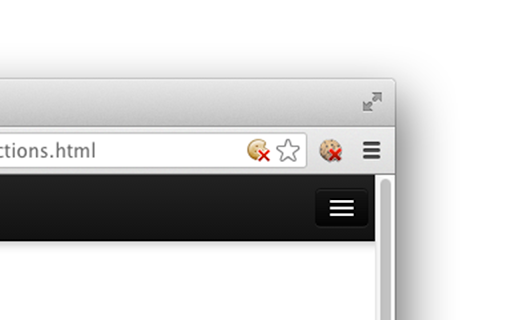
Use this extension to disable/enable cookies on the current site. It works on "per host" basis and will disable cookies for the domain only (the site opened in the currently selected tab). It will not stop third-party cookies set by the current site (analytics etc.) -- to disable third-party cookies you should use the respective content settings (chrome://settings/content/cookies) When you disable cookies, it will delete cookies set by this site and will reload the current page. (Auto-reload/delete can be disabled in the Options page) There are some options available, but basically, the extension does just that and nothing more.

Cookie Auto Delete
Automatically delete cookies when a tab or the browser is closed! Cookie Auto Delete is an extension that helps you quickly erase cookies for a tab when it closes (Tab-Only mode). Moreover, you can set the addon to remove cookies for all tabs when the browser is closed (Session-Only mode). The toolbar icon serves as an ON|OFF switch to quickly turn the addon ON or OFF. This addon can potentially improve your privacy as it deletes cookies (and most importantly third-party cookies) which are used to track user's behavior across multiple websites. Please note that, if you want to switch modes, open the addon options and mark the desired option. Moreover, this addon has a whitelisting tool to easily exclude a domain from Cookie Auto Delete. Simply add a domain comma separate to the designated area on the options page. Note: this extension is made in collaboration with the author of Cookie Switch ON|OFF (https://chrome.google.com/webstore/detail/cookie-switch-onoff/okclohaghlaedgghhngcenaandmajmmk) To report bugs, please fill the bug report form on the addon's homepage (https://mybrowseraddon.com/cookie-auto-delete.html).

Awesome Cookie Manager
Displays a list of all Google Chrome cookies. Allows searching, viewing, editing, saving, restoring, and deleting cookies. The Awesome Cookie Manager lets the user manage cookies in Google Chrome. (1) Search for cookies. (3) Edit cookie properties (value and expiration date). Thanks to Procyon-b for the following fixes: * incognito mode cookies * cookie with no name now editable * support for range selection * domain name max-length css only * cookie name max-length css only * save/restore list sorting fixed * filters input fields: only letters are taken into account * background page settings were not updated (restart was needed) * hide error message when a specific cookie restore is refused ("non-secure" cookie * * restored over a "secure" cookie)

ChocoChip - Cookie Manager
ChocoChip provides the following features! ★ Search cookies by domain or URL ★ Show cookies of the current page or all in your browser ★ Create new cookies and edit existing ones ★ Delete all cookies or some by a domain at once Feedback and rating is always welcome at its Chrome Web Store http://goo.gl/hHAeE

I don't care about cookies
The EU regulations require that any website using tracking cookies must get… The EU regulations require that any website using tracking cookies must get user's permission before installing them. Imagine how irritating that becomes when you surf anonymously or if you delete cookies automatically every time you close the browser. In most cases, it just blocks or hides cookie related pop-ups. When it's needed for the website to work properly, it will automatically accept the cookie policy for you (sometimes it will accept all and sometimes only necessary cookie categories, depending on what's easier to do). It doesn't delete cookies.
