
lkiboebkhioapbcogmjkkjbpgbgjlodj
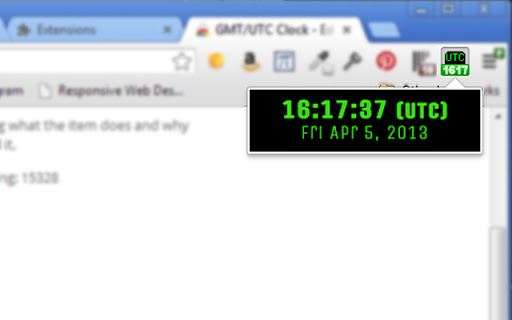
UTC Clock extension for Google Chrome. An extremely simple extension that adds a button for GMT/UTC Time in your Chrome toolbar. Link to the font used in the screenshot in the developer website link. Please download and install this font (free) if you want it to look as it does in the screenshot. --- v4.1 Changelog --- Updating base font for improved readability. --- v4.0 Changelog --- * New aesthetic styling! Easier to read & prettier. * No font download required- using Google Web Font to display. * New code standards enforced. * Day of the week (in UTC format) now displays. --- v3.0 Changelog --- * Updated art and text to only show 'UTC' -- GMT is an antiquated term.

Chrome Notes
A simple notepad extension for Google Chrome NEW: You can now use speech to text NEW: You can now open Chrome Notes with Ctrl+Shift+X (Command+Shift+X on mac) NEW: You can now download and upload complete backups NEW: Chrome Notes adds a right click menu option to send the selected text to a new note! NEW: You can now have multiple notes! NEW: You can now customize the font size! A simple notes extension, right in your browser! Easily copy around a few words to and from different browser windows and other apps. Thank you for over 100,000 users, 100 ratings and 4.5 stars! Chrome Notes remembers your notes and mode, even after closing your browser or restarting your computer! Notes are stored in local storage, so nobody else will ever see them, not us, and not Google, Microsoft, or Apple. Features: * Resizable notepad * Shortcut buttons for cut, copy, paste, and select all * Normal keyboard shortcuts work too * Save as a .txt file * Open in new window * Speak selected text out-loud * Remembers last notepad size for you next time * Store multiple notes, and quickly create, edit, share, or delete * Focus mode for distraction free writing * Adjustable font size * Right click and send selection to new note * Download and upload full backups * Speech to text (click the mic and speak to put your words on the notepad) * Keyboard shortcut Ctrl+Shift+X (Command+Shift+X on mac) to open Chrome Notes is the smart, simple notepad built for you 😊

GDG Philippines
Google Chrome Extension for the GDG Philippines community. Google Chrome Extension for the Google Developer Group (GDG) Philippines community. GDG Philippines, formerly known as GTUG Philippines (Google Technology Users Group Philippines), is a group of enthusiastic Filipino developers interested to collaborate and learn more about new technologies. See the latest events and get links to GDG Philippines straight from your Google Chrome browser. Feel free to download the app and give comments, suggestions and ratings. GDG Philippines is an independent group; our activities and the opinions expressed should in no way be linked to Google, the corporation.

Free Time Clock for Google Chrome™
Free! This extension will help you keep track of time spent on projects/specific tasks. Need a free and simple method of tracking time for projects/payroll. Begin using this free extension to do time tracking. Simply write down the project title and press start Our time tracker will begin the time. Once you finish the project, press stop and the time tracking will stop for this project You can start and pause projects whenever you want. Once you have finished your time tracking, its possible to export this data out in CSV format so you can prepare the data for clients/show the time taken for each task. Disclaimer: Please note this extension is NOT made by Google and is made by an independent development team. All copyrights belong to their respective owners. Google doesn’t endorse or sponsor this Chrome extension. Free Time Clock is not owned by, is not licensed by and is not a subsidiary of Google Inc.

Clock for Google Chrome™
An analogue clock in the toolbar! This very simple extension places a small analogue clock next to the address box. You can add a digital clock, change the colours, add reminders with alerts and there is a full calendar to see if you click the clock, and a full screen clock too... ... or do none of those and simply use the clock as it is. The choice is yours. All your settings are securely synchronised to all the computers that you use this extension on. For help and support, take a look at the support pages at ab00a.github.io/clockforgooglechrome Clock for Google Chrome™ is available in lots of languages.
