
lkdokbndiffkmddlfpbjiokmfkafmgkm


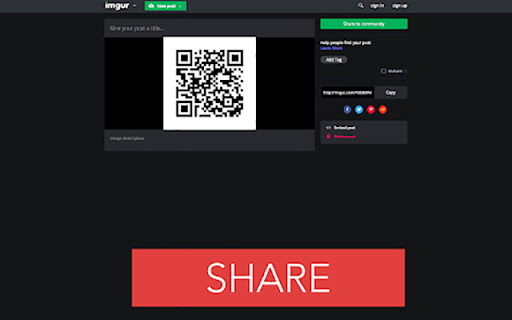
QR Code Extension: A faster, more direct way to create and share QR codes, even better than short links. QR Code Generator, the ultimate tool for effortlessly shortening URLs and transforming them into QR codes. This tool is your quick solution to creating and sharing QR codes. Simply right-click, and within moments, your content is ready in QR form, as a short URL online. If you just install this extension dont forget reload the page before using. We aim to be the best in the world of QR extensions, so your feedback is invaluable. If you encounter any bugs, have feature suggestions, or just want to share your thoughts, don't hesitate to drop us a review or comment. Your insights drive our improvements.

QRCodie - QR Code Generator
A simple and beautiful QR Code generator. Generates the QR Code of the website or any other text contents.

QR Code
Generate and Scan QR Code. This extension help you generate QR code for links and text, while supporting scan QR code through context menus, local files and webcam. All functions execute locally on your browser, no data send to server. 1. When you click the extension icon, it shows you QR code for current page URL. And you can change input and download QR code. There are two buttons at the bottom for custom generating and scanning QR code in a new page. For generating QR code, you can: • Input any URL or text • Adjust margin • Adjust size • Adjust error correction • Download as png or svg file. • Copy to clipboard. For scanning QR code, it supports: • Scan an image by it's URL • Select or drag and drop a local image file • Scan with camera 2. Through context menus on web page, you can: • Scan QR Code From Images • Generate QR Code for Page Link • Generate QR Code for Selected Text • Generate QR Code for Link Address • Generate QR Code for Media(image, audio and video) Address In addition, it also supports scanning other barcode types on the latest macOS or Chrome OS. For example, on macOS, it supports the recognition of these types of barcodes: "aztec", "code_128", "code_39", "code_93", "data_matrix", "ean_13", "ean_8", "itf", "pdf417", "qr_code" and "upc_e ".

Lector Codigo Qr
QR code reader, easily access a tool to decode images with QR code. Simply access the plugin, select the image with the QR code and see the result of the QR code decoding or access it with the keyboard shortcut Ctrl + Shift + L

QR Code Reader
a multiple QR- and bar-code scanner that supports scanning from webcam and local images A powerful QR-code (Quick Response code) and barcode scanner supports scanning from the camera or local image files and keeps the history of the last 100 scans. It supports almost all known formats, including text, link, ISBN, coupon, and contact. Privacy: This extension does not rely on any external services to perform detection. There is no server-side interaction whatsoever. Features: 1. Read multiple QR-codes on a single image 2. Supports multiple protocols 3. Saves the history of scanned items 4. Drop local image files to the user interface 5. Uses both native method and ZBar library to maximize the detection power. This extension uses ZBar c-library, to extract multiple QR-codes and barcodes in a single image frame. What is a QR code? It is a type of matrix barcode that is a machine-readable optical label. A QR code contains information about the item to which it is attached. A QR code uses four standardized encoding modes (numeric, alphanumeric, byte/binary, and kanji) to store data efficiently. What is a barcode? It is a method of representing data in a visual, machine-readable form. Initially, barcodes represented data by varying the widths and spacings of parallel lines.
