
jhigigpkpbeofhknomiadocogenlpcde

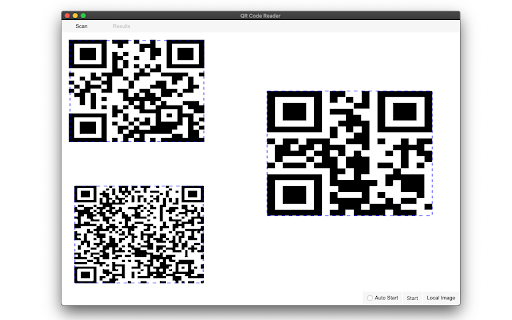
a multiple QR- and bar-code scanner that supports scanning from webcam and local images A powerful QR-code (Quick Response code) and barcode scanner supports scanning from the camera or local image files and keeps the history of the last 100 scans. It supports almost all known formats, including text, link, ISBN, coupon, and contact. Privacy: This extension does not rely on any external services to perform detection. There is no server-side interaction whatsoever. Features: 1. Read multiple QR-codes on a single image 2. Supports multiple protocols 3. Saves the history of scanned items 4. Drop local image files to the user interface 5. Uses both native method and ZBar library to maximize the detection power. This extension uses ZBar c-library, to extract multiple QR-codes and barcodes in a single image frame. What is a QR code? It is a type of matrix barcode that is a machine-readable optical label. A QR code contains information about the item to which it is attached. A QR code uses four standardized encoding modes (numeric, alphanumeric, byte/binary, and kanji) to store data efficiently. What is a barcode? It is a method of representing data in a visual, machine-readable form. Initially, barcodes represented data by varying the widths and spacings of parallel lines.

QR Code Reader
Scan any QR-Code directly from your browser. Read QR-codes directly from your browser. Drag and drop images, upload from your local storage or paste the code to read it.

QR Code (Generator and Reader)
Generate QR Code from the url of current page, link or selected text. And decode QR Code in image. The most advanced QR Code extension to generate various types of QR Code, Scan, History and Advanced Display. Support both Popup and Context-menu based functions. It has below distinctive features: - QR options and configurations - Support multiple QR native codes - Clean and elegant design and user interface - History for reusable QR codes - Formatting options, including colors, complexity, etc. - Highly secured QR codes It may display periodic notification about new QR code features, potential bugs and required configuration details. If you notice any issues or concern, pleas reaching using the Support link on the extension page.

AI QR Code Reader
An AI based QR code reader that can effectively recognise all kinds of shaped QR codes, coloured QR codes and rotating QR codes. Simply click on the extension's shortcut after the extension has been installed, and you will be taken to the QR code selection interface. If the QR code in the boxed area is successfully recognized, the result will be displayed in a bubble pop-up box. Right-click to exit this interface.

The QR Code Generator
Create, scan, and edit QR codes instantly with one click. The QR Code Generator (TQRCG) Chrome Extension allows you to quickly generate static or dynamic QR codes for the current webpage and scan QR codes using your webcam. With a single click, it creates a QR code from the URL of the active tab, syncs it with your TQRCG dashboard, and displays it in a clean, compact pop-up. Key Features - Generate a QR code from the current tab with one click - Choose between static and dynamic QR Codes - Sync QR Codes created in the extension with your TQRCG dashboard - Scan QR codes using your webcam - Download or copy the generated QR Codes - No special permissions required - Fully offline QR code generation for maximum privacy - Minimalist popup interface for quick access - Lightweight and resource-efficient - Optional link to edit and customize the QR code on the website Trusted by over 700,000+ active users, and completely free for everyone. This extension is designed to be fast, lightweight, and privacy-friendly. It does not request access to your browser data, tabs, or history. It only runs when you click the extension icon, so it uses no memory or resources in the background. All QR Code generation happens entirely offline. The URL you visit is never sent over the internet unless you choose to open the "Edit QR Code" option, which redirects to www.the-qrcode-generator.com. This makes it a highly secure and private option for creating QR Codes directly in your browser. You can now choose to create static or dynamic QR Codes directly from the extension. If you are logged in, QR Codes created through the extension automatically sync with your TQRCG dashboard and show that they were created via the Chrome Extension. Where can you use TQRCG QR Codes? - Add QR codes to packaging or signage to direct customers to digital content. - Collect instant customer feedback in restaurants, retail, or service industries. - Link printed materials to websites, videos, or downloads without manual typing. - Share digital business cards at events using vCard QR codes. - Enable mobile app downloads or multi-language landing pages with one scan. - Track performance of offline marketing with detailed scan analytics. - Use dynamic QR codes for campaigns that require flexibility and updates. Updated on January 6, 2026: - Users can now choose between static and dynamic QR Codes when creating them from the extension. - QR Codes created in the extension now sync with your dashboard and clearly show they were created via the Chrome Extension. Updated on November 20, 2025: - Users can now access a full web dashboard from the extension to create and edit QR Codes with advanced customization. - A new sign-up flow lets you seamlessly connect your extension activity with your TQRCG dashboard. Updated on July 30, 2025: - Users can now download/copy the QR code that they created
