
ljfdccdjpfjpfjbpdiihanpodilolofh


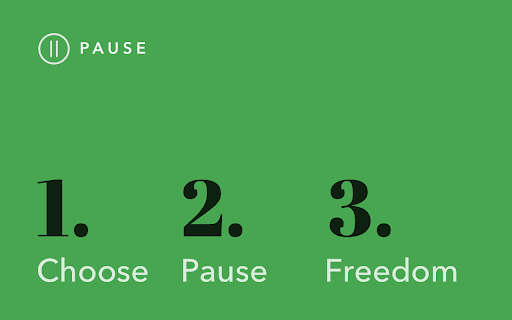
Pause distracting websites before they open. Be mindful and intentional with your browsing using this simple extension. Pause breaks the cycle of distraction and mindless browsing and helps you be more focused, productive, and intentional with your technology use. When you open a distracting website, Pause creates a gentle interruption by displaying a calming green screen. After pausing for five seconds (adjustable), you can choose to continue to the site, remain on the green screen with the site temporarily blocked, or close the tab. The interruption created by Pause gently nudges you to make informed, intentional decisions about how you are spending your time. - Pause comes pre-seeded with a list of 50 top distracting websites, which you can add to or edit as needed. - You can also adjust the length of the Pause time (5 seconds is the default.) Keep Pause enabled in your browser. It’s a simple and powerful tool to help you control distraction and create more mindful browsing habits that will help you stay focused. Pause is a product of Freedom Labs, where we develop new ways to meaningfully interact with technology. Like our other extensions, Pause is highly privacy-conscious. None of your data is sent anywhere (the cloud, our servers, etc.) It remains secure on your own device. Learn more about Freedom here: https://freedom.to

News Feed Eradicator
Eradicate distractions and take back control of your browsing Do you often want to check social media, and then find yourself disappearing for hours as you're consumed by the endless scrolling? Do you want your life back, but can't bear to delete social media altogether? News Feed Eradicator removes the most addicting part of Facebook, Twitter and other social networks - the feed - and replaces it instead with an inspirational quote. You can still use the other functionality as usual, you just won't get sucked into the attention hole. See screenshots for supported websites.

Mindful Browsing
Beautifully interrupts mindless browsing, and gets you back to your life. Entirely in your control. You specify which sites you'd like to be mindful about your time on, and provide a list of things you'd generally rather do instead. Mindful Browsing doesn't block you from visiting sites - it simply asks if you'd like to visit, and if so, reminds you 10 minutes later. Beautiful. Mindful Browsing features stunning photographs from some of the world's best landscape photographers. If you're a photographer and are interested in having your work featured, email steven@mindfulbrowsing.org. Free. Open. Safe. Mindful Browsing was built by me, Steven Skoczen, to help with my own mindless browsing. Friends liked it, so I made it available for free on the Chrome store. Mindful Browsing doesn't track any of your activity, and the code is open-source so that you (or a geeky friend) can verify nothing sneaky is going on. I hope you Mindful Browsing makes your life a bit better. If you have ideas, I'd love to hear from you. Note: If you're looking for a way to block sites entirely, there are a host of other extensions out there. Do a search for stay focused, or block site, or study blocker. A lot of people have built ways to completely block sites for a period of time. Mindful Browsing isn't one of them - we believe that it's better to learn to be mindful about browsing than relying on a computer to enforce it. Think of it this way: if you hurt your leg, in the long run, would you rather do rehab and build your muscles, or use crutches for the rest of your life? :) Version 2.0.1 - Fixes a bug where you'd have to click "Yes" more than once if you were away from a tab for a while. Version 2.0.0 - Rewritten to use the new Chrome Web Store Standards, reduce third-party libraries and make the extension faster, pre-load smaller images, and reduce resource usage overall. Also fixed a number of sticky bugs with saving. It's been a long time coming, but it's finally updated! Version 1.2.6 - Updates to Chrome Extension V3 permissions. This means the extension no longer needs the tabs or webNavigation permissions. Hooray for fewer permissions! Version 1.2: - Lots of new images, now changing daily - Hides the confirmation for small popups (like Facebook and Twitter's "Authorize this app" screens.) - Saves the daily image locally, for much faster and prettier responses. - A few odds and ends, like better fonts support, some tweaked spacing, and other beauties. Version 1.1: - Fixes a couple bugs, including close button and empty lists. - Makes edit popup easier to read. - Even better credit of the incredible photographers we feature.

Webtime Tracker
Discover your browsing habits! Time tracking at its best. Webtime Tracker keeps track of how you spend time on the web and presents the stats in a useful and intuitive way. 🚀 What you'll see ⭐️ Time spent on individual websites ⭐️ Detailed domain stats ⭐️ Total time spent browsing ⭐️ Usage visualized by colorful graphs 🚀 Extras ⭐️ Backup and restore, export to CSV ⭐️ Screenshots (e.g. for sharing) ⭐️ Works even offline ⭐️ Precise algorithm measuring time only when Chrome window is active (not covered by other windows) 🚀 Customizable features ⭐️ Idle time interval ⭐️ Keep tracking when media is playing ⭐️ Doughnut graph gaps (for readability) ⭐️ Time tracker in icon Completely free and with no ads Made with ♥ by Peta Sittek

Web Activity Time Tracker - Block Websites, Pomodoro & Web Analytics
Track time of your web activity, limit and block distracting websites. Monitor your web usage. Web Activity Time Tracker keeps track of how you spend time on the web and presents the stats in a useful and intuitive way. Take control of your online time! Tracking and limiting your use of any website helps you stay productive and focused. Stay focused and maximize your productivity. Whether you're managing work projects, studying for exams, or simply want to understand your browsing habits better, this tool is your go-to companion. Web Activity Time Tracker is a powerful Chrome extension designed to help you monitor and optimize your online productivity. Effortlessly track the time you spend on each website, set goals, and get detailed reports to boost efficiency and focus. With a sleek, user-friendly interface and real-time insights, this tool empowers you to make the most of your web browsing. You can set a daily visit limit for sites and block them after the expiration of the limit. Alternate work and rest times with Pomodoro Mode. ✅ Real-Time Tracking: Get instant insights into the time spent on each website you visit. ✅ Daily and Hourly Reports: Receive summary reports that highlight your browsing habits and patterns. Comparison of time by day. ✅ Limit and Block Distracting Websites: Set daily time limits for specific websites to help you stay focused. ✅ Usage Statistics: Effortlessly monitor the time you spend on different websites. ✅ Notifications for Websites and daily summary notification. Set goals and receive notifications to stay on track. ✅ Pomodoro Mode ✅ Track files in the browser, including .pdf, .png, .json and so on ✅ Export Data to CSV Web Activity Time Tracker helps you: 🍀 Stay focused 🧠 Understand how you use the internet 👀 Reduce distraction 🍅 Overcome web addiction ⏲️ Self-control 💯 Boost productivity 🚀 Increase your digital wellbeing 💪 Reduce wasted time This version introduces an OPTIONAL banner widget powered by Media IntelliView. When enabled by the publisher of a participating website, the extension may display a small contextual banner on that website's page. What is sent over the network when the widget is enabled: - The page origin (e.g. "https://example.com") — never the full URL or page content - A randomly generated per-install identifier (no personal data, no account, no login) - Banner display/click/dismiss event timestamps The widget is fully described in our prominent disclosure shown on install AND update (Welcome page), and you can disable it at any time in the Options page. Local time tracking and blocking features continue to work exactly as before — they do NOT depend on the widget. Take control of your online habits and make every minute count with Web Activity Time Tracker.
