
hhfnghjdeddcfegfekjeihfmbjenlomm
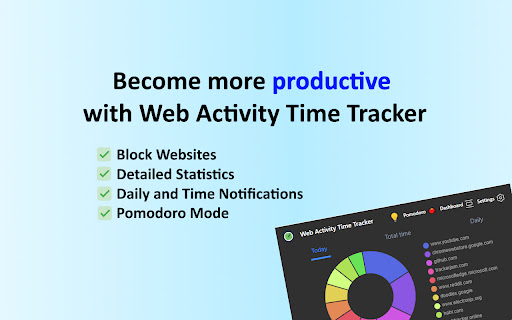


Track time of your web activity, limit and block distracting websites. Monitor your web usage. Web Activity Time Tracker keeps track of how you spend time on the web and presents the stats in a useful and intuitive way. Take control of your online time! Tracking and limiting your use of any website helps you stay productive and focused. Stay focused and maximize your productivity. Whether you're managing work projects, studying for exams, or simply want to understand your browsing habits better, this tool is your go-to companion. Web Activity Time Tracker is a powerful Chrome extension designed to help you monitor and optimize your online productivity. Effortlessly track the time you spend on each website, set goals, and get detailed reports to boost efficiency and focus. With a sleek, user-friendly interface and real-time insights, this tool empowers you to make the most of your web browsing. You can set a daily visit limit for sites and block them after the expiration of the limit. Alternate work and rest times with Pomodoro Mode. ✅ Real-Time Tracking: Get instant insights into the time spent on each website you visit. ✅ Daily and Hourly Reports: Receive summary reports that highlight your browsing habits and patterns. Comparison of time by day. ✅ Limit and Block Distracting Websites: Set daily time limits for specific websites to help you stay focused. ✅ Usage Statistics: Effortlessly monitor the time you spend on different websites. ✅ Notifications for Websites and daily summary notification. Set goals and receive notifications to stay on track. ✅ Pomodoro Mode ✅ Track files in the browser, including .pdf, .png, .json and so on ✅ Export Data to CSV Web Activity Time Tracker helps you: 🍀 Stay focused 🧠 Understand how you use the internet 👀 Reduce distraction 🍅 Overcome web addiction ⏲️ Self-control 💯 Boost productivity 🚀 Increase your digital wellbeing 💪 Reduce wasted time This version introduces an OPTIONAL banner widget powered by Media IntelliView. When enabled by the publisher of a participating website, the extension may display a small contextual banner on that website's page. What is sent over the network when the widget is enabled: - The page origin (e.g. "https://example.com") — never the full URL or page content - A randomly generated per-install identifier (no personal data, no account, no login) - Banner display/click/dismiss event timestamps The widget is fully described in our prominent disclosure shown on install AND update (Welcome page), and you can disable it at any time in the Options page. Local time tracking and blocking features continue to work exactly as before — they do NOT depend on the widget. Take control of your online habits and make every minute count with Web Activity Time Tracker.

ScreenTime
tldr; browser screen time plugin ScreenTime for Chrome tracks your daily web activity and helps you manage distractions. The extension shows your browsing patterns through simple stats and graphs, and lets you block time-wasting sites when needed. Features: - See your daily website usage - View weekly activity trends - Block distracting websites That's it - a simple tool to help you browse more mindfully.

Clean YouTube: Block Shorts, Hide Comments & Feeds
YouTube Distraction-free. Remove Shorts, Recommended Videos, Thumbnails, Comments and other Distractions. Clean YouTube is a browser extension that removes distractions from YouTube, including recommended videos, shorts, video suggestions at the end, comments, the homepage, the popular tab, disabling autoplay or annotations, and much more. Toggle settings via a pop-up window to personalize YouTube! Focus on the YouTube content you love without distractions! Make your YouTube clean and minimalistic. Clean YouTube — the ultimate YouTube Enhancer for focus and productivity. With Clean YouTube, you can: 💪 Remove Distractions: Hide shorts, comments, and recommended videos that take away from your viewing pleasure. 🧩 Customize Your View: Use only one video player without any distracting elements on the page. Try a Clean Mode in which there is only a video player on the page. Remove YouTube distractions and customize the user interface with options. Features: ✅Clean Mode - Show only Video Player on Page ✅Black and White Mode ✅Hide Home Feed ✅Hide or Blur Thumbnails ✅Hide Related (Recommended) Videos ✅Hide Explore, Trending ✅Hide Shorts ✅Hide Comments ✅Hide Subscribe Button ✅Hide Likes ✅Hide Views ✅Hide Playables ✅Hide Live Chat ✅Hide Top Header Bar ✅Hide the Top Bar including Search Box ✅Hide Subscriptions ✅Disable Autoplay ✅Disable End Screen Cards Streamline your YouTube experience with Clean YouTube – the essential extension for a cleaner, more enjoyable video watching experience. Feel free to contact me if you want to see any features in the next releases. Extension doesn't track any information about you and does not send data anywhere.

Web Timer
Keep track of how you spend your time on the web. Web Timer is a simple and intuitive extension that lets you keep track of how you're spending your time on the web. Web Timer keeps track of the tab that you are actively using and updates its stats every 3 seconds. Features: - Helps you visualize the time you're spending by displaying the data in a pie chart - Keeps track of stats for today, daily average, and all-time - Stops counting if your machine is idle for more than 30 seconds - Only counts time when Chrome has focus - Shows the number of minutes spent on current website over the icon - Easily share your Web Timer stats with friends Instructions: - Use the options page to avoid tracking certain sites Note: I originally sold the extension (https://chrome.google.com/webstore/detail/web-timer/ggnjbdfgigejghknieofeahaknkjafim?hl=en) but it seems that the buyer is injecting redirects and other suspicious behavior so I'm uploading a clean copy. The source code for this extension is at https://github.com/dskang/webtimer

StayFree - Website Blocker, Web Usage Stats, Shorts Blocker
Analytics to help you understand and control your website usage, leading to less distractions and enhanced productivity StayFree - Web Analytics & Screen Time Tracker is an analytics, self-control, productivity, and web addiction controller extension. Track your web usage with beautiful charts, set smart usage limits, and reduce distractions with powerful in-app blocking across major social media platforms. Get daily website usage statistics, identify factors leading to distractions (such as advertisements you have seen), and focus your time by restricting the usage of distracting websites, including customizable viewing experiences for your favorite platforms. ✔ We are now multi-platform! StayFree is the highest rated screen time & self control app on the Play Store ✔ Extremely fast and user-friendly interface ✔ Most accurate usage statistics ✔ Quick customer support ✔ New! YouTube Plus: Customize your YouTube experience to save time and avoid distractions ✔ In-App Blocking on 6 major social media platforms to reduce distractions without fully blocking them ✔ 13 themes, 15 languages, and a custom New Tab experience StayFree - Web Analytics & Screen Time Tracker helps you: 📵 Overcome web addiction 🔋 Stay focused 😌 Gain self-control 📱 Reduce screen time 🛡 Reduce distraction 💯 Boost productivity 🤳 Unplug more often 📈 Increase your digital wellbeing 🧠 Understand how you consume the web 👪 Spend quality time with family or yourself 💪 Reduce wasted time with digital detox ✦ Extension's Features: ★ Usage analytics: Beautiful line charts and bar charts showing your daily and historical web usage. ★ Cross-platform sync: Share usage statistics and limits across Android, desktop, and browsers — all in one place. ★ Flexible usage limits: Block websites permanently, on a schedule, or after a daily time limit. Set limits by category (Social, News, Entertainment, and more) or create your own. ★ In-App Blocker — reduce distractions without fully blocking your favorite apps: • YouTube: Hide Shorts, comments, recommended videos, home page, subscriptions, search bar, autoplay, cards, explore, and enable Black & White mode • TikTok: Hide explore tab, live tab, comment section, search form, Black & White mode • Instagram: Hide reels, stories, explore tab, comments, suggested posts, Black & White mode • Facebook: Hide stories, reels, marketplace, Black & White mode • X (Twitter): Hide explore, trending topics, notifications tab, lists, communities, Black & White mode • Snapchat: Hide stories, spotlight, chat, Black & White mode ★ Keyword blocking: Automatically block any website that displays specific keywords. ★ Over-use reminder: Get notified when you spend too much time on a website and start your digital detox. ★ Custom New Tab page: Replace your new tab with a focused, beautiful dashboard. ★ Themes & languages: 13 themes and support for 15 languages. ★ Pin & challenge protection: Prevent impulsive changes with pin codes or text challenges. ★ Backup & restore: Keep your settings safe with easy backup and restore. ★ Digital profile: Understand the kind of ads you're being shown and what websites are showing them. ✦ YOU ARE IMPORTANT We'd really appreciate it if you could rate us 5 stars here on the Chrome Web Store. Your rating is crucial in establishing trust with our user base. If you have suggestions or want to see something improved, don't hesitate to reach out! We love hearing from our users and getting their feedback! If you run into any issues with the app or have suggestions on what we can do to improve it, please send us an email: stayfreeapps@gmail.com
