
ljddpfolpfeeogeigldpmfhioflfbdon
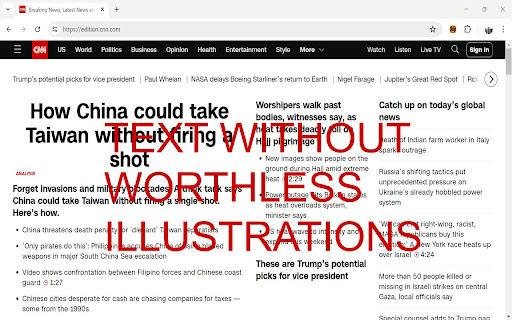


Remove all images, videos and iframed ads from a web page. Graphics remains hidden if the page is reloaded or opened in another tab Now images are everywhere, they take space but rarely do they contain any useful information. Some websites look better without worthless illustrations and ads. Use this extension to hide images, videos and iframes with ads. Once you click the extension’s icon, it will keep removing images in all the pages loaded from the same host. If you reload the page or open in a new window, images will be automatically removed. The images get hidden reversibly. Click again to enable images. If you click again, images will get hidden again. The extension works also in pages with an infinite scroll, it monitors the page and removes gradually loaded img, video and iframe tags. Some pages get smaller without images, but in most heights or content blocks are specified in the HTML layout. The images get hidden reversibly. Click the extension's icon again to display images. If The extension is open source and totally safe.

Hide Images/Videos
This extension hides images and videos for less distractions. This extension let's you quickly and easily remove all images and videos. This allows for a distraction free website viewing experience. Configurable to hide either images or videos or both. Just click the extension icon and instantly all media will be removed. Refresh the page to undo.

Fast Image Blocker
Blocks all images and visual content on desired websites. Fast Image Blocker lets you block all images and visual elements. You can allow a page to show images by adding it to the whitelist. Some websites are added by default, but you can add or remove items at any time. Few features: 1. Allows you to block all image contents (including objects) on all webpages. 2. Easily switch the extension ON or OFF from the toolbar popup interface. 3. Add or remove websites to the whitelist from the toolbar popup. To report bugs, please visit the addon's homepage (https://mybrowseraddon.com/image-blocker.html) and fill out the bug report form.

Image Blocker
An extension that simplifies browsing by letting you easily hide or show images with a single click. Image Blocker is a powerful Chrome extension designed to enhance your browsing experience by giving you control over the display of images on web pages, providing you with a cleaner and distraction-free browsing environment. 1. Works Everywhere: Whether you're browsing social media sites like Instagram, Twitter, Reddit, Facebook, watching videos on YouTube or reading a blog, Image Blocker seamlessly integrates with every web page. 2. Reduce Distractions: Say goodbye to distracting images with a simple click. Image Blocker lets you hide images effortlessly, allowing you to focus on what matters most. 3. Conserve Bandwidth: By blocking unnecessary images, Image Blocker helps conserve bandwidth, ensuring faster page loading times and smoother browsing sessions. 4. Protect Your Privacy: Maintain your privacy while browsing online. Image Blocker allows you to hide images that may contain sensitive content, giving you peace of mind as you explore the web. 5. Customized Experience: With Image Blocker, you can tailor your browsing experience to suit your preferences. Hide images by default or choose to reveal them as needed, creating a personalized and enjoyable online environment.

Hide or Blur Images
Hide or Blur all images with one click. Completely free and easy to use. - Can be easily toggled ON or OFF. - You can either choose to hide or blur the images. - Blur intensity can be adjusted. - Open source. Note: Developer of this extension has a strong arachnophobia.
