
idmcpoiccfmffdglijpiapgienjemppo

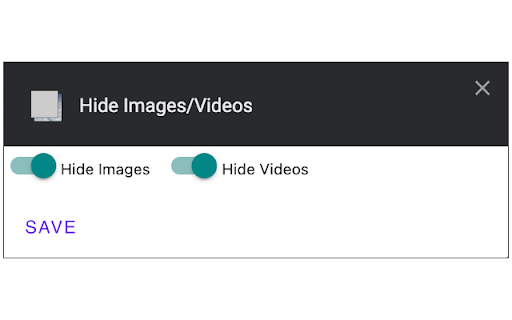
This extension hides images and videos for less distractions. This extension let's you quickly and easily remove all images and videos. This allows for a distraction free website viewing experience. Configurable to hide either images or videos or both. Just click the extension icon and instantly all media will be removed. Refresh the page to undo.

YouTube Anti Translate
A small extension to disable YouTube video titles/audio/descriptions autotranslation. YouTube title translation is helpful for beginners, but once you know the language well enough to understand original titles, it quickly becomes frustrating. Even worse, there's no proper way to disable this — unless you change your YouTube country, which messes up your recommendations and trends. This extension fixes the problem. Over 100,000 users trust it to restore YouTube the way it was meant to be. ✨ Restores original video titles instead of auto-translated ones 📝 Restores original video descriptions and chapters 💬 Restores original subtitles (untranslates captions) 🖼️ Restores original video thumbnails 🎨 Restores original channel branding, headers, and channel names 🔇 Disables automatic audio translations (dubbing) 📱 Supports YouTube Shorts — restores both audio and titles 📱 Also works on mobile (m.youtube.com) — untranslates both titles, descriptions, and audio (beta) 🔔 Fixes translations in notifications 🌐 Works everywhere — homepage, embedded videos, youtube-nocookie.com, and more ⚙️ Works automatically — no configuration or API keys needed 🎯 Advanced settings — whitelist specific channels to keep translations if needed 🧼 Lightweight and safe — clean code, no tracking, open source Chrome for Android doesn't support extensions, but you have two options: 1️⃣ Firefox for Android (Recommended): • Install Firefox • Visit FireFox page of this extension: https://addons.mozilla.org/firefox/addon/youtube-anti-translate-mv3/ • Install this extension • Open YouTube and enjoy! 2️⃣ Kiwi Browser: • Install Kiwi Browser • Open Kiwi and go to this page (Chrome Web Store) • Install this extension • Open YouTube and enjoy! 💖 This is a completely free, open‑source project maintained by volunteers. If the extension has helped you, please consider supporting the original creator at https://www.patreon.com/zpix1 or the maintainers at https://github.com/zpix1/yt-anti-translate. Firefox version: https://addons.mozilla.org/ru/firefox/addon/youtube-anti-translate-mv3/ GitHub page: https://github.com/zpix1/yt-anti-translate No more awkward or misleading title translations — get YouTube back the way it was meant to be. ____

Blur. The Image and Video blur extension
A browser extension that blurs all images on a page, for when you want to be discreet or don't want to look at certain images. Celebrating 100,000 installs, we've updated your favourite browser extension with a new look and feel! Here's to many more years of blurring! Watch this space as we continue to roll out new and exciting changes. The Blur Team. We’ve all had those times when we've 'accidentally' searched for something online and ended up seeing images we didn't want to see. Or maybe you’ve experienced browsing Facebook or Instagram at work or in a public place, only to catch someone glancing at your screen. Or perhaps you just want to read an article without being distracted by all the images and videos. Well, now you can. This add-on blurs all images and videos on a webpage, so you can concentrate on what’s important. You can choose to view the content or not. To see or not to see? The choice is yours. Shortcuts: ALT + K: Blur or unblur an image or video when hovering over it ALT + L: To quickly enable or disable the extension Language Support: We now support over 5 languages including English, Mandarin, Russian, Arabic, Bangla, Hindi and Urdu. Simply change your preferences via the settings tab. Themes: Change between light and dark theme or choose the system default. Two additional fun themes have been added, install to find out what they are. Allow list: You can also white list websites, simply open the extension and add the site to your allow list!

Video Mouse Hider
Hides your mouse when idle over videos. This extension hides your mouse when idle over videos. YouTube™ and HBO Max and others have this built-in already. Supported Websites: ✔ Hulu ✔ Vimeo ✔ Dailymotion ✔ and many more You can also set a keyboard shortcut to manually hide the cursor (hovering over video or fullscreen not required). Contact me if there's a specific website you'd like me to add specific timeout settings for. By default the idle time is set to 2 seconds after the last mouse movement. YouTube, for example, has a 4 second idle time so that the mouse hides when for the player interface gets hidden too. ⚠️ Troubleshooting and Notes: ▸ It appears that Chrome extensions that hide the mouse cursor require the mouse to be moved after the pages loads. I haven't found a way around this. ▸ Some website video players resist cursor hiding. I found a work-around for fullscreen videos but I'm not aware of a solution when videos are not fullscreen. Want to zoom, rotate, stretch or flip video? Check out another extension of mine, Video Transformer: https://chrome.google.com/webstore/detail/cafdfogfbjpgdmppmdchgcggdepfbndo Changelog: 1.0.1 (2022-09-09): ▸ possible bugfix for manual shortcut ▸ improved icon size for extension page

Youtube Hider: hide watched videos, Shorts and low views
Hides already watched videos from YouTube, as well as low views videos and remove Shorts. YouTube Hider helps you clean up YouTube by hiding what you don't want to see. Automatically remove watched videos, filter by views or upload date, and eliminate Shorts, Mixes, Playlists and live streams: all with simple, customizable controls. ✔ Hide watched videos based on your chosen progress threshold ✔ Filter videos below your preferred view count ✔ Hide by upload date: remove videos too new, too old, or both ✔ Remove Shorts, Mixes, Playlists and live streams ✔ Choose to fully hide filtered content or dim it with an overlay showing the filter reason ✔ Easy Mode for quick toggles, Advanced Mode for per-page control ✔ Floating quick-settings button for instant access on any YouTube page Works on Home, Channel, Subscriptions, Search and related video pages. Fully open source, lightweight, and data-free.
