
limaaifmadohceoiadbmpdoiepcpopfd
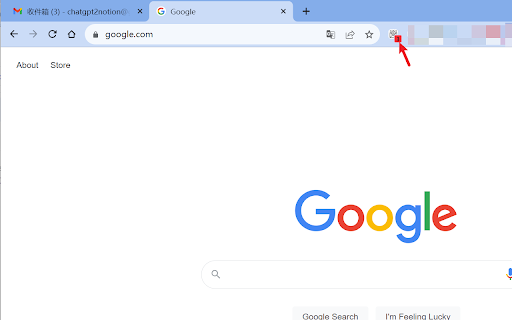
Gmail Notifier Lite is a convenient and practical Google Chrome extension designed to help users monitor multiple Gmail accounts for incoming mail. With no need to switch to respective Gmail webpages manually, this plugin provides email notifications directly on the browser's icon. Whether you are an individual user or a business professional, this plugin greatly enhances your Gmail experience in terms of efficiency. Here are the key features of Gmail Notifier Lite: Multi-Account Monitoring: Easily add and manage multiple Google accounts, keeping track of new mail for each account. Real-Time Notifications: Instantly receive notifications on the browser icon, ensuring that you never miss any important messages.

Email Checker for Gmail
Get real‑time unread counts and desktop notifications for Gmail. Get a notification whenever you get an new email inside your Gmail inbox. Even in a world of instant messengers and AI summarizers, email remains the backbone of business, online shopping, and account security. Yet most of us leave Gmail buried in a tab group—or worse, closed—while we bounce between research, spreadsheets, and social feeds. An email-checker browser extension, which surfaces unread counts and real-time notifications without opening your inbox, solves a surprisingly wide range of problems. Below are the key benefits, organized around productivity, security, mental well-being, and resource efficiency. True inbox awareness with near-zero friction Native desktop mail apps replicate a full inbox window, but they also add bloat, duplicate storage, and yet another icon in a crowded dock. A lightweight extension attaches a badge to the browser toolbar, feeding you the unread count every few seconds. That single digit is enough context to decide whether you can keep focusing or need to jump into action—no window-switching, no extra software, no fumbling for the right tab. Instant desktop notifications—even when the tab is closed Modern extensions leverage the browser service-worker alarms or browsers’ push APIs. When a new message arrives, they fire a toast with the sender, subject, and sometimes a short snippet. That real-time ping is critical for roles that live on tight feedback loops: support agents, freelancers waiting for approvals, lawyers tracking court e-filings, or anyone juggling shipping confirmations. You get the urgency of a chat app without handing over your email credentials to a third-party platform.

Badge Checker for Gmail™
Shows badge notification for unread emails (supports multi-account) Badge Checker for Gmail™ is an addon that helps you quickly get badge notifications for all unread emails in your Gmail inbox. This addon supports multi-account, in other words, if you are logged in to more than one Gmail account, all unread emails in all your accounts are summed up and shown in the badge icon. Moreover, the badge icon tooltip shows a detailed description (badge number break down). There is also an options page where you can adjust few settings including the total number of Gmail accounts that you have; time interval to check your Gmail account and your default Gmail account to open when clicking on the toolbar icon. Please note that this addon only shows unread emails for the "inbox" folder. Currently, it does not support labels. Important note: Badge Checker for Gmail™ does NOT belong or relate to Google Inc at all. It is an unofficial extension that is developed and maintained independently by its author. Gmail™ is a registered trademark of Google Inc. To report bugs, please fill the bug report form on the addon's homepage (https://mybrowseraddon.com/badge-checker-for-gmail.html).

Quick Look Inbox for Gmail
Get notifications and quick look your new Gmail messages. This is a high-performance and easy-to-use Gmail checking tool. It can check the latest emails, send out notifications, view email content and perform some common operations. It also has rich settings to meet the subtle differences in needs between different users. In short, it is not a fully functional Gmail client, but it can help you quickly complete some routine email processing tasks. This extension is implemented using the official Gmail API and only needs to be authorized through OAuth, no any website permission requirements. Some Features: • This extension only checks unread messages in the Gmail inbox, and you can set to check only or notify only specific categories of messages. • The main list can display up to 1000 messages, and the loading speed is very fast. • Supported operations include: mark as read, archive, delete, open Gmail, mark as spam, etc. • Support system notification and voice notification. • Support do not disturb function (no notification will be sent under certain conditions). • The function page can be set to be displayed in the popup page or in a new tab page. • Support archive and mark as read one-click completion. • Support setting whether to display labels, snippets, etc. • Support complete keyboard shortcuts (can be used without a mouse). Notes: 1. Currently only Chrome browser is supported, and other Chromium-based browsers are not supported. 2. Multi-account simultaneous use is not supported at this time. Privacy This extension does not collect ANY information from you, and no tracking code. Your data is transferred only between your browser and the Google (Gmail) server, some data is cached in your browser locally, no data sent to any third party.

Gmail app badge notification
Show badge notifications in the taskbar when using Gmail as an app 1. Install the extension 2. Add Gmail as an app. You can do so by following this guide: https://support.google.com/chrome_webstore/answer/3060053?hl=en - make sure to select the option "open as a window". 3. Open the newly installed app.
