
liellndcefeemacamiacloekpeljenjc
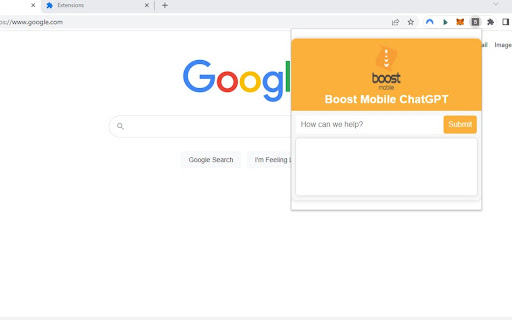

A Google Chrome extension that provides support for your Boost Mobile related issues A google Chrome Extension for support with Boost Mobile. This is not an official Boost Mobile product and has been developed using the ChatGPT API for exploratory purposes.

Chrome Notes
A simple notepad extension for Google Chrome NEW: You can now use speech to text NEW: You can now open Chrome Notes with Ctrl+Shift+X (Command+Shift+X on mac) NEW: You can now download and upload complete backups NEW: Chrome Notes adds a right click menu option to send the selected text to a new note! NEW: You can now have multiple notes! NEW: You can now customize the font size! A simple notes extension, right in your browser! Easily copy around a few words to and from different browser windows and other apps. Thank you for over 100,000 users, 100 ratings and 4.5 stars! Chrome Notes remembers your notes and mode, even after closing your browser or restarting your computer! Notes are stored in local storage, so nobody else will ever see them, not us, and not Google, Microsoft, or Apple. Features: * Resizable notepad * Shortcut buttons for cut, copy, paste, and select all * Normal keyboard shortcuts work too * Save as a .txt file * Open in new window * Speak selected text out-loud * Remembers last notepad size for you next time * Store multiple notes, and quickly create, edit, share, or delete * Focus mode for distraction free writing * Adjustable font size * Right click and send selection to new note * Download and upload full backups * Speech to text (click the mic and speak to put your words on the notepad) * Keyboard shortcut Ctrl+Shift+X (Command+Shift+X on mac) to open Chrome Notes is the smart, simple notepad built for you 😊

ChatExtension - A ChatGPT Extension
A Chrome extension to interact with ChatGPT for All Websites. ChatExtension is an innovative browser add-on that empowers users with AI-powered assistance while they browse the web. By leveraging the advanced capabilities of OpenAI's ChatGPT API, the extension can answer any question with current page contenxt. Key features of this extension include: 1. Instant Summaries: With just one click, users can generate concise summaries of web pages, enabling them to quickly understand the main points without having to read the entire content. 2. Intelligent Assistance: The extension integrates a user-friendly chat interface that allows users to communicate with GPT3.5 AI model and ask questions about the content they are browsing, getting instant answers and insights. 3. Wide Range of Use Cases: From summarizing news articles and research papers to getting quick answers and insights on complex topics, this extension is a versatile tool that can benefit users across various fields and industries. By installing this extension , users can enhance their browsing experience with AI-powered assistance that helps them save time, improve productivity, and gain a deeper understanding of the content they encounter online. The extension's convenient, user-friendly interface and powerful AI capabilities make it an essential tool for modern web users who seek to make the most out of their time on the internet.

ChatGPT Explain
A ChatGPT Chrome Extension that explains concepts in a simple way Looking for a way to understand complex concepts with ease? Look no further than ChatGPT Explain, the Chrome extension that simplifies even the most challenging topics. 📚 Select any text on your screen and get concise, brief, or detailed explanations of the concepts it contains. 💡 Customize the amount of detail you receive, from a quick overview to an in-depth analysis. ⏰ Save time and effort by getting instant access to the information you need. 👩🎓 Perfect for students, professionals, or anyone who loves to learn new things. 🆓 Completely free to use and easy to install with just a few clicks. With ChatGPT Explain, understanding new information has never been easier. Say goodbye to confusion and frustration and start learning with ease today!

Extensity
Tired of having too many extensions in your toolbar? Try Extensity, the ultimate tool for lightning fast enabling and disabling all your extensions for Google Chrome. Just enable the extension when you want to use it, and disable when you want to get rid of it for a little while. You can also launch Chrome Apps right from the list. * Keep your browser lean and fast - disable extensions that you won't use right away. * Keep your toolbar clean. * Turn all extensions off (and back on) with a single click. * Quick switch between several extensions groups using the Profiles feature. * Allow your most important extensions to be always enabled. * Keep computers in sync with Chrome Cloud Storage support. * Ideal companion for extensions collectors.
