
lhobafahddgcelffkeicbaginigeejlf
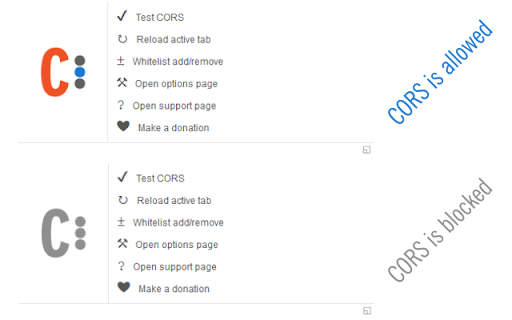

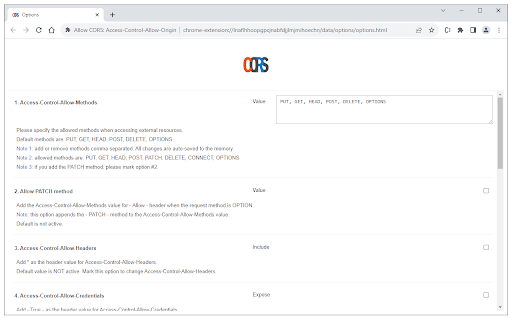
Easily add (Access-Control-Allow-Origin: *) rule to the response header. Allow CORS: Access-Control-Allow-Origin lets you easily perform cross-domain Ajax requests in web applications. Simply activate the add-on and perform the request. CORS or Cross-Origin Resource Sharing is blocked in modern browsers by default (in JavaScript APIs). Installing this add-on will allow you to unblock this feature. Please note that, when the add-on is added to your browser, it is inactive by default (toolbar icon is grey C letter). If you want to activate the add-on, please open the toolbar popup and press the toggle button on the left side. The icon will turn to an orange C letter. If you have a feature request or found a bug to report, please fill out the bug report form on the add-on's homepage (https://mybrowseraddon.com/access-control-allow-origin.html).

CORS Unblock
Temporarily unblock CORS for development and testing purposes Unblock CORS (cautiously!) for Development & Testing Need to temporarily unblock CORS restrictions on a trusted website for development or testing? This extension allows you to do that with a "SINGLE CLICK", but be aware of the security implications. Unblocking is temporary and won't persist across page reloads. Use responsibly on trusted sites only! Simple one-click unblocking. Clear warnings about security risks and temporary nature of changes. Designed for developers and testers (use with caution on production websites). This extension is a valuable tool for developers and testers, but it's crucial to use it responsibly and understand the potential security risks. Completely free and NO ads! For JSON Validation and formatting visit: https://jsonvalidator.onrender.com

JSON Formatter
The original JSON Formatter, now with optional dark mode 🌚 Auto-formats JSON when you load it in a browser tab. - Fast, even on very long JSON pages - Dark mode - Syntax highlighting - Collapsible trees, with indent guides - Clickable URLs - Negligible performance impact on non-JSON pages (less than 1 millisecond) - Works on any valid JSON page – URL doesn't matter - Buttons for toggling between raw and parsed JSON - FIXED: Exports the parsed JSON to window.json so you can explore it in Dev Tools Note: this extension might clash with other browser extensions that modify the DOM before it runs. If it doesn't seem to be working, try disabling other extensions. If it clashes with an extension you need, open an issue and I'll try to find a solution. PRIVACY No tracking, no advertising, and nothing else nefarious.

Vue.js devtools
DevTools browser extension for Vue.js Chrome devtools extension for debugging Vue.js applications.

Angular state inspector
Helps you debug Angular component state. Supports Angular 1/2+/Ivy! Angular State Inspector for Angular Extends the Chrome Developer Tools for Angular web apps. Adds new panel "State" to Elements tab, that displays the state of selected element. Prints state of selected element in console by calling "$state" variable. Depending on angular version it can show: - Component state - Directives - Context, like ngForOf or ngIf values - Event listeners If they are applicable to the current element. Angular State Inspector also allows you to modify the values in the "State" panel (double click on value) and from console(e.g. $state.title = 'new value'). To apply changes just call $apply() in console. See all supported commands in chrome console. Version 1.4.6: - Show info message if $ctrl is not available in selected scope. - Update $state object even if it's not available. Version 1.4.5: - [ivy] Show info from ng.getComponent(). If it's null then show OwningComponent state. Version 1.4.4: - update extension logo Version 1.4.3: - Return result emoji on `$apply()` call Version 1.4.2: - Fixed props editing and change detection Version 1.4.1: - Print always up to date state in console Version 1.4: - Full support angular 9 Ivy api Version 1.3: - Added experimental support of Ivy - Added shortcuts that you can use in console
