
ldimfpkkjopddckaglpeakpaepclcljn

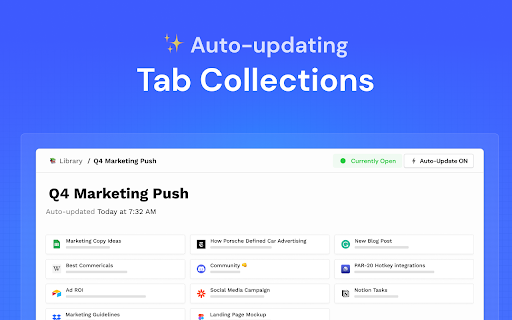
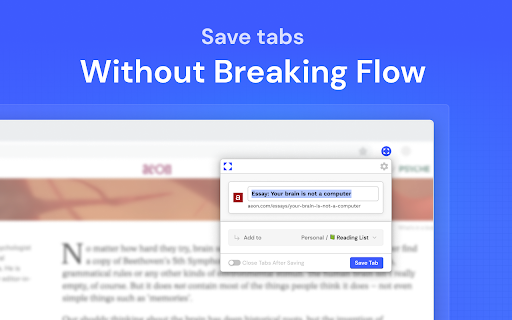
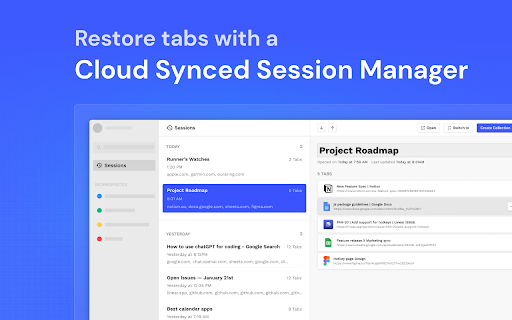
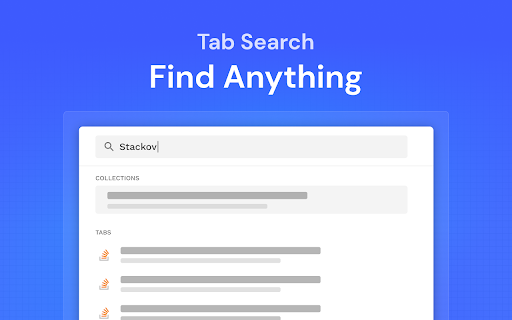
Partizion is a tab and session manager that just works. Never worry about losing tabs again. ✦ Magic tab manager — Partizion saves tabs for you ✦ Privacy focused — no ads, no tracking, and we never sell or share your data ✦ Reliable tab session manager — Over 1 Million sessions saved ✦ Used by professionals from Netflix, Google, Shopify, Uber, Spotify, and more ✨ AUTO-UPDATING TAB COLLECTIONS Don’t want to manually update tabs and bookmarks? Partizion’s powerful auto-updating feature will automatically save tabs when you open/close them so that you don’t have to. ✔️ Automatically saves tabs for you (when you open or close them) ✔️ Pick up where you left off — Just open your Partizion collection ✔️ Cloud synced — restore saved groups of tabs from any browser ☁️ CLOUD SYNCED SESSIONS A bullet-proof tab session manager for chrome. With local caching and backups, cloud sync, and a beautiful UI, you never have to worry about losing tabs again. ✔️ Automatically saves sessions for you ✔️ Restore a session or group of tabs anytime ✔️ Sessions are synced to the cloud ✔️ Privacy controls (encryption + auto-delete settings or completely disable syncing) Too many tabs open? Partizion tab manager helps you keep less tabs open by saving backups so that you can safely close any tabs that you don’t need open right now, knowing that you can always find and open them again later. Lost tabs? Partizion automatically saves cloud-synced tab sessions so that you can restore any tabs you may have lost. Want to pickup where you left off? Save groups of tabs, open them later in one-click. Enable auto-update and Partizion will save tabs for you. As a backup, you can always restore tabs from Partizion’s session manager. Organize your tabs Organize tabs into Collections by project, task, client, or anything else then close/reopen later from any browser. Restore tabs Use Partizion’s powerful tab search to search your saved tabs and collections. OR browse your sessions in chronological order to restore sessions that you may have forgotten to save. Custom Views View your saved tabs and collection how you like: Grid View, List View, Kanban View, and a Full view (shows everything). Sort and filter your views to create workflows and dashboards.

Tab Deck - Tab/Tab Group Manager
Your all-in-one tab/tab group manager that helps you effectively manage and organize your tabs/tab groups Tab Deck is a Chrome extension alternative to OneTab/Session Buddy, that allows you to manage your tabs & tab groups in one place. One click to aggregate all tabs & tab groups into one session. - ⚡️ Organise tabs & tab groups efficiently - 🖼️ Master Your Open Windows - ✨ See all your open windows at a glance - 💾 Save tabs into sessions for later access - 🗂️ Save/Restore/Reorganise tabs, even tab groups - in the current window - in a new window - restore and suspend tabs to save memory - 🔄 Synchronizes your browser tabs & tab groups - 🤏 Reorganize tab sessions use Drag & Drop with ease - ⌨️ Command `K` Interface - easily explore the all tabs & tab groups. - 🏷️ Visual Web Bookmark - Turn a link into a visual web bookmark with a beautiful QRCode, that you can share with others. - 💾 Session Backup Solution - 📑 Save your session as a JSON file - 📧 Send your session to your email (Sign-in) - 📥 Support migrating solution - 🔖 Support for migrating tabs data from `OneTab` to `One Tab Group` - 🔖 Support for migrating tabs data from `SessionBuddy` to `One Tab Group` - 🔍 Search all tabs quickly using fuzzy search - 🧹 Suspend open tabs to save memory - ☁️ Auto Cloud Sync with Sign in - ❤️ Bookmark your favorite sessions - ✨ Share Sessions as a link with anyone

Blixem Tab Manager
Organize, save & share your tabs for easy collaboration with Blixem. Blixem helps you manage your tabs and windows efficiently, reducing distractions and improving performance. Homepage: Your new tab screen shows tabs vertically, gives quick access to favorite sites, and lets you launch Workspaces with one click. Customize with widgets, colors, and backgrounds. Workspaces: Save tabs into Workspaces for easy access, sharing, and collaboration. Customize Workspaces and share them with a few clicks. Collaborate: Share Workspaces by granting view or edit permissions. Teams can add content, comment, and invite others with a link or email. Collaborators don't need the extension installed. Windows: See all open tabs across all Chrome windows from one page. Rearrange, close, or add tabs to Workspaces. Pause tabs and windows to speed up your computer. Widgets: Add widgets like recently closed tabs, frequently visited sites, and top Workspaces to your homepage. Work-Personal Separation: Separate work and personal tabs using Categories. Hide work tabs when off duty and personal tabs during work hours. Blixem Tab Manager helps you control and organize your online life.

Super Focus Tabs
Quickly find out tab/page. Reduce much more time while working with multiple tabs/pages. + Quickly find out tabs. + Quickly closing current tab by pressing double esc + Quickly find the page in your bookmark/history. + Quickly save the page by using shortcut key. + Quickly go back to previous active tabs by shortcut key. + Quickly go to latest created tab. + Support auto close unused tabs. + Support real time update. + Support page screenshots. + Support list view, thumbnail view and tree view, preview. + Support tabs, bookmarks, history, saved pages. + Support sorting, filtering, grouping, etc. + Support many functions such as saving and closing all tabs, merging windows, closing the duplicated pages, etc. + Many options for you to customize. Reduce much more time while working with chrome. Let try and experience.

Smart Sessions - Tab Manager
Save & restore your browser sessions. Auto saving, multiple sessions and more. With this tab manager you can group your tabs into a session. Any changes are automatically saved. Close & restore when needed. - Online synchronization with your CHROME account - Multiple active sessions - Persistent size and position of session windows - Multiple windows in a session (you can drag a tab out from active session) - Auto saving - Tags - Tab groups - Incognito mode (should be explicitly allowed for extension) - Search - Export/Import (html document) - Tab navigation/closing To start, click "create" in the top bar, enter new session name and select few tabs. After creation, those tabs will be moved to a new window and all changes to its tab list will be recorded, window size and position too. You can also move any tab out of active session, extension can easily track two or more windows. Apr 22, 2022 (1.6) - Support for tab groups - Incognito mode - Bug fixes Jan 26, 2020 (1.4) - Dark Theme - Improved Search - Export Single Session - Page Context Menu "Add To Session" - Small improvements
