
laoehmebljbnhfgiomofajpeajfbkodg
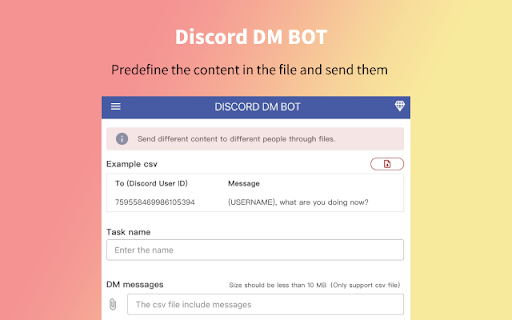
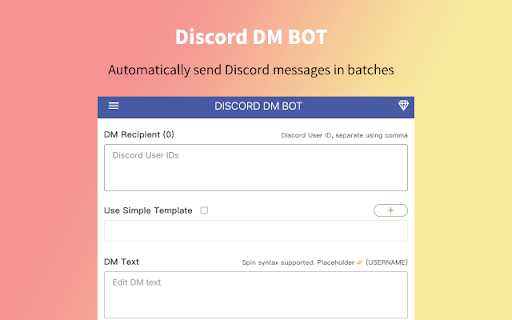
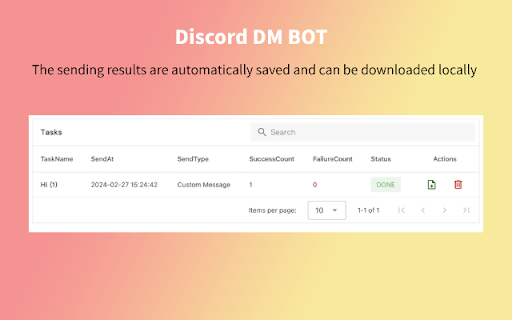
Send messages between multiple Discord channels or users efficiently and conveniently. # HOW TO USE 1. Open discord.com and login to the application 2. Paste your target User IDs 3. Use the template, or not 4. Edit your DM text message 5. Click "SEND" to begin your automated DMs # FEATURES ✓ Send bulk messages to Discord users. ✓ Predefine the content in the file and send them. ✓ Personalized messages with placeholders and spinx syntax template. ✓ Support Message Template, templates can be migrated between different computers ✓ The sending results are automatically saved and can be downloaded locally. ✓ Tasks can be paused. when restricted, pause for 10 minutes and then continue the task. # NOTICE Kindly do not use it for SPAMMING which is Discord™ strictly prohibited.

Discord member scraper
Scrape the member list and download them Get member list and download Efficiently and conveniently obtain user member lists from multiple Discords and download them locally. # How to use 1. Open discord.com and log in to the application 2. Select Discord channel 3. Open the extension and select the export method and file format 4. Click the "Download" button # Feature ✓ Get the member list from the Discord screen. ✓ Safe and not banned. ✓ Supports multiple file formats.

dFriend - Add Friends for Discord™️
Bulk add discord friends tool. Extract discord group members and add them as your friends. 1. Open discord.com and log in to the application. 2. Paste your target User ID list, or load members from your current channel. 4. Click "START" to begin your automated tasks. V2.0.0 Change log - Fix the critical add friend stuck issue. ✓ Bulk send friend request for Discord ✓ Load members from your current channel ✓ Import Discord User ID from CSV file ✓ Auto skip your friend list and request sent ✓ Save adding history to local storage ✓ Continue task progress from history Kindly do not use it for SPAMMING which is Discord™ strictly prohibited. https://discord-add-friend.extensionsfox.com/#faq If you have any questions, please keep in touch via help@extensionsfox.com. All data is processed in your local computer, never passing through our web server, and no one knows what you sent.

dSaver - Export Discord user list to CSV
# v1.1.3 UPDATE ✓ Fixed issue with exporting only 1000 users in admin mode. You can now extract all your own Discord server members. ✓ Export user list from Discord server. ✓ Download users of reactions. ✓ Save and download the member list in CSV/EXCEL/JSON format. Visit any Discord server, click the extension then click "Export" button to start. If you have any questions, please keep in touch via help@extensionsfox.com.

Discord Batch Deleter
Batch Delete your Discord channel or IM messages This extension is a life saver for Discord admin, which hep you to batch delete the discord app messages. As we know, the discord channel may generate lots of messages, e.g. from Discord Bot or members. Since Discord app deleting message require you to double confirm (which make sense), this will make Admin not easy to delete massive messages . Just install this extension, then goto your channel, then open the extension, select some users or delete all, click, then leave. Then this extension will delete the message one by one (about two per second). The deleting progress can be found in the bottom bar. You can also stop the deleting session by click the closed button or refresh the web page. Enjoy and have fun! 🏝
