
kmlhdhkkijfhlfajemaahkmeijhjalhf

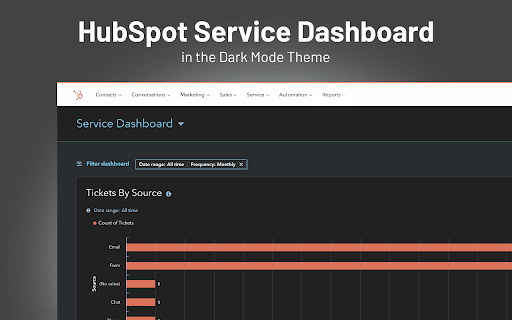


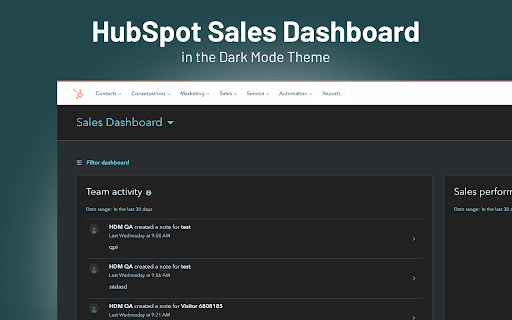
Take care of your eyes day and night using dark theme for HubSpot tools and services. Change the interface of HubSpot Service Hub to dark without having to reach for the code editor. DARK MODE TO SAVE YOUR EYES Staring at the bright computer screen for a couple of hours straight can hurt your eyes. Either you’re working a night shift or sitting in a room with poor lighting, your eyes will get tired and itchy. But our extension will help you reduce all the harmful effects. With the Dark Mode app, you can adjust the brightness and comfortable contrast level for all products in your HubSpot interface. NIGHT SHIFT TO MAINTAIN HEALTHY SLEEP Working with service software usually takes up the whole day and makes you work on tickets for hours in a row. Set the Dark Mode up in your Chrome, and feel free to enjoy all the benefits that the Night Shift gives. This nifty feature inverts blue light from a screen to warmer colors and makes the light impact less harsh on your eyes.

Dark Reader
Dark mode for every website. Take care of your eyes, use dark theme for night and daily browsing. This eye-care extension enables night mode by creating dark themes for websites on the fly. Dark Reader inverts bright colors to make web pages high contrast and easier to read. Adjust brightness, contrast, the sepia filter, font preferences. Enable dark mode on every web page or give websites a sepia tone. Enable or disable Dark Reader for specific websites, automatically sync with system dark mode, or detect already dark websites and leave them unchanged. This is the original Dark Reader extension. Since 2014, we continuously evolve alongside modern web technologies to deliver fast and reliable dark mode support for people sensitive to bright light. By installing the extension you agree to these terms of use https://darkreader.org/terms/

Dark Mode for Intercom
Take care of your eyes day and night using dark theme for Intercom tools and services. The white design of Intercom can be harmful to your eyes if you’re working in dimly-lit conditions. We care about your health, therefore, we introduce an extension for adding a dark theme to your Intercom interface. DARK MODE You can easily switch between light and dark modes and even adjust the contrast and brightness. The theme works across all functions of Intercom, allowing you to concentrate on what matters - your customers. NIGHT SHIFT FEATURE The screen of your computer or laptop emits blue light and when exposed for a long time can increase the risk of insomnia. But worse than that, extended exposure to blue light hurts your eyesight. Turn on Night Shift to switch cold tones to warm and reduce the probability of health problems caused by electronic devices.

Lunar Reader: Dark Theme & Night Shift Mode
Dark theme and night shift mode for every website. Care your eyes, use Lunar Dark Reader for night and daily web browsing. Lunar Dark Reader extension will put dark theme on all websites, suitable for those work at night and dark reader for online news or book reading. ★ What will you get from Lunar Dark Reader extension: 1) An easy way to create dark mode on every website. In addition, you can customize your dark theme visual from Brightness, Contrast, to Saturation. 2) A night shift mode which changes the website's color to warmer, making it much more pleasing to watch. You can choose to use either dark theme or night shift mode, or both. You can also quickly activate these modes with simple keyboard shortcuts. 3) You can set up schedule for each dark theme and night shift mode, and decide when you want to auto-activate dark theme. ★ Our Lunar Dark Reader extension is safe to use, as it complies with Google's policy: https://lunarreader.com/privacy/ ★ Note: Remember to disable any similar dark theme or night shift mode extension to prevent compatibility issues. UPDATE 2026.4.4: Lunar Reader updated to manifest v3 with improvements and bugfixes.

Dark Reader - Dark Mode for Chrome
Turn on dark mode for Chrome. Take care of your eyes, and use a dark theme for the night and daily browsing. Dark Reader - Dark Mode for Chrome is a fast, lite, and simple extension that automatically turns the colors of your browser content warmer or darker. This eye-care extension enables night mode by creating dark themes for websites on the fly. Dark Reader inverts bright colors, making them high contrast and easy to read at night. What will you get from the Dark Mode extension: 1) An easy way to create dark mode on every website. In addition, you can customize your dark theme visual from Brightness, Contrast, to Saturation. 2) A night shift mode that changes the website’s color to warmer, making it much more pleasing to watch. Night Shift Activate Night Shift mode to invert the usual light from the screen to a warmer tone, thus, preventing your eyes from harm. You can turn the tool on and off with a single click when you need it. Dark Mode extension automatically shifts the colors of your browser content to the warmer end of the color spectrum after dark. Dark Reader extension will put a dark theme on all websites, suitable for those who work at night and dark reader for online news or book reading. Dark Theme for YouTube extension converts the YouTube theme to a highly customizable dark charcoal/blue theme. This Dark Reader extension is built on top of the default YouTube theme (native dark theme).
