
kmciijooidgakegflnbnjbnjcimdcfko
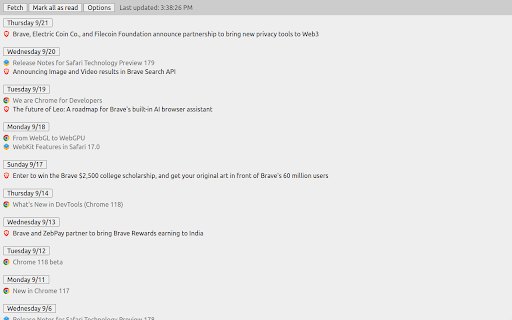
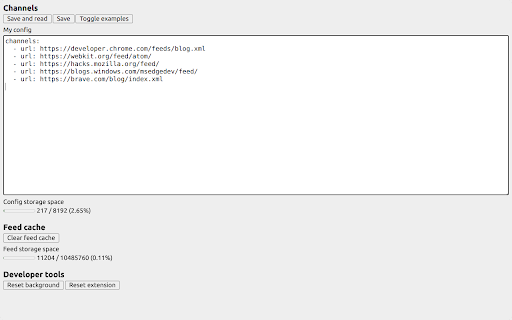
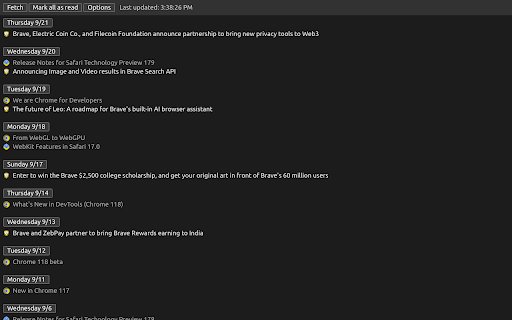
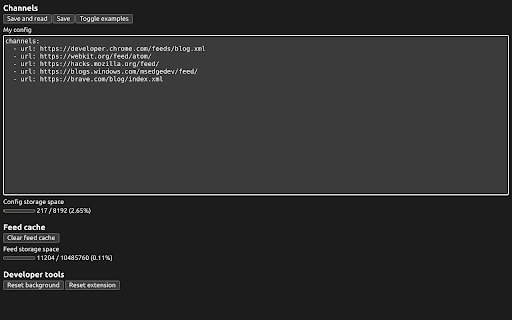
Host-free RSS reader in your browser. Fjord is a self-contained RSS reader that deeply integrates into your browser. - Synchronize feed subscriptions with browser's built-in user profile - Blazing-fast performance from browser's built-in networking and XML parser - Track read status with browser's built-in history management - Automatic dark or light theme based on the OS preference - New content automatically appears on top with date-based grouping - Works well with Microsoft Edge split screens

Tanuki Utilities
Provide useful utilities for GitLab users. * Change the GitLab favicon to a project icon; you can easily distinguish many GitLab tabs. * Move "Copy reference" button on top bar; the button is always shown for your easy access. This extension tries to change favicons in the **all** sites by default. You can specify which GitLab site (e.g. gitlab.com or your self-hosted site) you would like to change favicons. #### Change the GitLab favicon to a project icon

RSSkit - Refined RSS reader
RSSkit is a refined RSS reader with useful features for the web with RSSkit reader, you can use the useful features including: - AI summary (requires your own api key, support OpenAI and Azure OpenAI) - Reader view - Filter - Search post - more are coming!

sideRSS - RSS Reader in sidePanel
■sideRSS Get a simple overview of your RSS/Atom feed reader with side panel. sideRSS is the RSS reader that seamlessly integrates with your Chrome browsing experience. ■Key Features: - Side Panel Integration: Access your feeds without leaving your current tab - Quick Feed Overview: Instantly see new/unread posts from your subscribed feeds - Intuitive Management: Organize and customize your feed list effortlessly - Cross-Format Support: Compatible with both RSS and Atom feeds The best RSS Feed Reader extension for Chrome. If you have any feedback, bugs or issues, we're always listening on our support form: https://forms.gle/qvh1EqQU1r8Fkjdx8. If any RSS or Atom feeds don't work please report it to us. ■How to use. - Activate shortcut is Ctrl/Cmd+Shift+S - (Optional) Pin the extension's icon to your toolbar! - Click on the extension icon in the browser toolbar to activate the sideRSS pane. - Alternatively, right-click on any page and click the icon in the context menu. - Subscribe to the RSS feeds you want to subscribe to in the Feeds tab. - Press the Reload button in the Inbox tab.

RSS Reader - Swipe my feed now
Discover the RSS feeds available on the current page with just a click on the toolbar and read live articles as swipe and flip cards. How it works? Swipe my feed NOW © will check if the current page itself is an RSS feed and open the swipe reader in that case, otherwise it will start a bot to lookup for RSS on the current website and bring a list. Once the list of RSS feed links is returned, you can open the swipe reader of the feed of your choice. Why is Swipe my feed NOW © different from other RSS feed readers? -SWING WITH SWIPE AND FLIP Forget old interfaces and swipe items into cards with your finger or you mouse. Instantly throw away what you don't like. Tap or click the card to flip it over and read the details and then access the author's website only if you like it. -REAL TIME READING Don’t let other decide what’s good to read for you. While traditional RSS readers notify upon arrival of a new item, Swipe my feed NOW © rely on "agility". The reader get you read faster thanks to the swipe so you can read more frequently. It's You who make the news! -A REAL "FREE" There are a plethora of RSS readers that pretend to be "Free". But you often register or install an extension to discover that interesting features are actually paid! The Swipe my feed NOW © RSS feed reader is completely free. -NO ADVERTISING Some RSS readers do not hesitate to blackmail: either you pay or you have advertising! The Swipe my feed NOW © RSS feed reader is ad-free. Note: the reading of the complete articles is done on the authors' website; the latter can impose advertising on their site. -NO REGISTRATION, NO SPYING Access to RSS feeds is anonymous and immediate, it does not require any registration. Note: the reading of the complete articles is done on the authors' website and depending upon their Terms and Conditions, they can impose a registration and paid services. Note: Swipe my feed NOW © uses an external website as a viewer: News on the Web © (https://news-on-the-web.com), by the same author, another RSS reader without ads, free and without spying (anonymous). -OPTIMIZED FOR TOUCH SCREEN DEVICES The News on the Web © RSS feed reader works fine on a desktop computer with a mouse but is optimized to provide the best user experience on touch screen devices. -BONUS Share your favorite feeds! Share on social networks or mail, or with yourself to read your favorite feed on your phone. If you have any feedback, bugs or issues, please use the QUASTER SASU contact page: https://quaster.fr/#contact . Do not hesitate to share if a RSS feed is not recognize as such, this may happen sometime. This extension was developed and is maintained with ♥.
